Meshy skills for Hermes Agent
Add the Meshy skills to Hermes Agent so your agent can generate 3D models, textures, and animations, and prepare 3D prints, from a chat.
Overview
Meshy has two skills for Hermes Agent:
meshy-3d-generation: Text to 3D, Image to 3D, and Multi-Image to 3D, AI texturing and retexturing, remeshing to a polygon budget, UV unwrapping, auto-rigging and animation for humanoid characters, and export to GLB, FBX, OBJ, STL, or USDZ.meshy-3d-printing: printability analysis and repair, single-color and multicolor 3MF, sizing to real-world dimensions, Creative Lab products such as figurines, lamps, keychains, and fridge magnets, and handoff to an installed slicer.
Each skill installs on its own, so you can add only the printing skill if that's all you need. Both skills run the Meshy CLI, which is the meshy-cli package on npm. You sign in once in your browser, and you don't need an API key.
The skills are open source in the meshy-3d-agent repository on GitHub.
Before you begin
-
You need Hermes Agent.
-
You need Node.js 22.12 or later, with npm, on the computer that runs Hermes.
-
To generate models, you need a paid Meshy plan. Every generation task spends Meshy credits at API rates. For the cost of each task, see Pricing. Printability analysis is free, and local print steps, such as rescaling a model or opening it in a slicer, don't need a sign-in.
Install the skills
To let Hermes do the setup, paste the following text into a chat:
Help me install Meshy CLI and the meshy-3d-agent skills:
https://raw.githubusercontent.com/meshy-dev/meshy-3d-agent/main/INSTALL.md
Hermes checks Node.js, installs the Meshy CLI and both skills, and then walks you through the sign-in.
To install the skills yourself, add them from GitHub with Hermes:
hermes skills install meshy-dev/meshy-3d-agent/skills/meshy-3d-generation
hermes skills install meshy-dev/meshy-3d-agent/skills/meshy-3d-printing
You can also install both skills with the skills installer:
npx -y skills add meshy-dev/meshy-3d-agent --skill meshy-3d-generation --skill meshy-3d-printing -g -y -a hermes-agent
You don't need a global npm install -g meshy-cli. Without it, the skills run the CLI through npm exec. A global install only makes startup faster.
If Hermes doesn't use the skills in a conversation that was open while you installed them, start a new session.
Sign in
The first time you ask for a model, Hermes starts the Meshy CLI sign-in and sends you a link and a one-time code.
To sign in, follow these steps:
-
Open the link on any device.
-
If the page asks for a code, enter the code in Device code exactly as Hermes shows it, and then click Continue.
-
If Meshy asks you to sign in, sign in to your Meshy account.
-
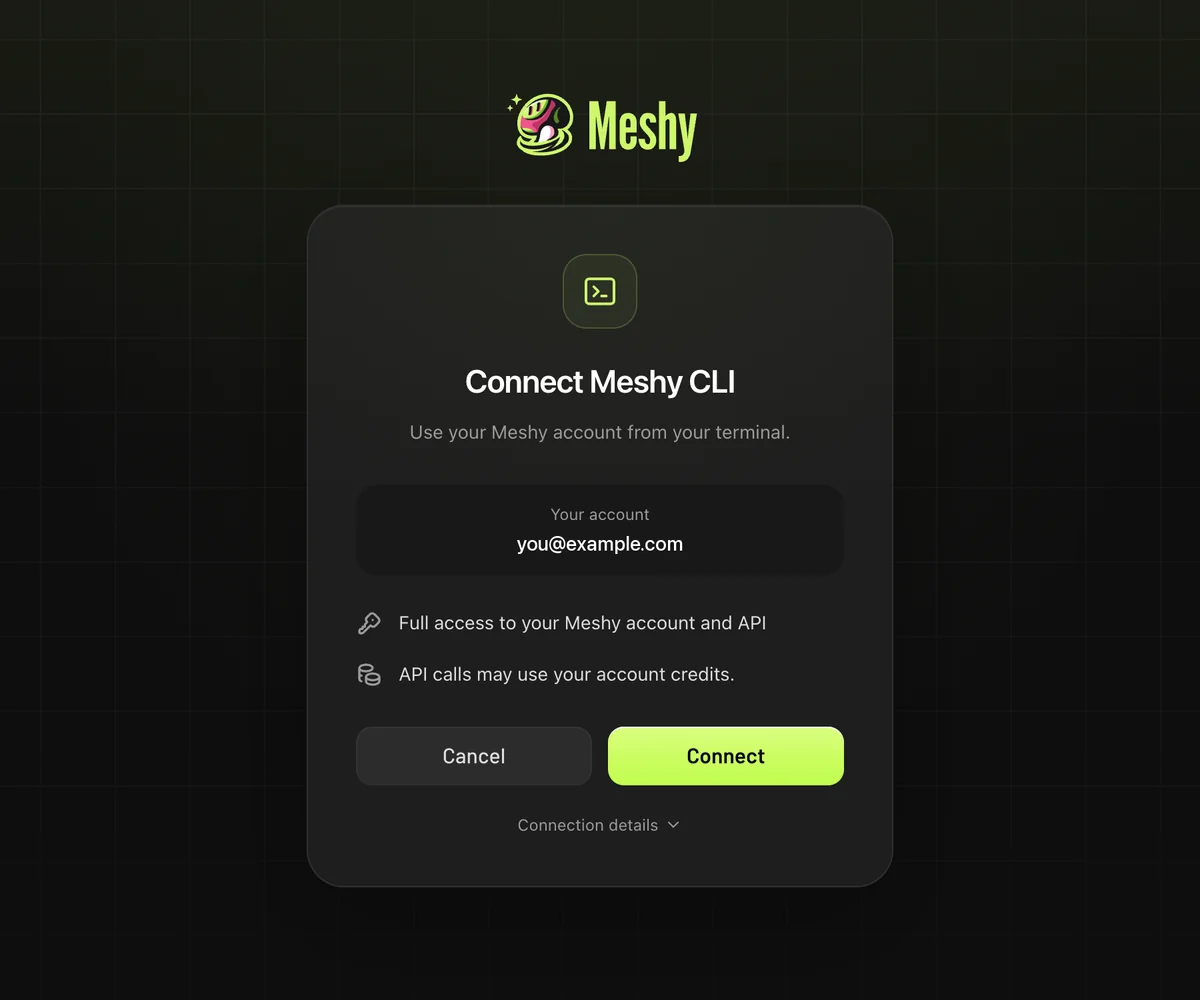
On the Connect Meshy CLI page, click Connect. The page shows Meshy CLI authorized.
-
Return to the chat. Hermes continues the request you made.
The code expires after 10 minutes. If it expires, ask Hermes for a new one. You can approve the sign-in from any browser, so it also works when Hermes runs on a server or over SSH.
The Meshy CLI stores the session in ~/.config/meshy/credentials.json. Every agent that runs as the same user on that computer shares the session. If MESHY_API_KEY is set, the CLI uses that API key instead of the browser session.
Example prompts
Describe the job in your own words. For example:
- Make a 3D model of a baby husky and save it as GLB in ./assets.
- Turn this photo into a textured 3D model and keep its proportions. (attach the image)
- Create three low-poly potion bottles for my game, each under 1,500 triangles.
- Rig this humanoid character, add a walking animation, and export it as FBX.
- Help me 3D print a small dragon figurine, 80 mm tall, as a multicolor 3MF.
Follow-up requests reuse the previous result, for example make a 1,500-face LOD, now as FBX, or scale it to 150 mm. To approve each paid step yourself, add ask me before spending credits to your request.
Troubleshooting
The following table lists common problems, their causes, and how to fix them.
| Problem | Cause | Fix |
|---|---|---|
| Hermes doesn't use the Meshy skills | Hermes didn't load the skills in the open conversation, or didn't match your request to them. | Start a new session, or mention Meshy in your request. |
node or npm isn't found | Node.js isn't installed, or Hermes can't find it. | Install Node.js 22.12 or later from the Node.js website, and then restart Hermes. |
| Hermes asks for an API key | The skills don't need one. They sign in through your browser. | Decline, and ask Hermes to sign in through the browser instead. Never paste an API key into a chat. |
| The sign-in code expired | A code is valid for 10 minutes. | Ask Hermes to start the sign-in again. |
| Hermes can't generate because of your plan or credits | Generation needs a paid plan and enough credits. | Check your plan and balance on the Subscription page in the Meshy web app. |
| You're signed in to the wrong Meshy account | The Meshy CLI reuses the session that it stored on your computer. | Ask Hermes to run meshy auth logout, and then sign in again. |
FAQ
- How do I add Meshy to Hermes Agent?
- Ask Hermes to follow https://raw.githubusercontent.com/meshy-dev/meshy-3d-agent/main/INSTALL.md, or run hermes skills install meshy-dev/meshy-3d-agent/skills/meshy-3d-generation and the same command for meshy-3d-printing. You also need Node.js 22.12 or later with npm.
- Do I need a Meshy API key?
- No. The skills sign in through your browser with a one-time code, and the Meshy CLI stores the session. If MESHY_API_KEY is already set in your environment, the Meshy CLI uses it instead.
- Can I install only the 3D printing skill?
- Yes. meshy-3d-printing installs and works on its own, including the generation steps a print needs.
- Does it work when Hermes runs on a remote server?
- Yes. The sign-in shows a link and a code that you can approve from any browser.
- Are these the same skills as the Codex plugin?
- Yes. The Codex plugin, Claude Code, Cursor, and Hermes Agent all use meshy-3d-generation and meshy-3d-printing from the open-source meshy-3d-agent repository.
- Is it free?
- The skills are free and open source. Generating 3D models requires a paid Meshy plan and spends Meshy credits at API rates. Printability analysis is free.
Next steps
-
To use the same skills in Codex, see Meshy plugin for Codex.
-
To use the same skills in OpenClaw, see Meshy skill for OpenClaw.
-
To call the Meshy API from an AI agent with your own API key, see AI integration.