Meshy for Omniverse / Isaac Sim
Install the Meshy Bridge extension in NVIDIA Omniverse or Isaac Sim so you can send models from the Meshy web app straight into your open USD stage.
Before you begin
-
Download the extension, a
.zipfile, from the Meshy for Omniverse integration page. -
You need Isaac Sim or another Omniverse Kit app, running on the same computer as your browser.
-
You need the Meshy web app on Windows. Send to OV/Isaac isn't available on other operating systems.
-
You need a Meshy account. To send models with the bridge, you need a Pro plan or higher.
Meshy tested the extension with Isaac Sim 6.0.0.
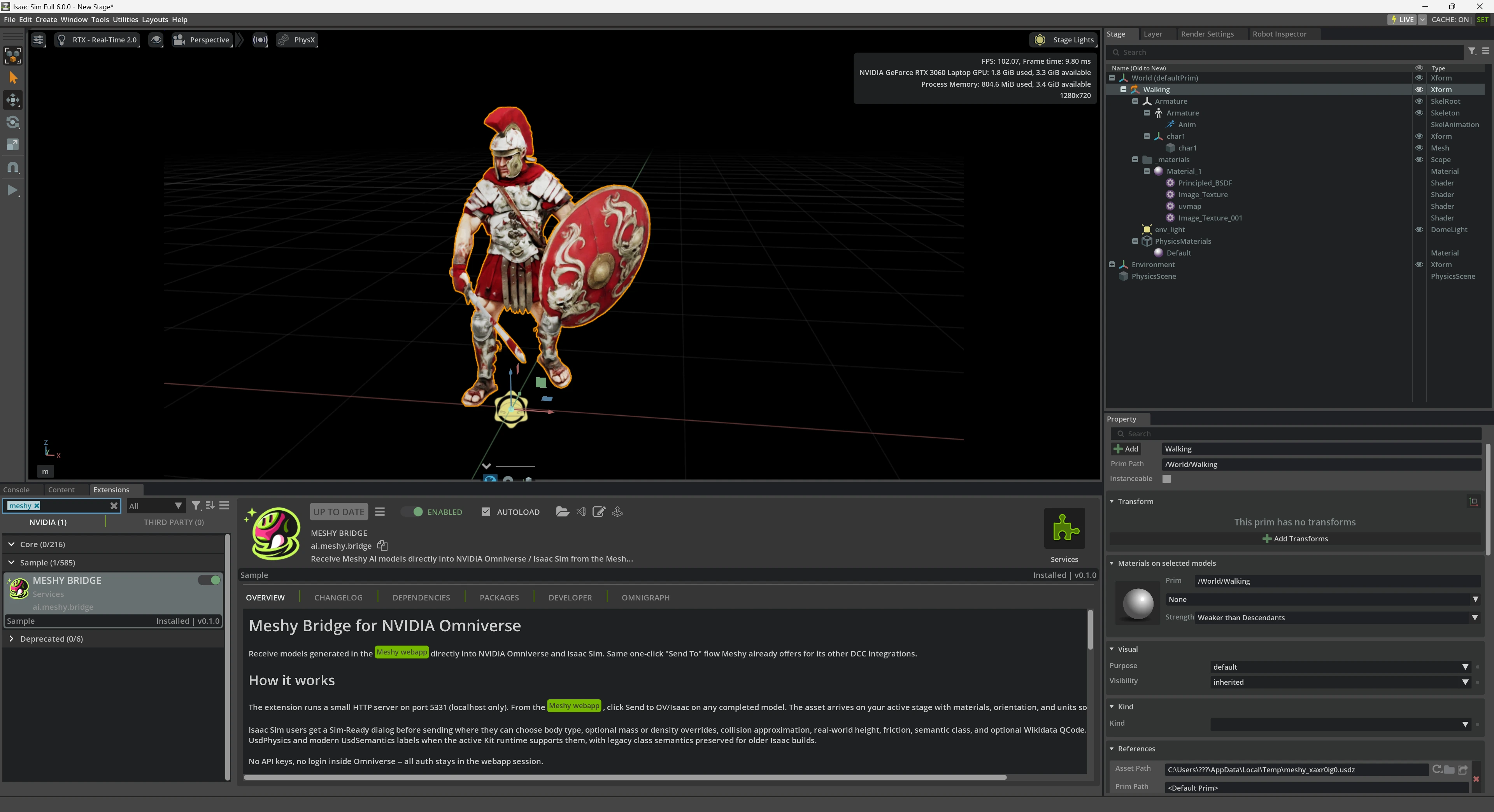
Install the extension
To install the extension, follow these steps:
-
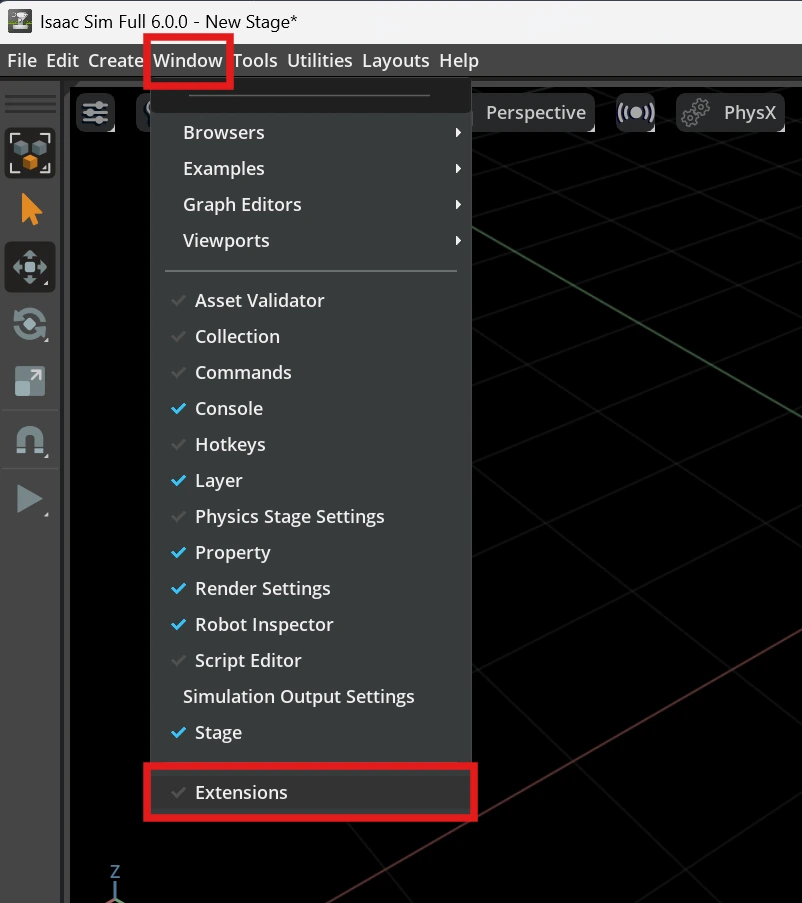
In Isaac Sim or your Omniverse Kit app, click Window > Extensions.
-
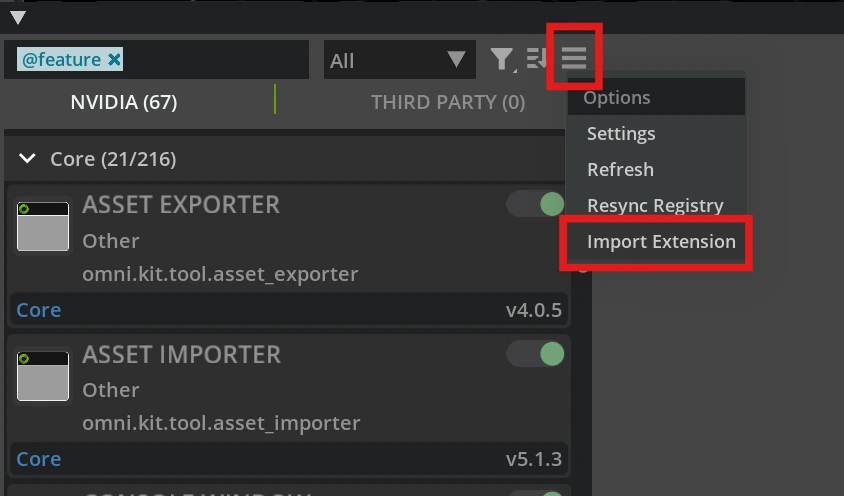
In the Extensions window, click the menu icon (☰), and then click Import Extension.
-
In the Choose Extension Zip Archive dialog, select the
.zipfile you downloaded, and then click Import.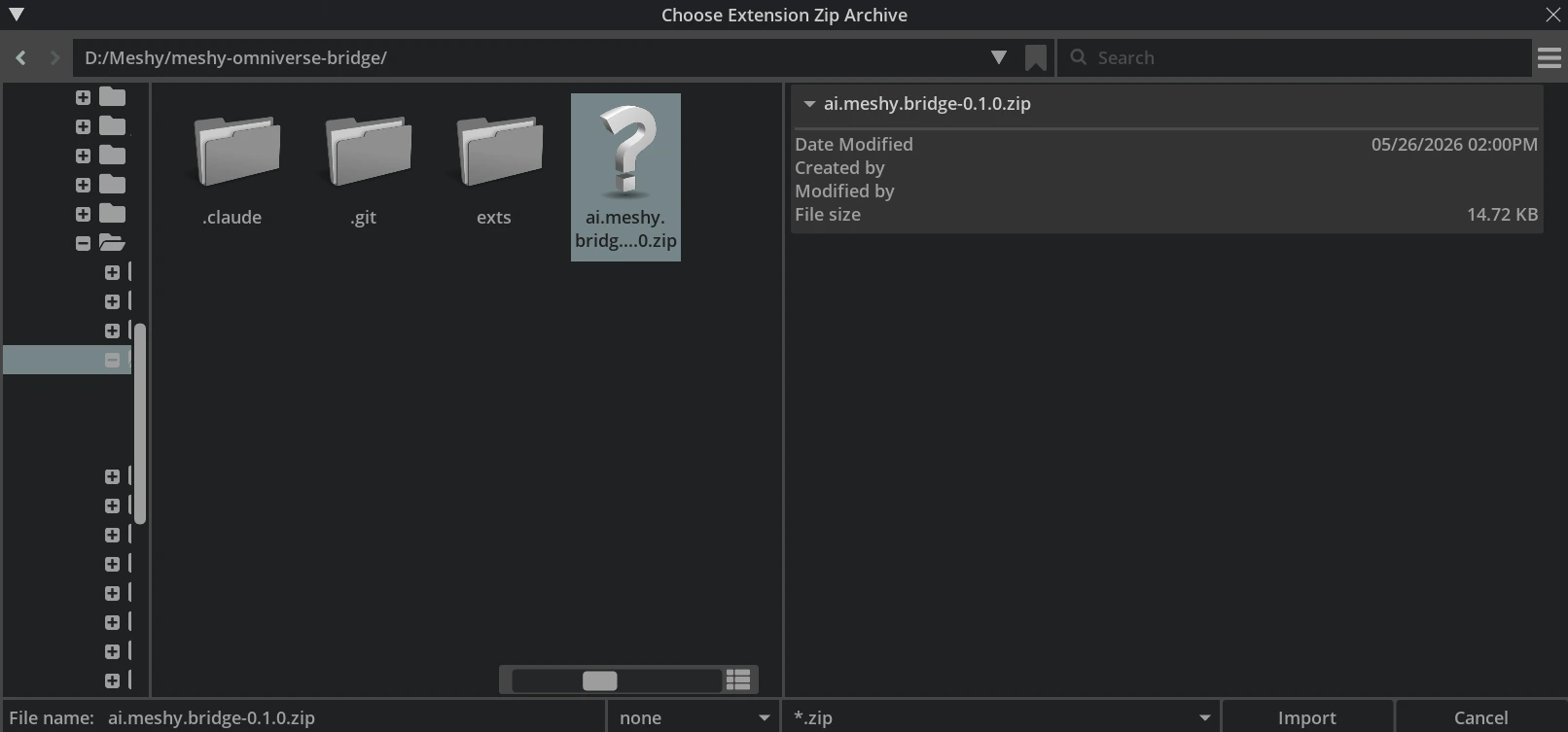
Enable the extension
To enable the extension, follow these steps:
-
In the Extensions window, search for
Meshy Bridge. -
Select MESHY BRIDGE, and turn on its toggle.
-
Optional: Select AUTOLOAD so the extension starts each time you open the app.
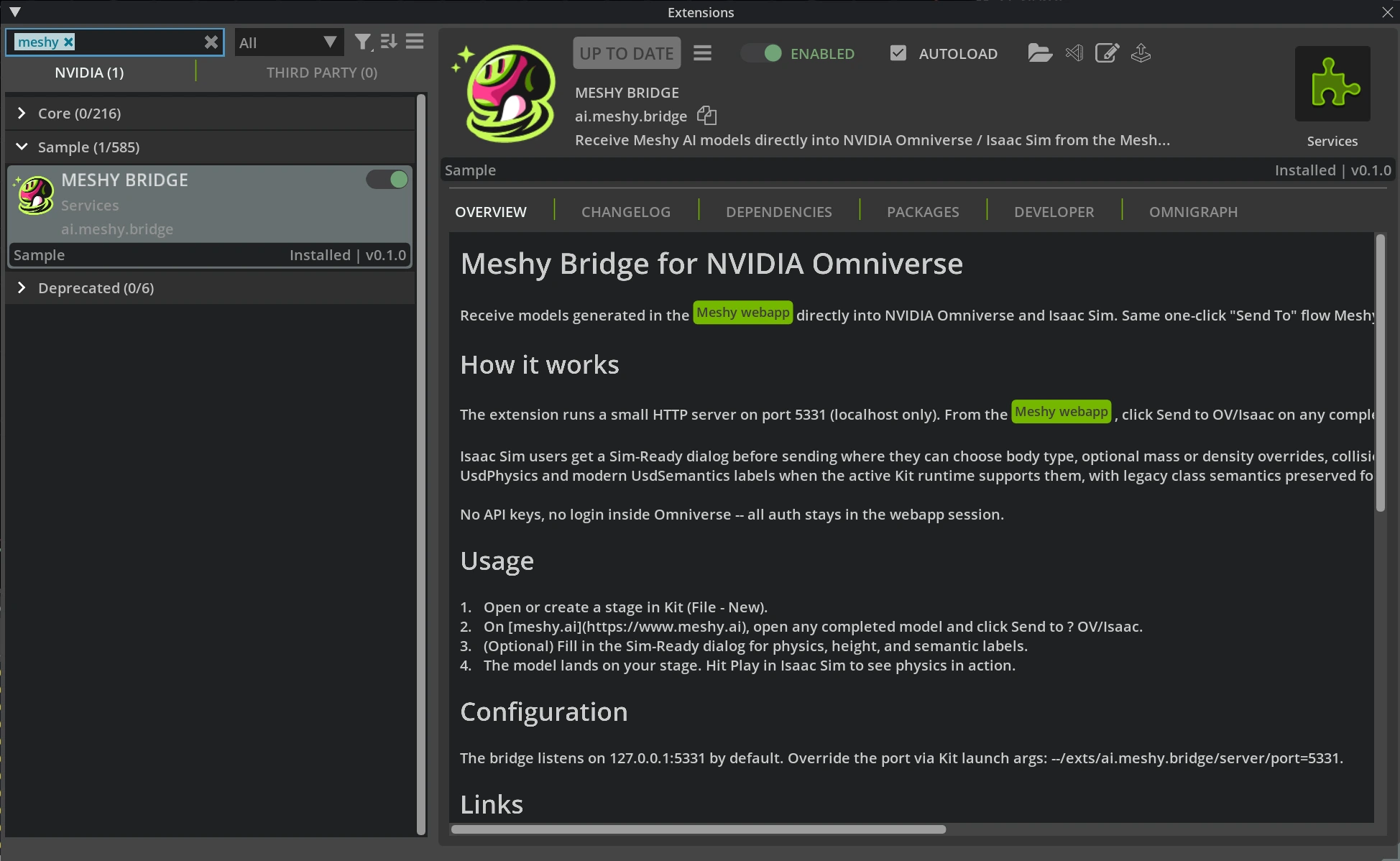
When the extension is on, it listens for models from Meshy on 127.0.0.1:5331. If the app is closed or the extension is off, Meshy can't connect to Omniverse.
Sim-Ready settings
Each time you send a model to Omniverse or Isaac Sim, Meshy opens the Sim-Ready Properties dialog. In it, you set how the model behaves in a physics simulation: body type, mass, collision, and friction. You can also set the model's real-world height, a semantic class, and an optional Wikidata QCode. For each setting, see Bridge to Omniverse / Isaac Sim.
Next steps
- To send a model into your stage and check the Sim-Ready import, see Bridge to Omniverse / Isaac Sim.