
Bridge to Omniverse / Isaac Sim
Send Meshy 3D models directly into NVIDIA Omniverse or Isaac Sim, with optional Sim-Ready physics and semantic labels applied during import.
Before using Send to OV/Isaac, keep Isaac Sim or your Omniverse Kit app running, make sure the Meshy Bridge extension is enabled, and open or create a USD stage.
Start the Bridge
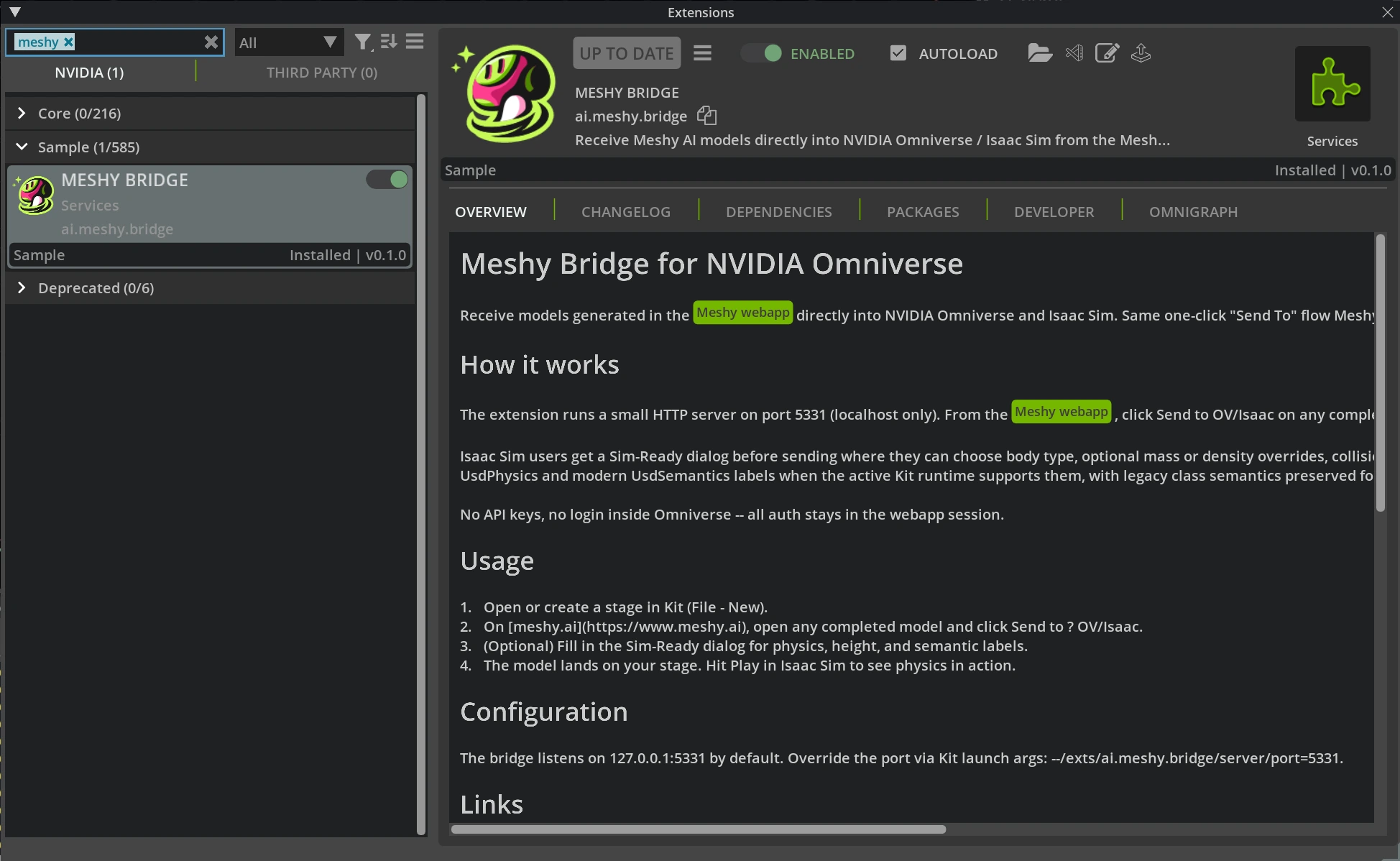
In the Extensions window, make sure Meshy Bridge is enabled. No separate launcher is required.
Send from Meshy
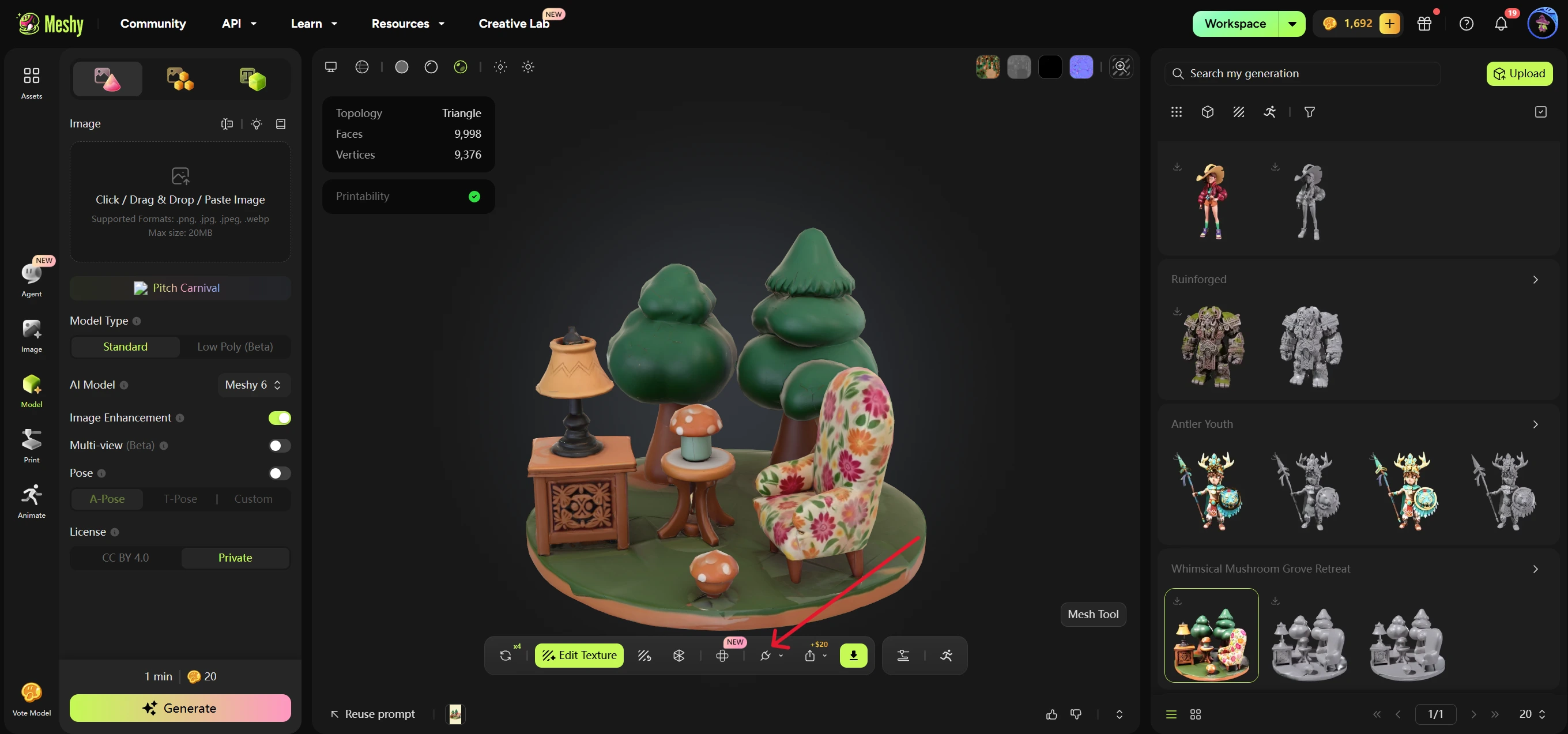
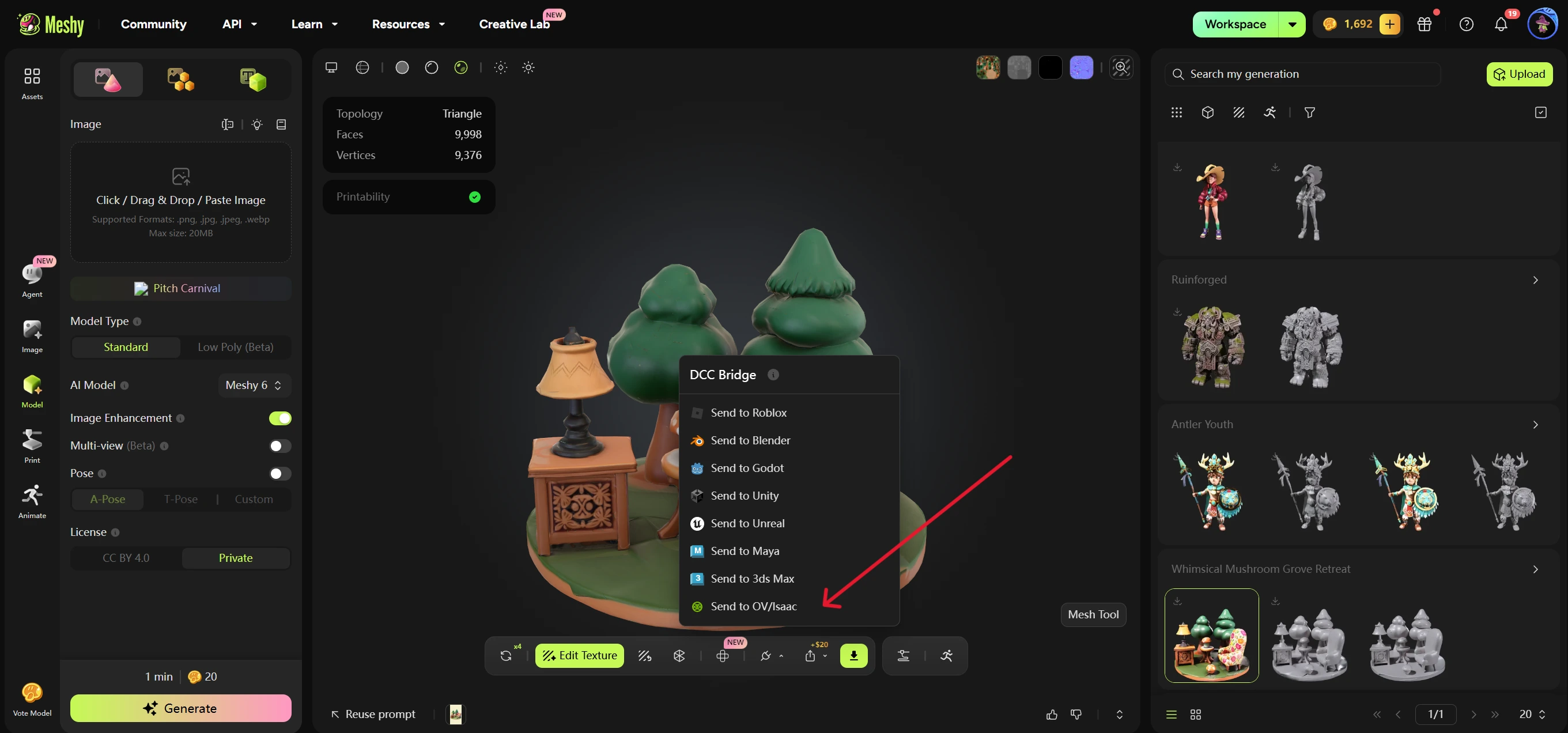
Open a completed model in your Meshy workspace, click the DCC Bridge menu, and select Send to OV/Isaac.
Meshy sends the model URL, file format, display name, and optional Sim-Ready payload to the local bridge. The extension downloads the asset, converts it to USD when needed, and references it under /World/<slug>.
Configure Sim-Ready
Isaac Sim users can configure the Sim-Ready dialog before sending:
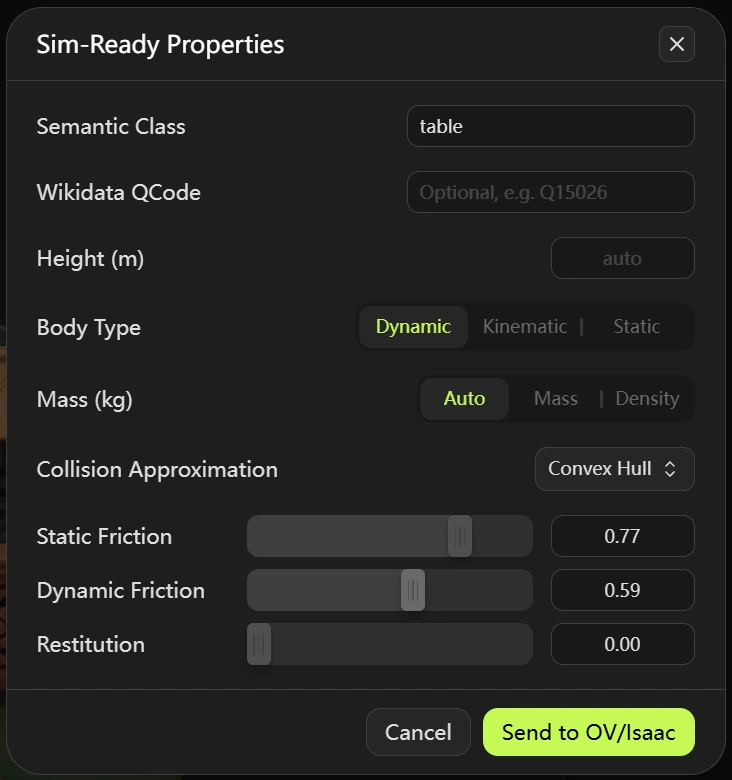
Semantic Class: a simple class label such aschair,table, orrobot. The bridge writes it through modern semantic labels and also keeps legacySemanticsAPI("class")compatibility.Wikidata QCode: optional semantic taxonomy label, such asQ15026. Empty is allowed; invalid formats are rejected before sending.Height (m): optional real-world height override. Empty keeps the source layer and stage unit scaling.Body Type:dynamic,kinematic, orstatic.Mass: defaults toAuto. Auto sends nomassordensity;Masssends kilograms;Densitysends kg/m³.Collision Approximation:convexHull,convexDecomposition,meshSimplification,boundingCube,boundingSphere, ornone. SDF is not supported in this release. Dynamic bodies only allowconvexHull,convexDecomposition,boundingCube, andboundingSphere.Static Friction,Dynamic Friction, andRestitution: physics material values bound to the imported colliders.
Verify Import
After the request succeeds, the model appears in the active stage under /World/<slug>. For Sim-Ready imports, descendant meshes receive UsdPhysics.CollisionAPI and UsdPhysics.MeshCollisionAPI; dynamic and kinematic wrappers also receive UsdPhysics.RigidBodyAPI and UsdPhysics.MassAPI.
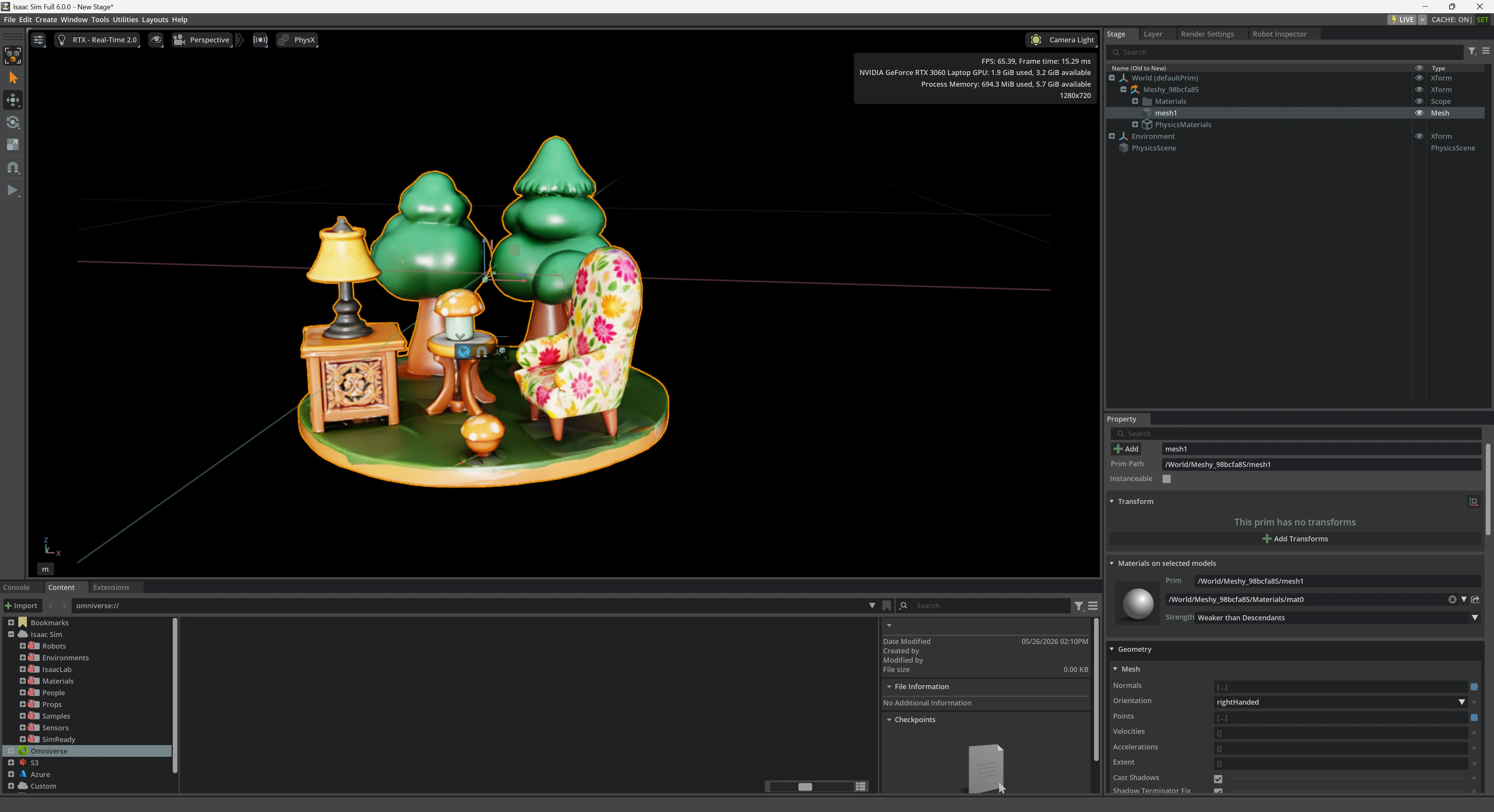
Press Play in Isaac Sim to test physics behavior. Dynamic bodies should simulate, static bodies remain fixed, and kinematic bodies can be driven by animation or script while participating in collision.
Troubleshooting
- If Meshy cannot connect, confirm Isaac Sim or Kit is running and the extension is enabled.
- If
/statusdoes not respond, confirm no other process is using port5331, then reload the extension. - If import fails with
no active USD stage, create or open a stage before sending. - If a dynamic import rejects
noneormeshSimplification, choose a convex or bounding approximation. - If a QCode is rejected, use the Wikidata format
Qfollowed by a non-zero integer, for exampleQ15026.
Supported Models
Send to OV/Isaac supports all Meshy model types, including animated models.