Creative Lab Lamp API
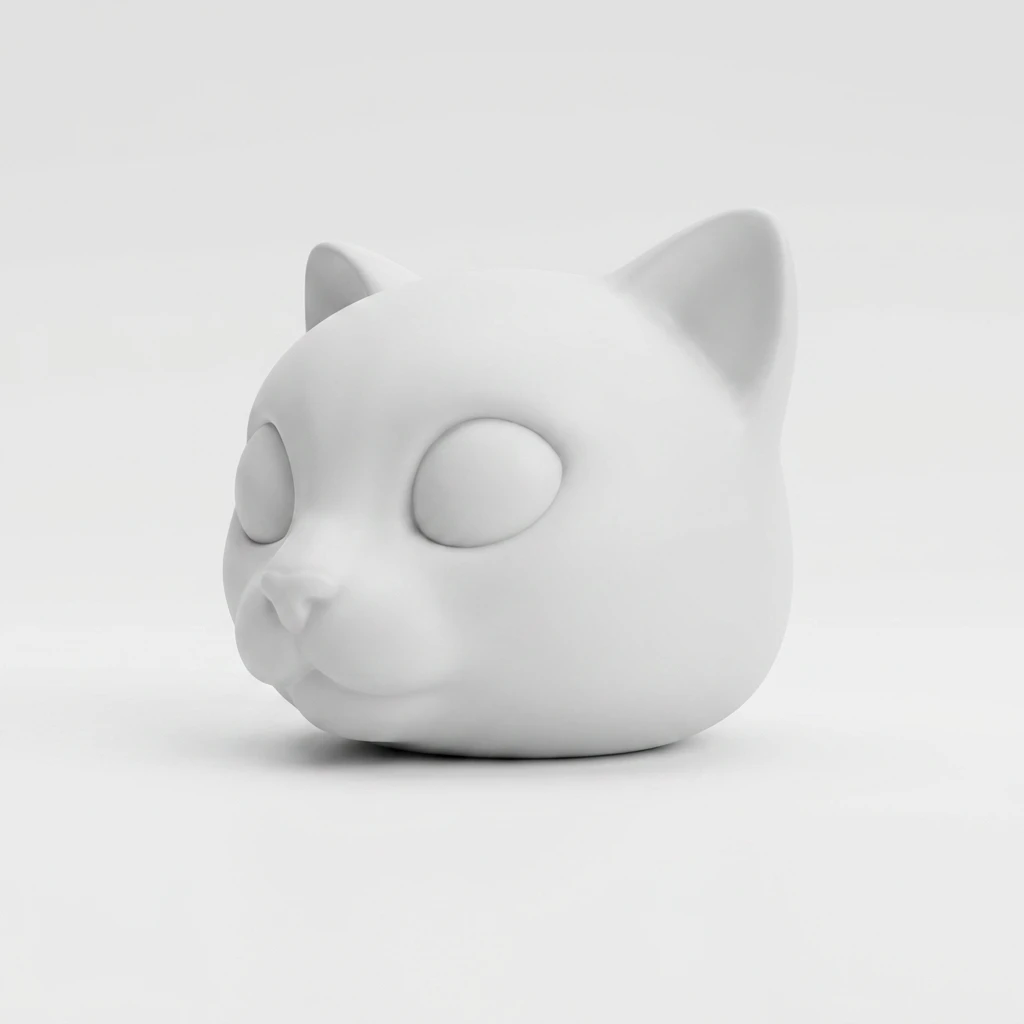
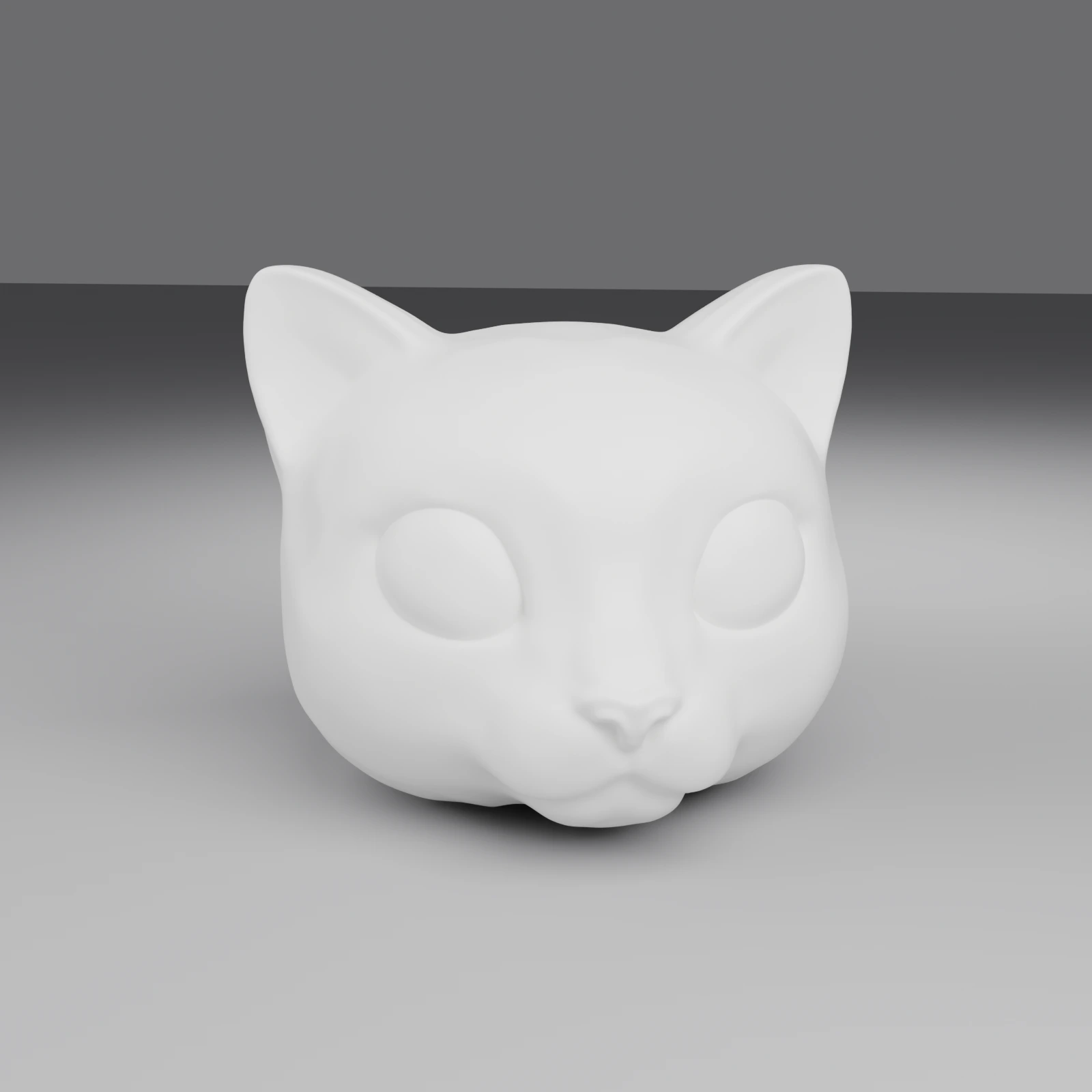
Turn a photo into a 3D-printable lampshade in two stages. A prototype task generates a matte-white concept image and turns it into a 3D model. A build task, which takes the prototype task's ID as input_task_id, turns that model into printable STL parts. With the default fixture preset, the parts are an open-bottom lampshade with a base plate for the light fixture, and the fixture mount.
POST /openapi/creative-lab/lamp/v1/prototypePOST /openapi/creative-lab/lamp/v1/build
Create a Lamp prototype task
Generates one matte-white concept image from a photo and turns it into a 3D lampshade model. The task returns the concept image in image_urls, and the model in model_urls.glb with a preview in thumbnail_url. To build the printable parts, pass this task's ID to the build endpoint as input_task_id. For the task's fields, see The Lamp prototype task object.
Request
# Stage 1: concept image + 3D lampshade model from a source photo
curl https://api.meshy.ai/openapi/creative-lab/lamp/v1/prototype \
  -X POST \
  -H "Authorization: Bearer ${YOUR_API_KEY}" \
  -H 'Content-Type: application/json' \
  -d '{
    "image_url": "<your publicly accessible image url or base64-encoded data URI>",
    "image_subject": "character"
  }'
Response
{
  "result": "018a210d-8ba4-705c-b111-1f1776f7f578"
}

Parameters
- Name
- image_url
- Type
- string
- Required
- Description
The photo to base the lampshade on, as a public URL or a data URI (
data:image/jpeg;base64,<your base64-encoded image data>).The image must be a JPG, JPEG, PNG, or WebP file of at most 20 MB.
- Name
- image_subject
- Type
- string
- default character
- Description
The kind of subject in the photo, which sets how Meshy stylizes it.
Available values:
character: a single character or object, such as a figurine, an animal, or a mascotlandscape: an outdoor scene or panorama, such as a mountain, a cityscape, or a forest
- Name
- name
- Type
- string
- Description
A name for the task, up to 100 characters. It comes back in the task's
namefield. A longer name returns400.
- Name
- remove_background
- Type
- boolean
- default false
- Description
Whether to remove the background from the prototype image.
truereturns a transparent RGBA PNG, so you can place the subject on any background. Meshy also builds the 3D model from the image without its background. If Meshy can't remove the background, it uses the image with its background, and the task still succeeds.
Returns
The result field holds the ID of the new prototype task. Get the task or stream it until status is SUCCEEDED. Then pass the ID to the build endpoint as input_task_id.
Failure modes
- Name
400 - Bad Request- Description
The request can't run. For example:
image_urlis missing.- The image isn't a JPG, JPEG, PNG, or WebP file.
- The image is too small, over 20 MB, or over the maximum pixel count.
- Meshy can't download the image, for example because the URL returns
404or times out. - The data URI isn't valid base64.
- The image was flagged as NSFW.
image_subjectisn'tcharacterorlandscape.
The error message says which problem it found. Fix the request, then send it again.
- Name
401 - Unauthorized- Description
The API key is missing or invalid. Check the
Authorizationheader.
- Name
402 - Payment Required- Description
One of these applies:
- The account doesn't have enough credits.
- The API key, workspace, or member reached its credit limit.
- The account is on the free plan.
Check your credits and plan, then retry.
- Name
403 - Forbidden- Description
Your team has IP Filtering turned on, and Meshy flagged the image for third-party intellectual property. Send an image you have the rights to use.
- Name
429 - Too Many Requests- Description
One of these limits was reached:
- You sent more requests than your rate limit allows. Wait a few seconds, then retry. See Rate limits.
- Too many of your tasks are queued or running. Wait for some to finish, then retry.
- On an unlimited plan with no credits left, you reached the number of tasks that can run without credits. Wait for a task to finish, or add credits.
- Name
500 - Internal Server Error- Description
Meshy hit a server error, for example because it couldn't run the intellectual property check on the image. Meshy doesn't create the task, and refunds any credits it charged. Retry the request.
Create a Lamp build task
Generates the 3D-printable parts from a succeeded prototype task. Meshy scales the prototype's model to diameter_mm, cuts the bottom flat by cut_amount_percent, and hollows it to thickness_mm. With a fixture preset, it also opens the bottom, adds a base plate with the fixture hole, and makes a separate mount for the light. For the task's fields, see The Lamp build task object.
Request
# Stage 2: chain build off a succeeded prototype task
curl https://api.meshy.ai/openapi/creative-lab/lamp/v1/build \
  -X POST \
  -H "Authorization: Bearer ${YOUR_API_KEY}" \
  -H 'Content-Type: application/json' \
  -d '{
    "input_task_id": "018a210d-8ba4-705c-b111-1f1776f7f578",
    "options": {
      "diameter_mm": 120,
      "thickness_mm": 2,
      "light_source_preset": "bambu_mh001_60mm",
      "cut_amount_percent": 30
    },
    "output": {
      "format": "stl"
    }
  }'
Response
{
  "result": "019c320e-9a8f-7a1c-9c11-2a1876f8a9bb"
}
Parameters
- Name
- input_task_id
- Type
- string
- Required
- Description
The ID of the prototype task to build. It must be a task your account created with
POST /openapi/creative-lab/lamp/v1/prototype, with the statusSUCCEEDED.An ID that isn't one of your Lamp prototype tasks from the API returns
404, including a prototype made in the web app.
- Name
- name
- Type
- string
- Description
A name for the task, up to 100 characters. It comes back in the task's
namefield. A longer name returns400.
options
Optional settings for the lampshade's shape. Every field has a default, so send only the ones you want to change.
- Name
- diameter_mm
- Type
- number
- default 150
- Description
The size of the lampshade's largest dimension, in millimeters, from
50to400. Meshy scales the model evenly to fit.0uses the default, and any other value outside the range returns400.
- Name
- thickness_mm
- Type
- number
- default 1
- Description
The lampshade's wall thickness, in millimeters, up to
10.0uses the default, and a negative value or a value over10returns400.
- Name
- cut_amount_percent
- Type
- number
- default 1
- Description
The percentage of the model's height to cut flat at the bottom, from
1to100. The flat bottom lets the lampshade sit on the print bed and leaves room for the fixture. A value outside the range returns400.
- Name
- light_source_preset
- Type
- string
- default bambu_mh001_60mm
- Description
The light fixture preset, which sets how Meshy builds the bottom.
Available values:
bambu_mh001_60mm: an open-bottom lampshade with a base plate that has a 60 mm fixture hole, both inmodel_urls.lamp_stl, and the fixture mount inmodel_urls.base_stlnone: a single sealed lampshade inmodel_urls.lamp_stl, with nomodel_urls.base_stl
- Name
- fixture_offset_x_mm
- Type
- number
- default 0
- Description
How far to move the fixture hole along the X axis from the lampshade's center, in millimeters, from
-80to80. Applies only whenlight_source_presetisn'tnone.
- Name
- fixture_offset_z_mm
- Type
- number
- default 0
- Description
How far to move the fixture hole along the Z axis (depth) from the lampshade's center, in millimeters, from
-80to80. Applies only whenlight_source_presetisn'tnone.
- Name
- rotate_x_deg
- Type
- number
- default 0
- Description
The rotation around the X axis to apply to the model before Meshy processes it, in degrees, from
-360to360. Meshy applies the three rotations as XYZ Euler angles about the model's center.
- Name
- rotate_y_deg
- Type
- number
- default 0
- Description
The rotation around the Y axis to apply to the model before Meshy processes it, in degrees, from
-360to360.
- Name
- rotate_z_deg
- Type
- number
- default 0
- Description
The rotation around the Z axis to apply to the model before Meshy processes it, in degrees, from
-360to360.
- Name
- include_result_json
- Type
- boolean
- default false
- Description
Whether to add a
result.jsonfile to the zip bundle, with the name of the pipeline that ran, warnings, and file paths. Requiresoutput.formatset tozip.truewithstlreturns400.
output
Optional. Sets the files the build returns.
- Name
- format
- Type
- string
- default stl
- Description
The files the build returns.
Available values:
stl:model_urls.lamp_stl, the lampshade with its base plate when there's a fixture preset, andmodel_urls.base_stlwhenlight_source_presetisn'tnonezip: one zip file inmodel_urls.bundle_zip, withlamp.stl, andbase.stlandresult.jsonwhen they apply
Returns
The result field holds the ID of the new build task. Get the task or stream it until status is SUCCEEDED. Then download the files from model_urls.
Failure modes
- Name
400 - Bad Request- Description
The request can't run. For example:
input_task_idis missing or isn't a valid task ID.- The prototype task's status isn't
SUCCEEDED. If it's still running, wait and retry. If it failed or was canceled, create a new prototype task. - The prototype task succeeded but has no 3D model. Create a new prototype task.
- An
optionsfield is outside its range or isn't an available value. output.formatisn'tstlorzip, orinclude_result_jsonistruewithoutzip.
The error message says which problem it found.
- Name
401 - Unauthorized- Description
The API key is missing or invalid. Check the
Authorizationheader.
- Name
402 - Payment Required- Description
One of these applies:
- The account doesn't have enough credits.
- The API key, workspace, or member reached its credit limit.
- The account is on the free plan.
Check your credits and plan, then retry.
- Name
404 - Not Found- Description
input_task_iddoesn't match any Lamp prototype task your account created with the API. A prototype made in the web app also returns404. Send theresultID from a prototype create response.
- Name
429 - Too Many Requests- Description
One of these limits was reached:
- You sent more requests than your rate limit allows. Wait a few seconds, then retry. See Rate limits.
- Too many of your tasks are queued or running. Wait for some to finish, then retry.
- On an unlimited plan with no credits left, you reached the number of tasks that can run without credits. Wait for a task to finish, or add credits.
Get a Lamp task
Returns a prototype or build task. The path must match the task's stage. A build task requested through /prototype/:id returns 404, and so does a prototype task requested through /build/:id.
For the fields, see The Lamp prototype task object and The Lamp build task object.
Request
# Prototype
curl https://api.meshy.ai/openapi/creative-lab/lamp/v1/prototype/018a210d-8ba4-705c-b111-1f1776f7f578 \
  -H "Authorization: Bearer ${YOUR_API_KEY}"

# Build
curl https://api.meshy.ai/openapi/creative-lab/lamp/v1/build/019c320e-9a8f-7a1c-9c11-2a1876f8a9bb \
  -H "Authorization: Bearer ${YOUR_API_KEY}"
Prototype Response
{
  "id": "018a210d-8ba4-705c-b111-1f1776f7f578",
  "type": "creative-lab-lamp-prototype",
  "name": "",
  "status": "SUCCEEDED",
  "progress": 100,
  "created_at": 1729123456000,
  "started_at": 1729123460000,
  "finished_at": 1729123486000,
  "expires_at": 1729382686000,
  "preceding_tasks": 0,
  "task_error": null,
  "consumed_credits": 30,
  "model_urls": {
    "glb": "https://assets.meshy.ai/***/tasks/018a210d-8ba4-705c-b111-1f1776f7f578/output/model.glb?Expires=***"
  },
  "thumbnail_url": "https://assets.meshy.ai/***/tasks/018a210d-8ba4-705c-b111-1f1776f7f578/output/preview.png?Expires=***",
  "image_urls": [
    "https://assets.meshy.ai/***/concept.png?Expires=***"
  ]
}
Build Response
{
  "id": "019c320e-9a8f-7a1c-9c11-2a1876f8a9bb",
  "type": "creative-lab-lamp-build",
  "name": "",
  "status": "SUCCEEDED",
  "progress": 100,
  "created_at": 1729123500000,
  "started_at": 1729123510000,
  "finished_at": 1729123535000,
  "expires_at": 1729382735000,
  "preceding_tasks": 0,
  "task_error": null,
  "consumed_credits": 6,
  "model_urls": {
    "lamp_stl": "https://assets.meshy.ai/***/tasks/019c320e-9a8f-7a1c-9c11-2a1876f8a9bb/output/lamp.stl?Expires=***",
    "base_stl": "https://assets.meshy.ai/***/tasks/019c320e-9a8f-7a1c-9c11-2a1876f8a9bb/output/base.stl?Expires=***"
  }
}
Parameters
- Name
- id
- Type
- path
- Description
The task ID from the create response.
Returns
The prototype task object or the build task object, matching the stage in the path.
Failure modes
- Name
400 - Bad Request- Description
idisn't a valid task ID. Send theresultID from the create response.
- Name
403 - Forbidden- Description
Your team has IP Filtering turned on, and Meshy flagged the prototype task's image for third-party intellectual property. Build tasks and teams on the Enterprise plan don't get this error. Create a prototype task from an image you have the rights to use.
- Name
404 - Not Found- Description
No Lamp task with this ID belongs to your account, or the task's stage doesn't match the path. Check the ID, and use
/prototypeor/buildto match the task.
- Name
500 - Internal Server Error- Description
Meshy couldn't run the intellectual property check. Retry the request.
Delete a Lamp task
Cancels a Lamp task. Canceling a PENDING task refunds its credits. An IN_PROGRESS task is canceled without a refund, because a worker has already started it. A task with a final status (SUCCEEDED, FAILED, or CANCELED) can't be canceled.
The path must match the task's stage. For example, DELETE on /prototype/:id with a build task's ID returns 404.
Request
curl --request DELETE \
  --url https://api.meshy.ai/openapi/creative-lab/lamp/v1/prototype/018a210d-8ba4-705c-b111-1f1776f7f578 \
  -H "Authorization: Bearer ${YOUR_API_KEY}"
Response
// Returns 204 No Content on success (empty body).
Path parameters
- Name
- id
- Type
- path
- Description
The ID of the task to cancel.
Returns
204 No Content with an empty body.
Failure modes
- Name
400 - Bad Request- Description
One of these applies:
idisn't a valid task ID. Send theresultID from the create response.- The task already has a final status (
SUCCEEDED,FAILED, orCANCELED), so it can't be canceled.
- Name
404 - Not Found- Description
No Lamp task with this ID belongs to your account, or the task's stage doesn't match the path. Check the ID, and use
/prototypeor/buildto match the task.
Stream a Lamp task
Streams a Lamp task's updates as Server-Sent Events (SSE). The path must match the task's stage. If it doesn't, for example a build task's ID at /prototype/:id/stream, the stream sends one error event with status_code: 404 and closes.
Request
curl -N https://api.meshy.ai/openapi/creative-lab/lamp/v1/build/019c320e-9a8f-7a1c-9c11-2a1876f8a9bb/stream \
-H "Authorization: Bearer ${YOUR_API_KEY}"
Response Stream
// Error event example (wrong stage or task not found)
event: error
data: {
  "status_code": 404,
  "message": "Task not found"
}

// Message event examples illustrate task progress.
// Every frame is the full task object; fields not yet populated are null / empty.
// The following PENDING frame is shortened to the fields that change.
event: message
data: {
  "id": "019c320e-9a8f-7a1c-9c11-2a1876f8a9bb",
  "progress": 0,
  "status": "PENDING"
}

event: message
data: {
  "id": "019c320e-9a8f-7a1c-9c11-2a1876f8a9bb",
  "type": "creative-lab-lamp-build",
  "status": "SUCCEEDED",
  "progress": 100,
  "created_at": 1729123500000,
  "started_at": 1729123510000,
  "finished_at": 1729123535000,
  "expires_at": 1729382735000,
  "task_error": null,
  "consumed_credits": 6,
  "model_urls": {
    "lamp_stl": "https://assets.meshy.ai/***/tasks/019c320e-9a8f-7a1c-9c11-2a1876f8a9bb/output/lamp.stl?Expires=***",
    "base_stl": "https://assets.meshy.ai/***/tasks/019c320e-9a8f-7a1c-9c11-2a1876f8a9bb/output/base.stl?Expires=***"
  }
}
Parameters
- Name
- id
- Type
- path
- Description
The task ID from the create response.
Returns
A stream of prototype or build task objects. Each event has the full task object, as Get a Lamp task returns it. While the task is PENDING or IN_PROGRESS, its output fields are still empty (null, [], or {}), and finished_at is null.
If IP Filtering blocks the task's result, the stream sends one error event in its place, with the status_code that a get request would return.
List Lamp tasks
Returns your Lamp tasks of one stage, one page at a time. The path selects the stage. /prototype returns only prototype tasks, and /build returns only build tasks.
Request
# List prototype tasks
curl https://api.meshy.ai/openapi/creative-lab/lamp/v1/prototype?page_size=10 \
  -H "Authorization: Bearer ${YOUR_API_KEY}"

# List build tasks
curl https://api.meshy.ai/openapi/creative-lab/lamp/v1/build?page_size=10 \
  -H "Authorization: Bearer ${YOUR_API_KEY}"
Response (List Prototype Tasks)
[
  {
    "id": "018a210d-8ba4-705c-b111-1f1776f7f578",
    "type": "creative-lab-lamp-prototype",
    "name": "",
    "status": "SUCCEEDED",
    "progress": 100,
    "created_at": 1729123456000,
    "started_at": 1729123460000,
    "finished_at": 1729123486000,
    "expires_at": 1729382686000,
    "preceding_tasks": 0,
    "task_error": null,
    "consumed_credits": 30,
    "model_urls": {
      "glb": "https://assets.meshy.ai/***/tasks/018a210d-8ba4-705c-b111-1f1776f7f578/output/model.glb?Expires=***"
    },
    "thumbnail_url": "https://assets.meshy.ai/***/tasks/018a210d-8ba4-705c-b111-1f1776f7f578/output/preview.png?Expires=***",
    "image_urls": [
      "https://assets.meshy.ai/***/concept.png?Expires=***"
    ]
  }
]
Path parameters
- Name
- stage
- Type
- path
- Required
- Description
The stage to list,
prototypeorbuild.
Query parameters
- Name
- page_num
- Type
- integer
- default 1
- Description
The page to return, from
1to255.0returns the first page. A value outside0to255returns400.
- Name
- page_size
- Type
- integer
- default 10
- Description
Number of tasks per page, up to
100. A value from101to255returns 100 tasks, and0uses the default. A value outside0to255returns400.
- Name
- sort_by
- Type
- string
- default -created_at
- Description
The sort order.
Available values:
-created_at: newest first+created_at: oldest first
Returns
An array of prototype task objects or build task objects, matching the stage in the path.
The Lamp prototype task object
A prototype task generates a matte-white concept image from a photo and turns it into a 3D model. To make the printable parts, pass the task's ID to the build endpoint as input_task_id.
Properties
Example Lamp Prototype Task Object
{
  "id": "018a210d-8ba4-705c-b111-1f1776f7f578",
  "type": "creative-lab-lamp-prototype",
  "name": "",
  "status": "SUCCEEDED",
  "progress": 100,
  "created_at": 1729123456000,
  "started_at": 1729123460000,
  "finished_at": 1729123486000,
  "expires_at": 1729382686000,
  "preceding_tasks": 0,
  "task_error": null,
  "consumed_credits": 30,
  "model_urls": {
    "glb": "https://assets.meshy.ai/***/tasks/018a210d-8ba4-705c-b111-1f1776f7f578/output/model.glb?Expires=***"
  },
  "thumbnail_url": "https://assets.meshy.ai/***/tasks/018a210d-8ba4-705c-b111-1f1776f7f578/output/preview.png?Expires=***",
  "image_urls": [
    "https://assets.meshy.ai/***/concept.png?Expires=***"
  ]
}
- Name
- id
- Type
- string
- Description
The task ID. Don't rely on its format.
- Name
- type
- Type
- string
- Description
The task type, always
creative-lab-lamp-prototype.
- Name
- name
- Type
- string
- Description
The
nameyou sent when you created the task, or""if you didn't send one.
- Name
- status
- Type
- string
- Description
The task's status.
Available values:
PENDING: waiting in the queueIN_PROGRESS: generating the resultSUCCEEDED: final, with the resultFAILED: final, with the reason intask_errorCANCELED: final, with no result
- Name
- progress
- Type
- integer
- Description
Percentage of the work done, from
0to100. It's0until the task starts and100when it succeeds.
- Name
- created_at
- Type
- timestamp
- Description
Time the task was created, in Unix milliseconds.
- Name
- started_at
- Type
- timestamp
- Description
Time a worker started the task, in Unix milliseconds.
nulluntil then.
- Name
- finished_at
- Type
- timestamp
- Description
Time the task reached a final status, in Unix milliseconds.
nulluntil then.
- Name
- expires_at
- Type
- timestamp
- Description
Time the task's result expires, in Unix milliseconds. It's 3 days after
finished_at, or 3 days aftercreated_atuntil the task finishes. For Enterprise accounts, which keep API results indefinitely, it's about 100 years later. See Asset retention.
- Name
- preceding_tasks
- Type
- integer
- Description
The task's position in the queue while it's
PENDING.1means it starts next.0after the task leaves the queue, and always0in list results.
- Name
- task_error
- Type
- object
- Description
Why the task failed.
nullunlessstatusisFAILED. See Errors.
- Name
- consumed_credits
- Type
- integer
- Description
Number of credits charged for the task, after any refund. A request that returns an error isn't charged. A failed task is
0, because Meshy refunds it. Canceling refunds a task only while it'sPENDING. If Meshy can't read the charge, a get or stream response leaves the field out, and a list request returns500. In that case, retry the request.
- Name
- model_urls
- Type
- object
- Description
Download URLs for the 3D model generated from the concept image.
{}until the task succeeds.- Name
glb- Type
- string
- Description
Download URL for the lampshade model, as a GLB file. The build stage turns this model into the printable parts.
- Name
- thumbnail_url
- Type
- string
- Description
Download URL for a preview image of the 3D model.
""until the task succeeds.
- Name
- image_urls
- Type
- array of strings
- Description
Download URLs for the concept image. The array has one URL after the task succeeds, and is empty until then.
The Lamp build task object
A build task turns a succeeded prototype task's 3D model into printable lampshade parts. Meshy hollows the model and cuts its bottom flat. With a fixture preset, it also opens the bottom and adds the base plate and the fixture mount.
Properties
Example Lamp Build Task Object
{
  "id": "019c320e-9a8f-7a1c-9c11-2a1876f8a9bb",
  "type": "creative-lab-lamp-build",
  "name": "",
  "status": "SUCCEEDED",
  "progress": 100,
  "created_at": 1729123500000,
  "started_at": 1729123510000,
  "finished_at": 1729123535000,
  "expires_at": 1729382735000,
  "preceding_tasks": 0,
  "task_error": null,
  "consumed_credits": 6,
  "model_urls": {
    "lamp_stl": "https://assets.meshy.ai/***/tasks/019c320e-9a8f-7a1c-9c11-2a1876f8a9bb/output/lamp.stl?Expires=***",
    "base_stl": "https://assets.meshy.ai/***/tasks/019c320e-9a8f-7a1c-9c11-2a1876f8a9bb/output/base.stl?Expires=***"
  }
}
- Name
- id
- Type
- string
- Description
The task ID. Don't rely on its format.
- Name
- type
- Type
- string
- Description
The task type, always
creative-lab-lamp-build.
- Name
- name
- Type
- string
- Description
The
nameyou sent when you created the task, or""if you didn't send one.
- Name
- status
- Type
- string
- Description
The task's status.
Available values:
PENDING: waiting in the queueIN_PROGRESS: generating the resultSUCCEEDED: final, with the resultFAILED: final, with the reason intask_errorCANCELED: final, with no result
- Name
- progress
- Type
- integer
- Description
Percentage of the work done, from
0to100. It's0until the task starts and100when it succeeds.
- Name
- created_at
- Type
- timestamp
- Description
Time the task was created, in Unix milliseconds.
- Name
- started_at
- Type
- timestamp
- Description
Time a worker started the task, in Unix milliseconds.
nulluntil then.
- Name
- finished_at
- Type
- timestamp
- Description
Time the task reached a final status, in Unix milliseconds.
nulluntil then.
- Name
- expires_at
- Type
- timestamp
- Description
Time the task's result expires, in Unix milliseconds. It's 3 days after
finished_at, or 3 days aftercreated_atuntil the task finishes. For Enterprise accounts, which keep API results indefinitely, it's about 100 years later. See Asset retention.
- Name
- preceding_tasks
- Type
- integer
- Description
The task's position in the queue while it's
PENDING.1means it starts next.0after the task leaves the queue, and always0in list results.
- Name
- task_error
- Type
- object
- Description
Why the task failed.
nullunlessstatusisFAILED. See Errors.
- Name
- consumed_credits
- Type
- integer
- Description
Number of credits charged for the task, after any refund. A request that returns an error isn't charged. A failed task is
0, because Meshy refunds it. Canceling refunds a task only while it'sPENDING. If Meshy can't read the charge, a get or stream response leaves the field out, and a list request returns500. In that case, retry the request.
- Name
- model_urls
- Type
- object
- Description
Download URLs for the printable files. Which keys appear depends on
output.formatandoptions.light_source_preset.- Name
lamp_stl- Type
- string
- Description
Download URL for
lamp.stl. With a fixture preset, it's the open-bottom lampshade with the base plate that has the fixture hole. Withoptions.light_source_presetset tonone, it's a single sealed lampshade. Present whenoutput.formatisstl.
- Name
base_stl- Type
- string
- Description
Download URL for
base.stl, the mount for the light fixture. Present whenoutput.formatisstlandoptions.light_source_presetisn'tnone.
- Name
bundle_zip- Type
- string
- Description
Download URL for a zip file with
lamp.stl, and withbase.stlandresult.jsonwhen they apply. Present whenoutput.formatiszip, and thenlamp_stlandbase_stlare left out.