OrcaSlicer
Learn how to use Meshy to send 3D models directly to OrcaSlicer for 3D printing.
Meshy now supports OrcaSlicer bridging directly from the workspace. Pro members and above can send models to OrcaSlicer following the steps below.
Overview
Meshy for OrcaSlicer is a seamless bridge integration that allows you to import MeshyAI-generated models directly into OrcaSlicer. With this feature, you can effortlessly load and prepare 3D assets for printing, significantly enhancing your workflow efficiency.
Sending Models to OrcaSlicer
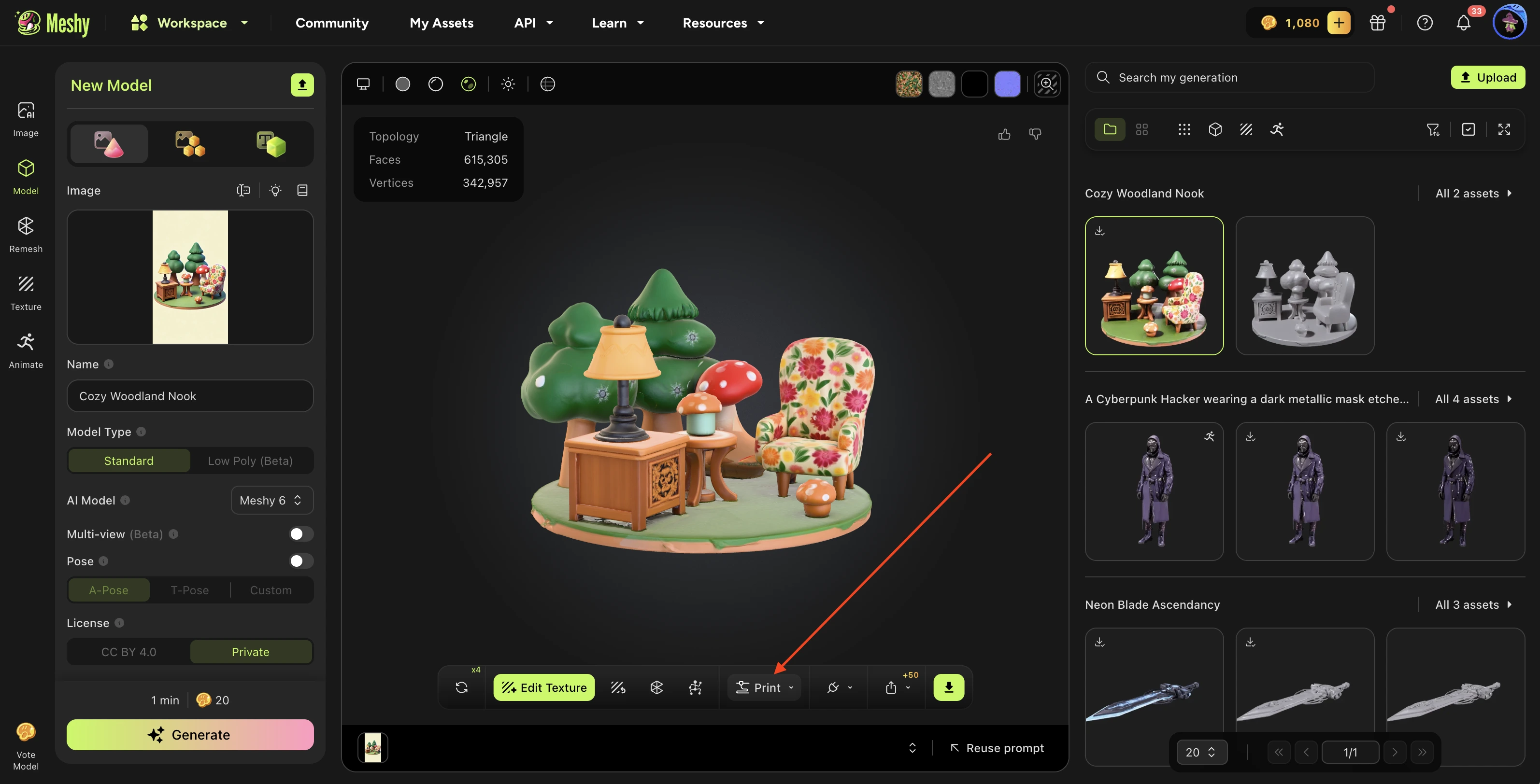
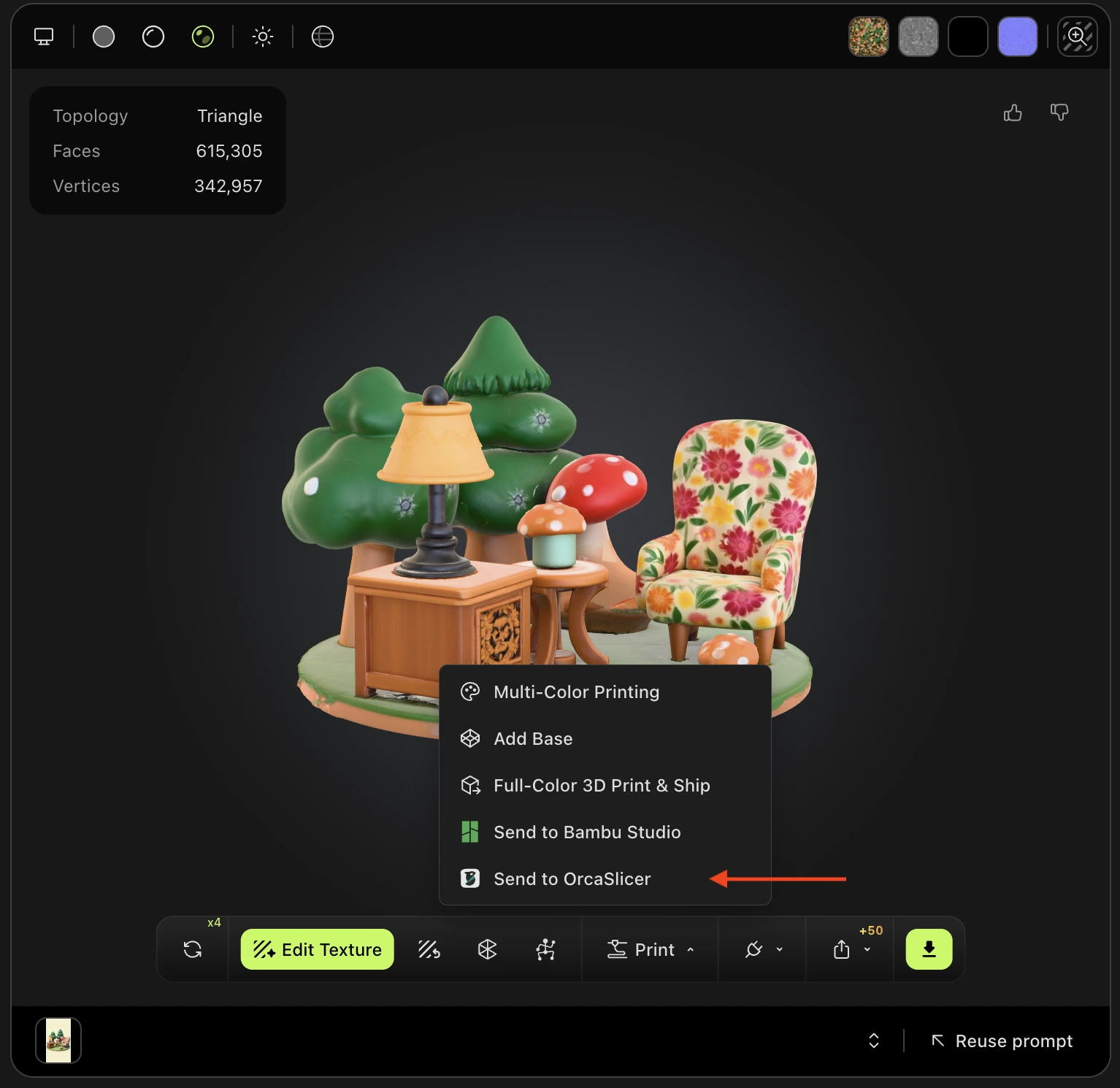
Navigate to the model you want in your MeshyAI workspace, click the Print menu, and select Send to OrcaSlicer.
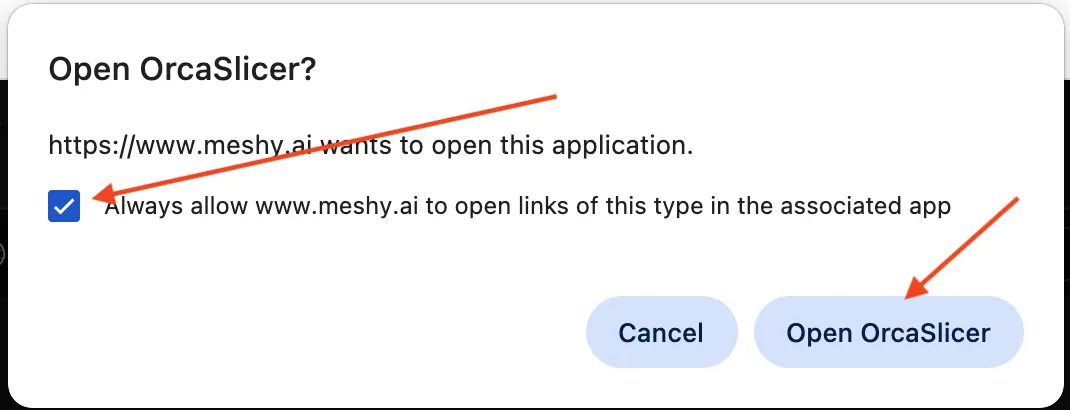
After a short loading period, a prompt window will pop up asking you to check Always allow www.meshy.ai to open links of this type in the associated app, and then click the Open OrcaSlicer button.
Then the OrcaSlicer software will be automatically opened and the model will be imported directly.
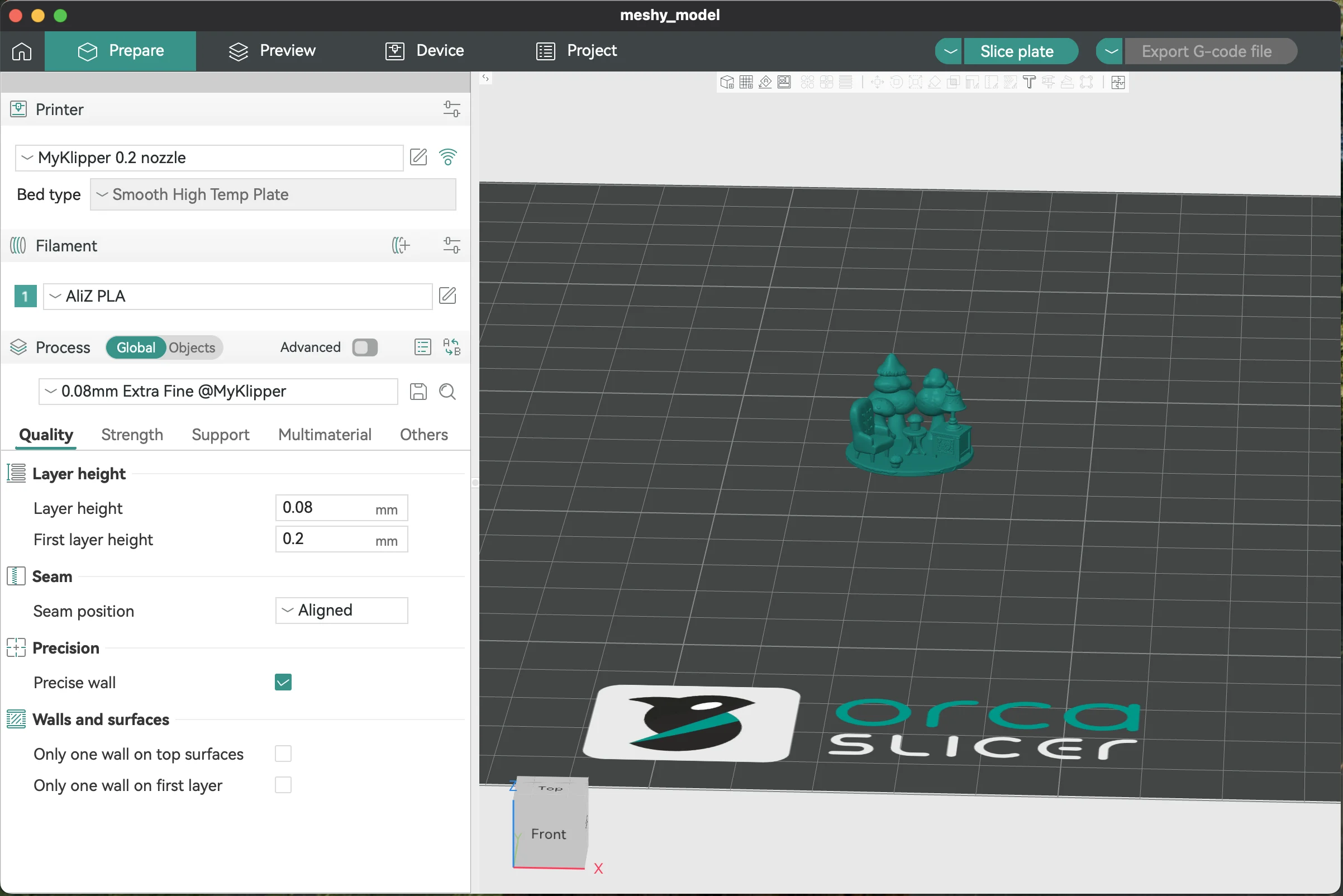
Any 3D model you generate in your workspace—regardless of the method used—can be effortlessly sent to OrcaSlicer via the Print menu.
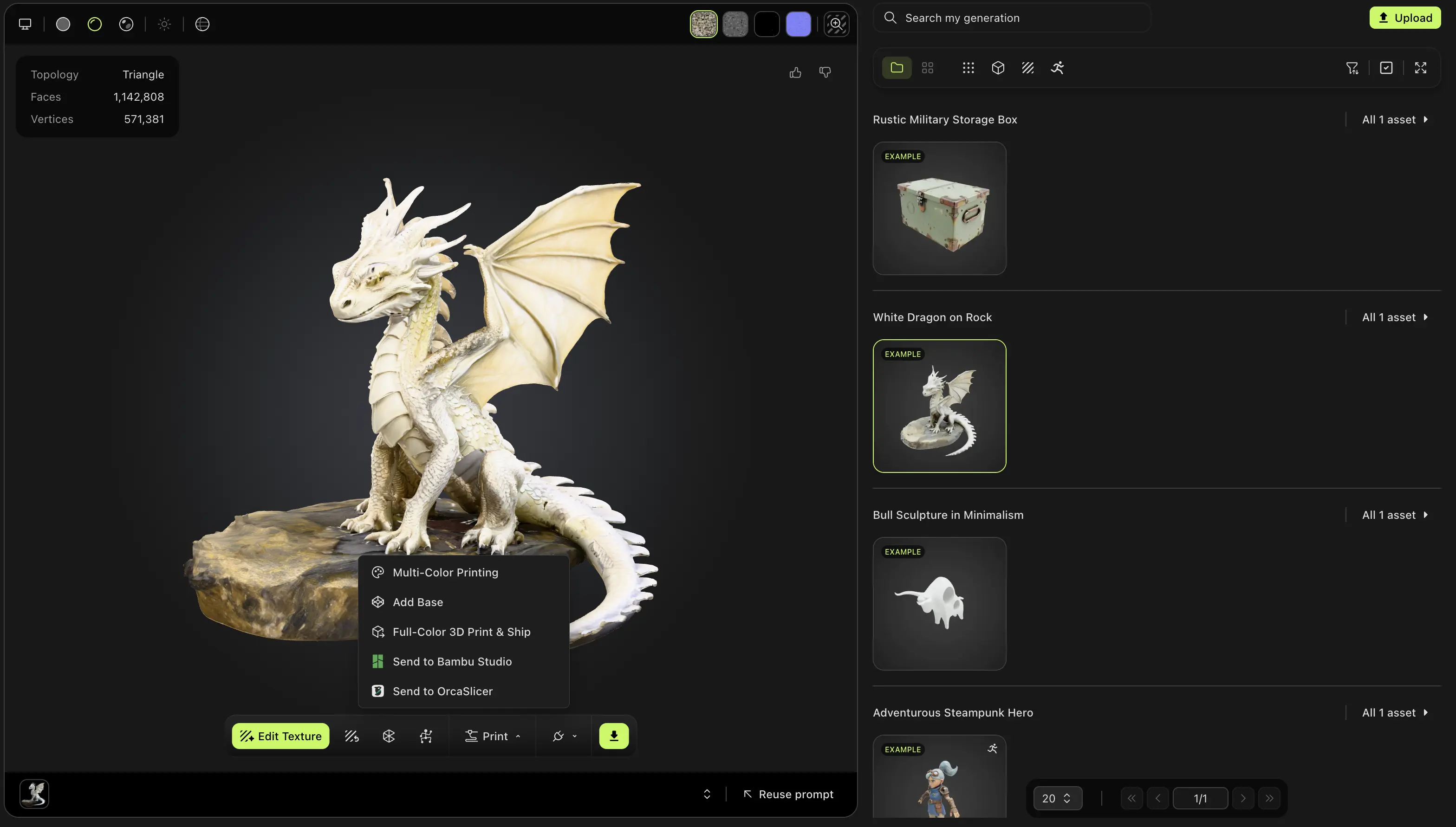
Likewise, models published by other users in the MeshyAI community are fully supported and can also be seamlessly sent to OrcaSlicer.