Rigging
Automatically bind skeletons to humanoid and quadruped models, preparing characters for animation and export to Unity, Unreal, and other engines.
TL;DR
-
Automatically binds skeletons to humanoid and quadruped models.
-
Rigged models can be used directly for animation or exported to Unity/Unreal with Mixamo-compatible animation libraries.
-
Depends on clean topology: Remesh first, then Rig for best results.
When to Use
-
You want generated characters to move (walk, run, attack, etc.).
-
You need to import models into game engines with ready-to-use animations.
When NOT to Use
-
The model is not a character type (e.g., props, buildings, vehicles).
-
You need complex custom skeletons (facial expressions, tail physics) → Export and manually rig in DCC tools.
Step-by-Step
-
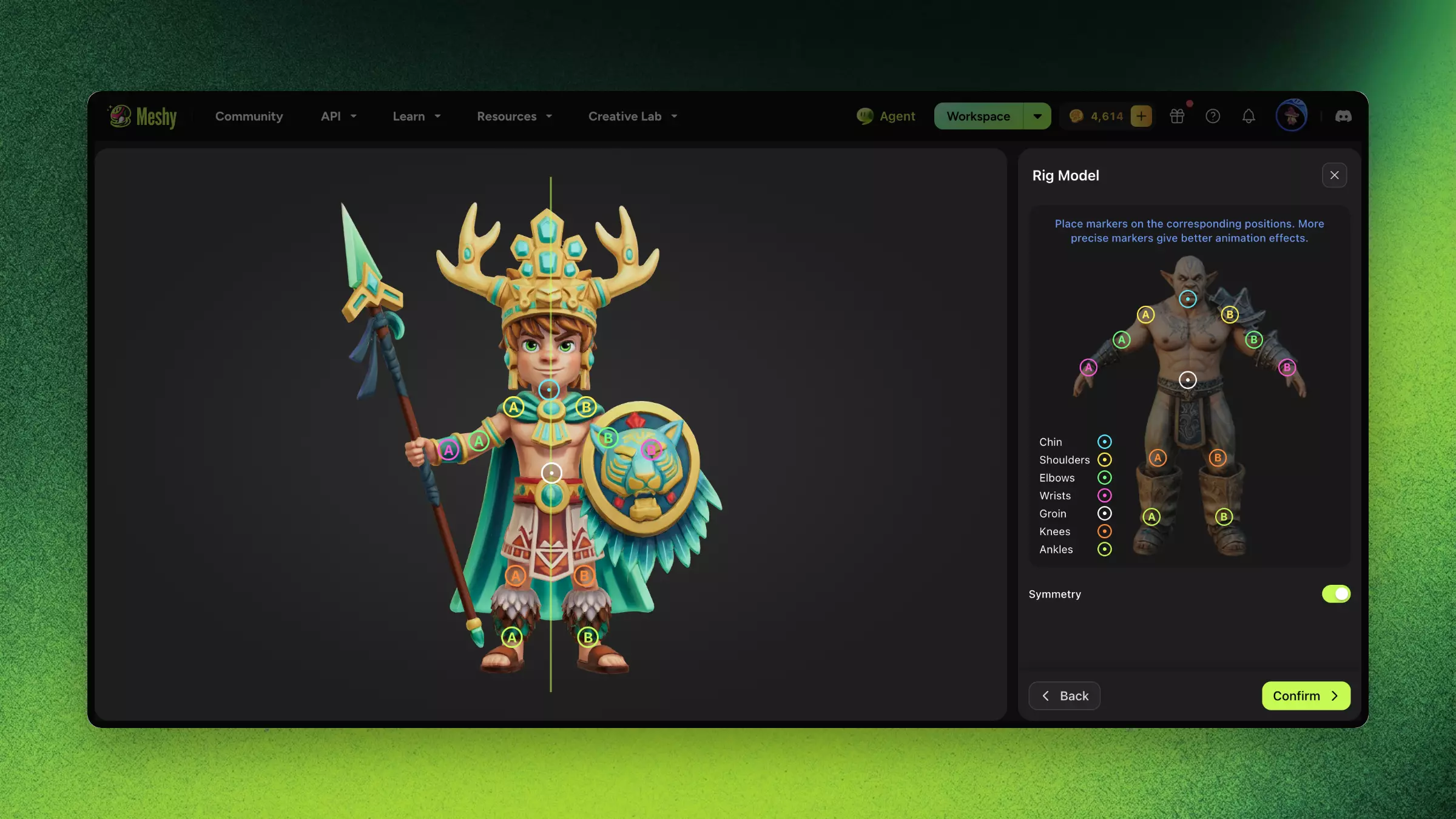
Select a humanoid or quadruped character model.
-
Enter the Rigging tool.
-
The system automatically detects model type and assigns a skeleton structure.
-
Preview bone binding and weight assignment.
-
Test basic poses (T-pose, A-pose switching).
-
Confirm and export as FBX (with rig) or proceed to Animate within Meshy.
Troubleshooting
| Symptom | Cause | Fix |
|---|---|---|
| Bone positions are offset | Model pose is non-standard | Ensure the input model is close to T-pose or A-pose |
| Weight penetration (clipping) | Topology too dense or uneven | Remesh to a reasonable face count before rigging |
| Severe limb deformation | Abnormal model proportions | Ensure character proportions are close to standard human body |
FAQ
- How do I rig a 3D character in Meshy?
- Select a humanoid or quadruped model, open the Rigging tool, and Meshy auto-detects the type and assigns a skeleton.
- What models can Meshy auto-rig?
- Humanoid and quadruped characters. Props, buildings, and vehicles cannot be rigged.
- Is Meshy rigging compatible with Unity and Unreal?
- Yes. Rigged models export as FBX and work with Mixamo-compatible animation libraries in Unity and Unreal.
- Should I Remesh before rigging?
- Yes. Clean topology gives the most accurate bone binding and weight assignment, so Remesh first.
- Can I rig a model for facial expressions or tail physics?
- Not directly — for complex custom skeletons, export the model and rig manually in a DCC tool like Blender or Maya.