Batch Images to 3D
Batch upload multiple images, each independently generating a 3D model — ideal for game asset libraries, e-commerce catalogs, and large design explorations.
TL;DR
-
Batch upload multiple images, each independently generating a 3D model.
-
Ideal for workflows requiring large volumes of 3D assets: game prop libraries, e-commerce product catalogs, design exploration.
-
Uses the same models and parameters as Image to 3D, but supports queued batch processing.
-
Significantly saves time compared to generating one at a time.
When to Use
-
You have 10+ reference images that need to be converted to 3D models in bulk.
-
A game team needs to rapidly generate a batch of props or environment assets.
-
E-commerce needs to batch-convert product photos to 3D displays.
When NOT to Use
-
Single image → Use Image to 3D
-
Multiple angles of the same object → Use Multi-view Images to 3D
-
You want batch concept exploration with consistent style → Use 3D Agent for style-consistent batch concept generation
Step-by-Step
-
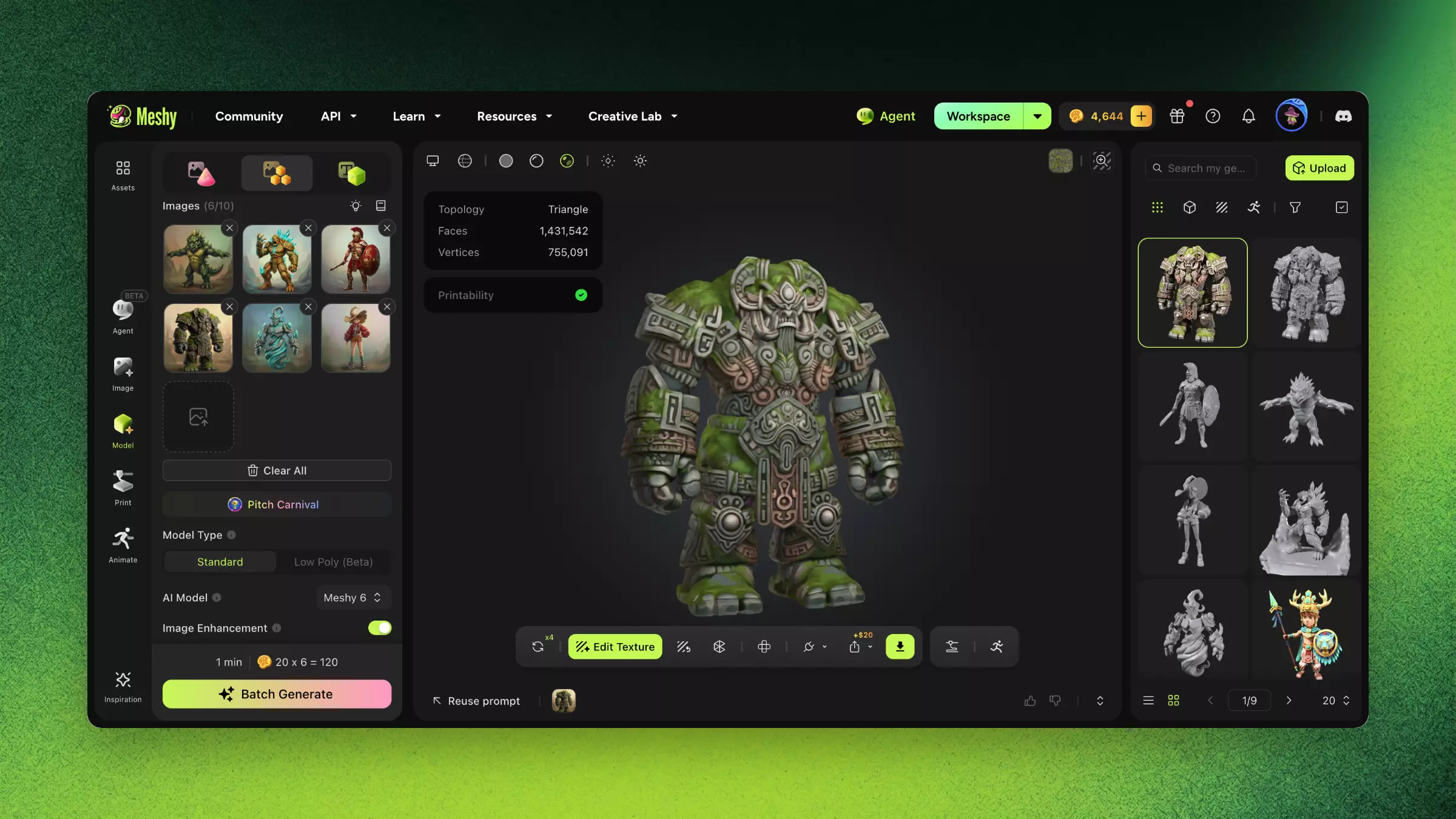
Navigate to 3D Model module → Batch Images to 3D.
-
Upload multiple images (drag-and-drop or select folder).
-
Choose unified parameters (model version, pose) or configure each image individually.
-
Click Batch Generate to begin queue processing.
-
Monitor progress for each task in the batch dashboard.
-
After completion, preview individually or download in bulk.
FAQ
- How do I convert multiple images to 3D at once?
- Open 3D Model, go to Batch Images to 3D, drag in multiple images or a folder, set parameters, and click Batch Generate.
- When should I use Batch Images to 3D?
- When you have 10+ images to convert — ideal for game asset libraries, e-commerce catalogs, and large design explorations.
- Can I set different parameters per image in a batch?
- Yes. Apply unified settings to all images or configure model version and pose individually per image.
- How is batch processing different from single Image to 3D?
- It uses the same models and parameters but queues many jobs at once, saving significant time.
- Can I download all batch results together?
- Yes. After processing you can preview each model individually or download the whole batch in bulk.
Related Links
-
Image to 3D — Single image workflow with detailed parameters
-
3D Agent — Conversational batch concept generation with style consistency