Creative Lab 冰箱貼 API
透過兩個階段,將照片轉換為可 3D 列印的冰箱貼,帶有彩色浮雕與平整背面。prototype 任務會根據照片產生一張彩色概念圖像。build 任務將該圖像轉換為浮雕 3D 模型,並以 prototype 任務的 ID 作為 input_task_id。
POST /openapi/creative-lab/fridge-magnet/v1/prototypePOST /openapi/creative-lab/fridge-magnet/v1/build
建立冰箱貼 prototype 任務
根據一張照片生成一張彩色概念圖。要建構 3D 模型,請將此任務的 ID 作為 input_task_id 傳遞給建構 endpoint。關於任務欄位的說明,請參閱冰箱貼 prototype 任務物件。
Request
# Stage 1: generate a colorized fridge magnet concept image
curl https://api.meshy.ai/openapi/creative-lab/fridge-magnet/v1/prototype \
  -X POST \
  -H "Authorization: Bearer ${YOUR_API_KEY}" \
  -H 'Content-Type: application/json' \
  -d '{
    "image_url": "<your publicly accessible image url or base64-encoded data URI>"
  }'
Response
{
  "result": "01a3d8f1-8c2e-7d04-b223-3f3776a1c8c9"
}


參數
- Name
- image_url
- Type
- string
- 必選
- Description
要轉換為冰箱貼概念圖的照片,可以是公開可存取的 URL 或 Data URI(
data:image/jpeg;base64,<your base64-encoded image data>)。圖片必須是 JPG、JPEG、PNG 或 WebP 檔案,且不超過 20 MB。
- Name
- name
- Type
- string
- Description
任務的名稱,最多 100 個字元。它會在任務的
name欄位中回傳。名稱過長會回傳400。
- Name
- remove_background
- Type
- boolean
- 預設值 false
- Description
是否移除 prototype 圖像的背景。
true會回傳一張保留整個磁貼的透明 RGBA PNG,方便你將其放置在任意背景上。建構階段也會從去除背景後的圖像開始處理。如果 Meshy 無法移除背景,則會回傳帶有背景的圖像,任務仍然算作成功。建構階段的
remove_background選項是獨立的。
回傳值
result 欄位保存新 prototype 任務的 ID。取得任務或串流取得任務,直到 status 變為 SUCCEEDED。然後將該 ID 作為 input_task_id 傳遞給建構 endpoint。
失敗情形
- Name
400 - Bad Request- Description
請求無法執行。例如:
- 缺少
image_url。 - 圖片不是 JPG、JPEG、PNG 或 WebP 檔案。
- 圖片過小、超過 20 MB,或超過最大像素數。
- Meshy 無法下載該圖片,例如 URL 回傳
404或逾時。 - Data URI 不是有效的 base64 編碼。
- 圖片被標記為 NSFW 內容。
錯誤訊息會說明發現的具體問題。修正請求後重新傳送。
- 缺少
- Name
401 - Unauthorized- Description
API 金鑰缺失或無效。請檢查
Authorization請求頭。
- Name
402 - Payment Required- Description
以下情形之一適用:
- 帳戶積分不足。
- API 金鑰、工作區或成員已達到積分限額。
- 帳戶處於免費方案。
請檢查你的積分和方案,然後重試。
- Name
403 - Forbidden- Description
你的團隊已開啟 IP Filtering(智慧財產權過濾),且 Meshy 將該圖片標記為涉及第三方智慧財產權。請傳送你擁有使用權的圖片。
- Name
429 - Too Many Requests- Description
達到以下其中一個限制:
- 你傳送的請求超出了速率限制允許的數量。請等待幾秒後重試。參見速率限制。
- 你有過多任務正在排隊或執行中。請等待部分任務完成後再重試。
- 在無限量方案下且積分已用盡時,你已達到可在無積分情況下執行的任務數量上限。請等待某個任務完成,或增加積分。
- Name
500 - Internal Server Error- Description
Meshy 遇到了伺服器錯誤,例如無法對圖片執行智慧財產權檢查。Meshy 不會建立該任務,並會退還已扣除的任何積分。請重試該請求。
創建冰箱貼構建任務
根據一個已成功的 prototype 任務生成可 3D 列印的冰箱貼。Meshy 會將 prototype 的概念圖轉換為深度圖浮雕,並按你選擇的格式回傳一個模型檔案。關於該任務的欄位,請參閱冰箱貼構建任務物件。
Request
# Stage 2: chain build off a succeeded prototype task
curl https://api.meshy.ai/openapi/creative-lab/fridge-magnet/v1/build \
  -X POST \
  -H "Authorization: Bearer ${YOUR_API_KEY}" \
  -H 'Content-Type: application/json' \
  -d '{
    "input_task_id": "01a3d8f1-8c2e-7d04-b223-3f3776a1c8c9",
    "options": {
      "badge_shape": "rounded-rect",
      "size_mm": 60,
      "relief_height_mm": 3.3
    },
    "output": {
      "format": "glb"
    }
  }'
Response
{
  "result": "01b4e9a2-9d3f-8e15-c334-4f4887b2d9d0"
}
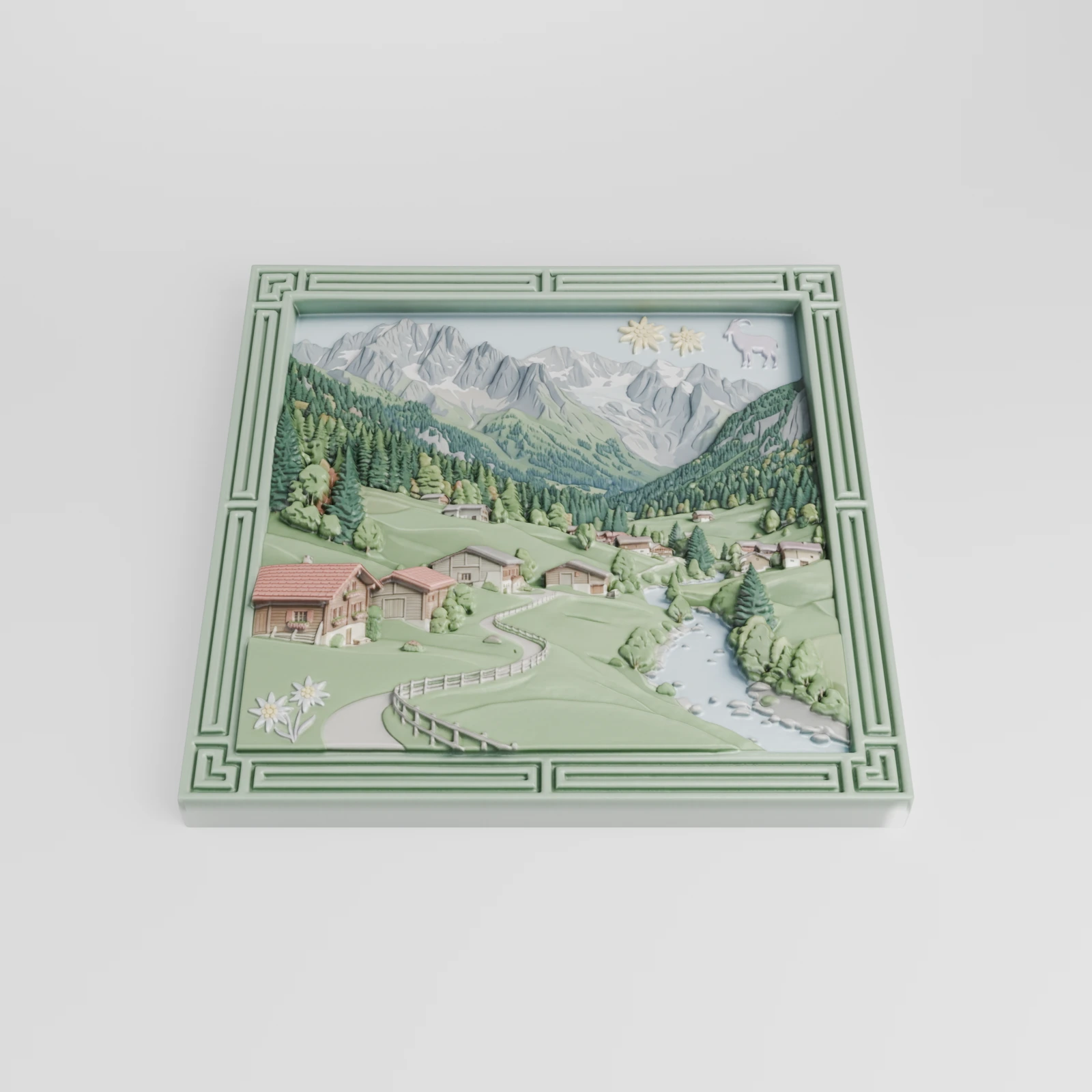
參數
- Name
- input_task_id
- Type
- string
- 必選
- Description
要構建的 prototype 任務的 ID。它必須是你的帳號使用
POST /openapi/creative-lab/fridge-magnet/v1/prototype創建的任務,且狀態為SUCCEEDED。如果該 ID 不是你透過 API 創建的冰箱貼 prototype 任務(包括在網頁應用程式中創建的 prototype),將回傳
404。
- Name
- name
- Type
- string
- Description
任務的名稱,最多 100 個字元。它會在任務的
name欄位中回傳。名稱過長會回傳400。
options
浮雕形狀的可選設定。每個欄位都有預設值,因此你只需傳送想要更改的欄位。欄位取值超出範圍會回傳 400。
- Name
- badge_shape
- Type
- string
- 預設值 rounded-rect
- Description
當 Meshy 未從主體中描摹輪廓時,磁貼的外輪廓。當
remove_background為false,或者 Meshy 找不到主體的輪廓時,會使用此設定。可用取值:
circlerounded-recthexagonshieldstar
- Name
- size_mm
- Type
- number
- 預設值 60
- Description
磁貼外接正方形的邊長,單位為毫米,最大為
400。0表示使用預設值。
- Name
- relief_height_mm
- Type
- number
- 預設值 3.3
- Description
浮雕高出底座的最大高度,單位為毫米,範圍從
0到20。
- Name
- relief_offset_mm
- Type
- number
- 預設值 0
- Description
浮雕整體下壓的程度,單位為毫米,範圍從
0到20。Meshy 會在浮雕各處的高度上減去該值,直至底座。
- Name
- base_thickness_mm
- Type
- number
- 預設值 2.0
- Description
浮雕背後平整底板的厚度,單位為毫米,範圍從
0到20。預設的 2 毫米底板能讓磁貼有足夠的厚度貼附在冰箱上,使浮雕不會顯得脆弱。
- Name
- has_closed_back
- Type
- boolean
- 預設值 true
- Description
是否封閉磁貼的背面,即黏貼磁鐵的那一面。設為
false會使背面保持中空,呈殼狀。
- Name
- relief_curve
- Type
- string
- 預設值 linear
- Description
將深度圖數值映射為浮雕高度所用的曲線。
可用取值:
lineargammas-curve
- Name
- curve_param
- Type
- number
- 預設值 1.0
- Description
曲線強度,最大為
10。gamma和s-curve曲線會用到該值,linear會忽略它。0表示使用預設值。
- Name
- invert_depth
- Type
- boolean
- 預設值 false
- Description
是否反轉深度圖,使較暗的區域浮雕更高。
- Name
- smoothing
- Type
- number
- 預設值 0.24
- Description
在 Meshy 構建浮雕之前對深度圖進行平滑處理的程度,範圍從
0到10。
- Name
- relief_scale
- Type
- number
- 預設值 1.0
- Description
在輪廓內以中心為基準縮放浮雕及其 texture 的程度,最大為
10。大於1的值會放大主體,小於1的值會縮小主體。它不會改變浮雕的高度。0表示使用預設值。
- Name
- depth_threshold
- Type
- number
- 預設值 0.1
- Description
低於此深度圖數值時,Meshy 會將深度設為零,範圍從
0到1。
- Name
- remove_background
- Type
- boolean
- 預設值 true
- Description
是否從主體中描摹磁貼的輪廓,使磁貼形狀貼合主體。設為
false則改用badge_shape輪廓。當 Meshy 找不到主體的輪廓時,也會使用badge_shape。這與 prototype 的
remove_background參數是分開的,後者用於設定 prototype 圖像是否具有透明背景。
- Name
- export_resolution
- Type
- integer
- 預設值 512
- Description
匯出模型的 mesh 解析度,範圍從
64到512。Meshy 基於 512 像素的深度圖構建 geometry,因此更精細的 mesh 只會增加面數而不會增加細節。0表示使用預設值。
output
可選。設定構建回傳的檔案格式。
- Name
- format
- Type
- string
- 預設值 glb
- Description
構建回傳的檔案格式。
可用取值:
glb:一個model.glb檔案,位於model_urls.glbobj:一個包含model.obj、model.mtl和texture.png的 zip 檔案,位於model_urls.objzip:一個包含 Meshy 生成的所有檔案的 zip 檔案,位於model_urls.bundle_zip
回傳值
result 欄位包含新構建任務的 ID。取得該任務或對其進行串流取得,直到 status 變為 SUCCEEDED。然後從 model_urls 中唯一的條目下載檔案。
失敗情形
- Name
400 - Bad Request- Description
請求無法運行。例如:
input_task_id缺失或不是有效的任務 ID。- prototype 任務的狀態不是
SUCCEEDED。如果仍在運行,請等待後重試。如果已失敗或被取消,請創建一個新的 prototype 任務。 - prototype 任務已成功,但沒有圖像。請創建一個新的 prototype 任務。
- 某個
options欄位超出其取值範圍,或不是可用取值。
錯誤資訊會說明發現了哪個問題。
- Name
401 - Unauthorized- Description
API 金鑰缺失或無效。請檢查
Authorization請求標頭。
- Name
402 - Payment Required- Description
以下情況之一適用:
- 帳號沒有足夠的積分。
- API 金鑰、工作區或成員達到了其積分限額。
- 帳號處於免費方案。
請檢查你的積分和方案,然後重試。
- Name
404 - Not Found- Description
input_task_id不匹配你的帳號透過 API 創建的任何冰箱貼 prototype 任務。在網頁應用程式中創建的 prototype 也會回傳404。請傳送 prototype 創建回應中的resultID。
- Name
429 - Too Many Requests- Description
達到以下限制之一:
- 你發送的請求數超出了速率限制允許的數量。請等待幾秒鐘後重試。參見速率限制。
- 排隊或正在運行的任務過多。請等待部分任務完成後重試。
- 在沒有剩餘積分的無限制方案下,你已達到無需積分即可運行的任務數量上限。請等待某個任務完成,或增加積分。
取得冰箱貼任務
回傳一個 prototype 或 build 任務。路徑必須與任務所處的階段相符。透過 /prototype/:id 請求 build 任務會回傳 404,透過 /build/:id 請求 prototype 任務同樣也會回傳 404。
關於欄位說明,請參閱冰箱貼 prototype 任務物件和冰箱貼 build 任務物件。
Request
# Prototype
curl https://api.meshy.ai/openapi/creative-lab/fridge-magnet/v1/prototype/01a3d8f1-8c2e-7d04-b223-3f3776a1c8c9 \
  -H "Authorization: Bearer ${YOUR_API_KEY}"

# Build
curl https://api.meshy.ai/openapi/creative-lab/fridge-magnet/v1/build/01b4e9a2-9d3f-8e15-c334-4f4887b2d9d0 \
  -H "Authorization: Bearer ${YOUR_API_KEY}"
Prototype Response
{
  "id": "01a3d8f1-8c2e-7d04-b223-3f3776a1c8c9",
  "type": "creative-lab-fridge-magnet-prototype",
  "name": "",
  "status": "SUCCEEDED",
  "progress": 100,
  "created_at": 1729543210000,
  "started_at": 1729543215000,
  "finished_at": 1729543242000,
  "expires_at": 1729802442000,
  "preceding_tasks": 0,
  "task_error": null,
  "consumed_credits": 6,
  "image_urls": [
    "https://assets.meshy.ai/***/concept.png?Expires=***"
  ]
}
Build Response
{
  "id": "01b4e9a2-9d3f-8e15-c334-4f4887b2d9d0",
  "type": "creative-lab-fridge-magnet-build",
  "name": "",
  "status": "SUCCEEDED",
  "progress": 100,
  "created_at": 1729543250000,
  "started_at": 1729543258000,
  "finished_at": 1729543285000,
  "expires_at": 1729802485000,
  "preceding_tasks": 0,
  "task_error": null,
  "consumed_credits": 30,
  "model_urls": {
    "glb": "https://assets.meshy.ai/***/tasks/01b4e9a2-9d3f-8e15-c334-4f4887b2d9d0/output/model.glb?Expires=***"
  }
}
參數
- Name
- id
- Type
- path
- Description
建立回應中回傳的任務 ID。
回傳值
prototype 任務物件或build 任務物件,具體取決於路徑中指定的階段。
失敗模式
- Name
400 - Bad Request- Description
id不是有效的任務 ID。請傳送建立回應中的resultID。
- Name
403 - Forbidden- Description
你的團隊已啟用 IP Filtering,且 Meshy 將該 prototype 任務的圖片標記為涉及第三方智慧財產權。Build 任務以及 Enterprise 方案下的團隊不會出現此錯誤。請使用你擁有使用權的圖片建立 prototype 任務。
- Name
404 - Not Found- Description
你的帳戶下沒有與該 ID 對應的冰箱貼任務,或任務所處階段與路徑不符。請檢查 ID,並使用
/prototype或/build來匹配對應的任務。
- Name
500 - Internal Server Error- Description
Meshy 無法執行智慧財產權檢查。請重試該請求。
刪除冰箱貼任務
取消一個冰箱貼任務。取消 PENDING 任務會退還其積分。IN_PROGRESS 任務會被取消但不會退款,因為工作程序已經開始處理它。處於最終狀態(SUCCEEDED、FAILED 或 CANCELED)的任務無法取消。
路徑必須與任務所處的階段相匹配。例如,使用建置任務的 ID 對 /prototype/:id 執行 DELETE 會回傳 404。
Request
curl --request DELETE \
  --url https://api.meshy.ai/openapi/creative-lab/fridge-magnet/v1/prototype/01a3d8f1-8c2e-7d04-b223-3f3776a1c8c9 \
  -H "Authorization: Bearer ${YOUR_API_KEY}"
Response
// Returns 204 No Content on success (empty body).
路徑參數
- Name
- id
- Type
- path
- Description
要取消的任務的 ID。
回傳值
204 No Content,回應主體為空。
失敗模式
- Name
400 - Bad Request- Description
以下情況之一適用:
id不是有效的任務 ID。請傳送建立回應中的resultID。- 該任務已處於最終狀態(
SUCCEEDED、FAILED或CANCELED),因此無法取消。
- Name
404 - Not Found- Description
你的帳號下沒有該 ID 對應的冰箱貼任務,或者任務所處的階段與路徑不匹配。請檢查 ID,並使用
/prototype或/build來匹配該任務。
流式取得 Fridge Magnet 任務
以 Server-Sent Events(SSE)的形式串流傳輸 Fridge Magnet 任務的更新。路徑必須與任務所處的階段相符。如果不相符,例如在 /prototype/:id/stream 下使用了 build 任務的 ID,串流會傳送一個 status_code: 404 的 error 事件,接著關閉。
Request
curl -N https://api.meshy.ai/openapi/creative-lab/fridge-magnet/v1/build/01b4e9a2-9d3f-8e15-c334-4f4887b2d9d0/stream \
-H "Authorization: Bearer ${YOUR_API_KEY}"
Response Stream
// Error event example (wrong stage or task not found)
event: error
data: {
  "status_code": 404,
  "message": "Task not found"
}

// Message event examples illustrate task progress.
// Every frame is the full task object; fields not yet populated are null / empty.
// The following PENDING frame is shortened to the fields that change.
event: message
data: {
  "id": "01b4e9a2-9d3f-8e15-c334-4f4887b2d9d0",
  "progress": 0,
  "status": "PENDING"
}

event: message
data: {
  "id": "01b4e9a2-9d3f-8e15-c334-4f4887b2d9d0",
  "type": "creative-lab-fridge-magnet-build",
  "status": "SUCCEEDED",
  "progress": 100,
  "created_at": 1729543250000,
  "started_at": 1729543258000,
  "finished_at": 1729543285000,
  "expires_at": 1729802485000,
  "task_error": null,
  "consumed_credits": 30,
  "model_urls": {
    "glb": "https://assets.meshy.ai/***/tasks/01b4e9a2-9d3f-8e15-c334-4f4887b2d9d0/output/model.glb?Expires=***"
  }
}
參數
- Name
- id
- Type
- path
- Description
建立回應中回傳的任務 ID。
回傳值
一個由 prototype 或 build 任務物件組成的串流。每個事件都攜帶完整的任務物件,與 取得 Fridge Magnet 任務 回傳的內容相同。當任務處於 PENDING 或 IN_PROGRESS 狀態時,其輸出欄位仍為空(null、[] 或 {}),且 finished_at 為 null。
如果 IP 過濾 阻止了任務結果的回傳,串流會在該位置傳送一個 error 事件,其中的 status_code 與 get 請求本應回傳的值相同。
列出冰箱貼任務
返回你某個階段的冰箱貼任務,每次一頁。路徑決定階段:/prototype 僅返回 prototype 任務,/build 僅返回 build 任務。
Request
# List prototype tasks
curl https://api.meshy.ai/openapi/creative-lab/fridge-magnet/v1/prototype?page_size=10 \
  -H "Authorization: Bearer ${YOUR_API_KEY}"

# List build tasks
curl https://api.meshy.ai/openapi/creative-lab/fridge-magnet/v1/build?page_size=10 \
  -H "Authorization: Bearer ${YOUR_API_KEY}"
Response (List Prototype Tasks)
[
  {
    "id": "01a3d8f1-8c2e-7d04-b223-3f3776a1c8c9",
    "type": "creative-lab-fridge-magnet-prototype",
    "name": "",
    "status": "SUCCEEDED",
    "progress": 100,
    "created_at": 1729543210000,
    "started_at": 1729543215000,
    "finished_at": 1729543242000,
    "expires_at": 1729802442000,
    "preceding_tasks": 0,
    "task_error": null,
    "consumed_credits": 6,
    "image_urls": [
      "https://assets.meshy.ai/***/concept.png?Expires=***"
    ]
  }
]
路徑參數
- Name
- stage
- Type
- path
- 必選
- Description
要列出的階段,
prototype或build。
查詢參數
- Name
- page_num
- Type
- integer
- 預設值 1
- Description
要返回的頁碼,範圍為
1到255。0返回第一頁。超出0到255範圍的值將返回400。
- Name
- page_size
- Type
- integer
- 預設值 10
- Description
每頁任務數量,最多
100。101到255之間的值將返回 100 個任務,0則使用預設值。超出0到255範圍的值將返回400。
- Name
- sort_by
- Type
- string
- 預設值 -created_at
- Description
排序方式。
可選值:
-created_at:最新優先+created_at:最舊優先
返回值
一個由prototype 任務物件或build 任務物件組成的陣列,具體與路徑中的階段相符。
冰箱貼 prototype 任務物件
prototype 任務會根據一張照片生成一張彩色概念圖。要將該圖像轉換為 3D 模型,請將該任務的 ID 作為 input_task_id 傳遞給 build endpoint。
屬性
Example Fridge Magnet Prototype Task Object
{
  "id": "01a3d8f1-8c2e-7d04-b223-3f3776a1c8c9",
  "type": "creative-lab-fridge-magnet-prototype",
  "name": "",
  "status": "SUCCEEDED",
  "progress": 100,
  "created_at": 1729543210000,
  "started_at": 1729543215000,
  "finished_at": 1729543242000,
  "expires_at": 1729802442000,
  "preceding_tasks": 0,
  "task_error": null,
  "consumed_credits": 6,
  "image_urls": [
    "https://assets.meshy.ai/***/concept.png?Expires=***"
  ]
}
- Name
- id
- Type
- string
- Description
任務 ID。請勿依賴其格式。
- Name
- type
- Type
- string
- Description
任務類型,固定為
creative-lab-fridge-magnet-prototype。
- Name
- name
- Type
- string
- Description
建立任務時發送的
name;如果未發送,則為""。
- Name
- status
- Type
- string
- Description
任務的狀態。
可用值:
PENDING:在佇列中等待IN_PROGRESS:正在生成結果SUCCEEDED:最終狀態,附帶結果FAILED:最終狀態,原因見task_errorCANCELED:最終狀態,無結果
- Name
- progress
- Type
- integer
- Description
任務完成的百分比,範圍為
0到100。任務開始前為0,成功後為100。
- Name
- created_at
- Type
- timestamp
- Description
任務建立的時間,單位為 Unix 毫秒。
- Name
- started_at
- Type
- timestamp
- Description
工作程序開始處理任務的時間,單位為 Unix 毫秒。在此之前為
null。
- Name
- finished_at
- Type
- timestamp
- Description
任務達到最終狀態的時間,單位為 Unix 毫秒。在此之前為
null。
- Name
- expires_at
- Type
- timestamp
- Description
任務結果過期的時間,單位為 Unix 毫秒。該時間為
finished_at之後 3 天;在任務完成之前,則為created_at之後 3 天。對於會無限期保留 API 結果的企業版帳戶,該時間大約在 100 年之後。請參閱資產保留期。
- Name
- preceding_tasks
- Type
- integer
- Description
任務在
PENDING狀態下於佇列中的位置。1表示該任務將是下一個開始的任務。任務離開佇列後為0,在清單結果中始終為0。
- Name
- task_error
- Type
- object
- Description
任務失敗的原因。除非
status為FAILED,否則為null。請參閱 Errors。
- Name
- consumed_credits
- Type
- integer
- Description
該任務在扣除任何退款後所收取的積分數量。回傳錯誤的請求不會被扣費。失敗的任務為
0,因為 Meshy 會對其退款。取消任務僅在其處於PENDING狀態時才會退款。如果 Meshy 無法讀取扣費資訊,get 或 stream 回應會省略該欄位,而 list 請求會回傳500。在這種情況下,請重試該請求。
- Name
- image_urls
- Type
- array of strings
- Description
概念圖的下載連結。任務成功後,該陣列包含一個 URL;在此之前為空。
冰箱貼建構任務物件
建構任務會基於一個已成功的 prototype 任務生成 3D 冰箱貼。它會返回一個您所請求格式的模型檔案。
屬性
Example Fridge Magnet Build Task Object
{
  "id": "01b4e9a2-9d3f-8e15-c334-4f4887b2d9d0",
  "type": "creative-lab-fridge-magnet-build",
  "name": "",
  "status": "SUCCEEDED",
  "progress": 100,
  "created_at": 1729543250000,
  "started_at": 1729543258000,
  "finished_at": 1729543285000,
  "expires_at": 1729802485000,
  "preceding_tasks": 0,
  "task_error": null,
  "consumed_credits": 30,
  "model_urls": {
    "glb": "https://assets.meshy.ai/***/tasks/01b4e9a2-9d3f-8e15-c334-4f4887b2d9d0/output/model.glb?Expires=***"
  }
}
- Name
- id
- Type
- string
- Description
任務 ID。請不要依賴其格式。
- Name
- type
- Type
- string
- Description
任務類型,始終為
creative-lab-fridge-magnet-build。
- Name
- name
- Type
- string
- Description
您在建立任務時發送的
name,如果沒有發送則為""。
- Name
- status
- Type
- string
- Description
任務的狀態。
可用值:
PENDING:在佇列中等待IN_PROGRESS:正在生成結果SUCCEEDED:最終狀態,附帶結果FAILED:最終狀態,原因見task_errorCANCELED:最終狀態,沒有結果
- Name
- progress
- Type
- integer
- Description
已完成工作的百分比,從
0到100。在任務開始前為0,成功後為100。
- Name
- created_at
- Type
- timestamp
- Description
任務建立的時間,以 Unix 毫秒表示。
- Name
- started_at
- Type
- timestamp
- Description
worker 開始執行任務的時間,以 Unix 毫秒表示。在此之前為
null。
- Name
- finished_at
- Type
- timestamp
- Description
任務到達最終狀態的時間,以 Unix 毫秒表示。在此之前為
null。
- Name
- expires_at
- Type
- timestamp
- Description
任務結果過期的時間,以 Unix 毫秒表示。該時間為
finished_at之後的 3 天;在任務完成之前,則為created_at之後的 3 天。對於可無限期保留 API 結果的企業帳戶,該時間約為 100 年後。參閱資產保留期。
- Name
- preceding_tasks
- Type
- integer
- Description
任務處於
PENDING狀態時在佇列中的位置。1表示它將是下一個開始的任務。任務離開佇列後為0,在列表結果中始終為0。
- Name
- task_error
- Type
- object
- Description
任務失敗的原因。除非
status為FAILED,否則為null。參閱 Errors。
- Name
- consumed_credits
- Type
- integer
- Description
該任務扣除的積分數量(扣除任何退款後的值)。返回錯誤的請求不會被扣費。失敗的任務為
0,因為 Meshy 會退還費用。只有在任務處於PENDING狀態時取消才會退款。如果 Meshy 無法讀取扣費資訊,get 或 stream 回應會省略該欄位,而 list 請求會返回500。在這種情況下,請重試該請求。
- Name
- model_urls
- Type
- object
- Description
模型檔案的下載連結,針對您所請求的
output.format提供一個條目。在任務成功之前為{}。- Name
glb- Type
- string
- Description
GLB 檔案的下載連結。當
output.format為glb時存在。
- Name
obj- Type
- string
- Description
包含
model.obj、model.mtl和texture.png的 zip 檔案的下載連結。當output.format為obj時存在。
- Name
bundle_zip- Type
- string
- Description
包含 Meshy 生成的所有檔案的 zip 檔案的下載連結。當
output.format為zip時存在。