Creative Lab 灯具 API
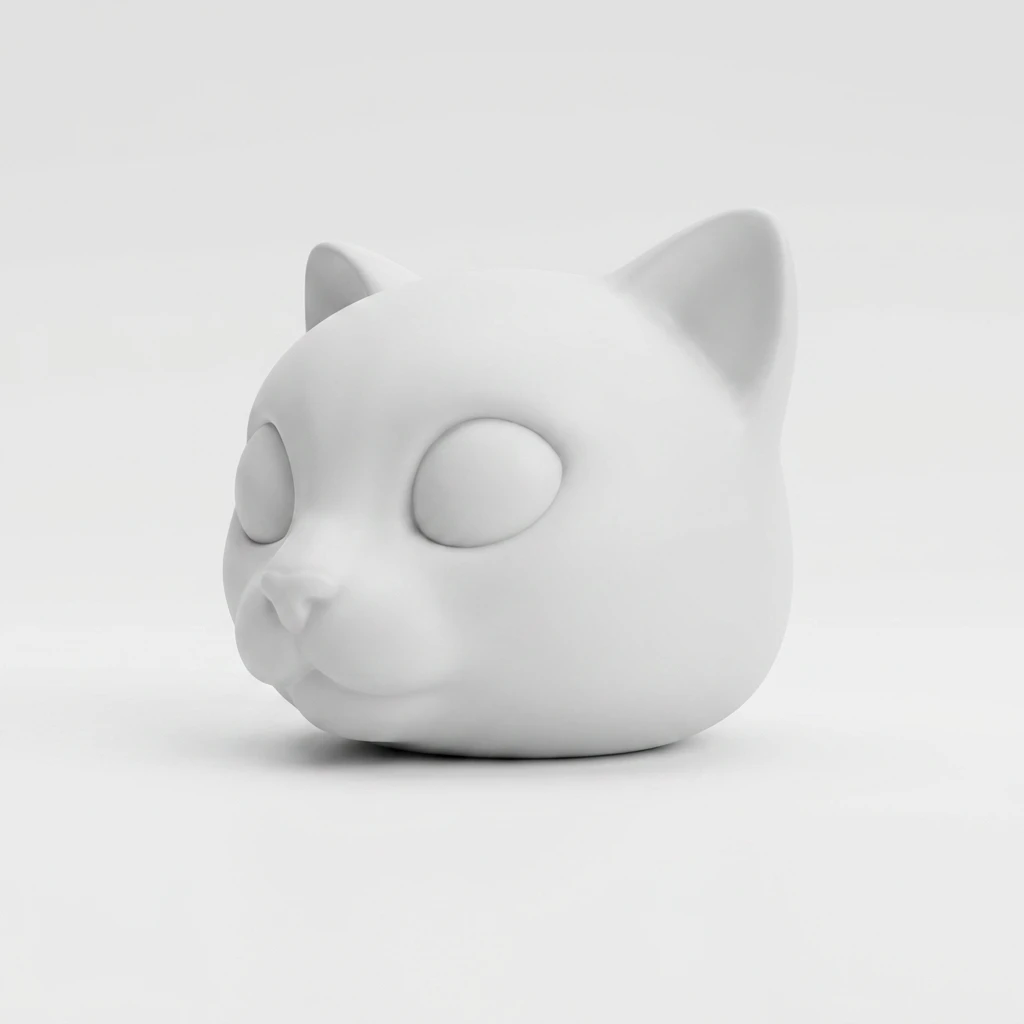
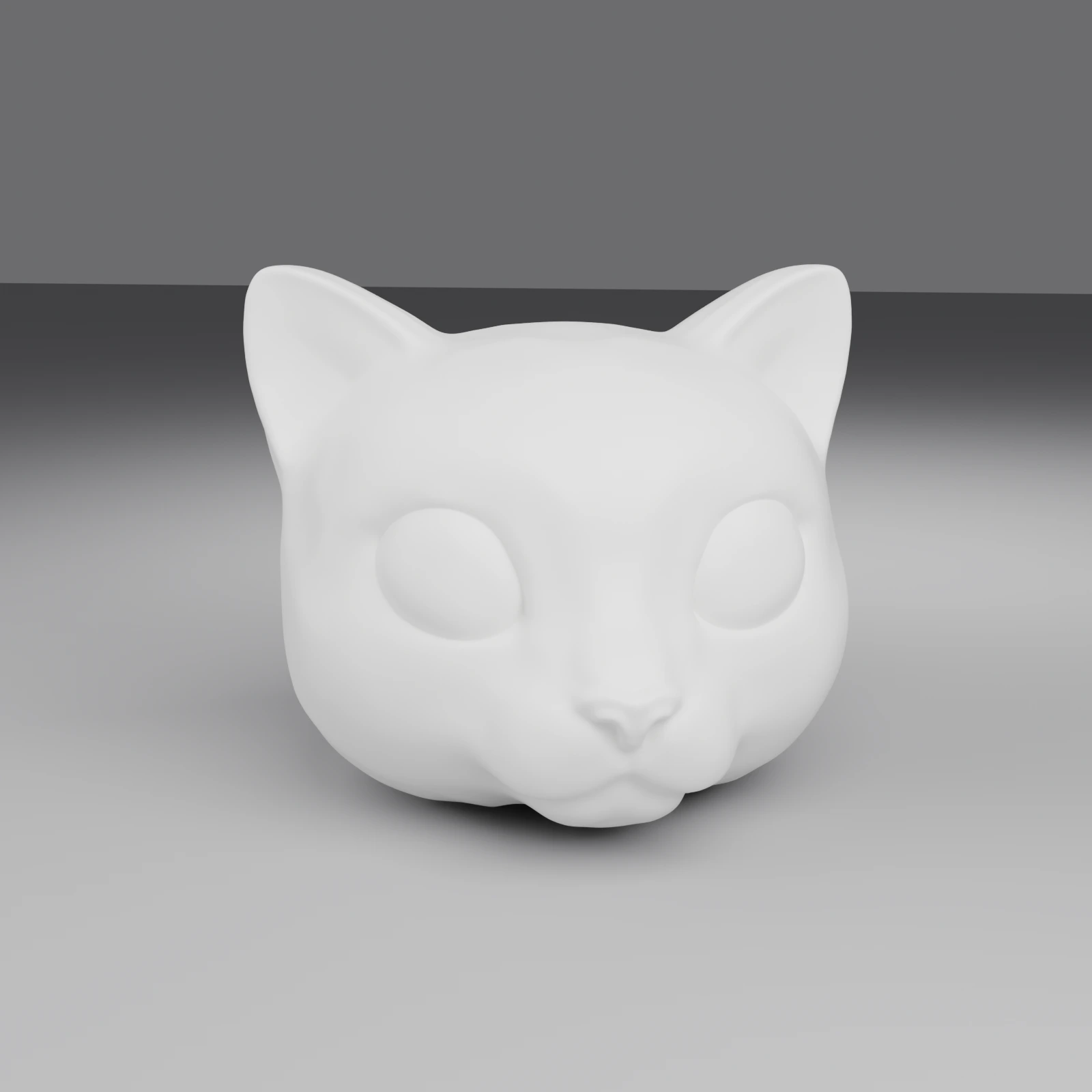
分两个阶段将一张照片转变为可 3D 打印的灯罩。原型任务会生成一张哑光白色的概念图像,并将其转换为 3D 模型。构建任务会以原型任务的 ID 作为 input_task_id,将该模型转换为可打印的 STL 零件。在默认的灯具配件预设下,这些零件包括一个带有灯具底座板的开底灯罩,以及灯具安装件。
POST /openapi/creative-lab/lamp/v1/prototypePOST /openapi/creative-lab/lamp/v1/build
创建灯具 prototype 任务
根据一张照片生成一张哑光白色的概念图,并将其转换为 3D 灯罩模型。该任务会在 image_urls 中返回概念图,在 model_urls.glb 中返回模型,并在 thumbnail_url 中提供预览图。要构建可打印的部件,请将此任务的 ID 作为 input_task_id 传递给构建 endpoint。有关该任务的字段,请参阅灯具 prototype 任务对象。
Request
# Stage 1: concept image + 3D lampshade model from a source photo
curl https://api.meshy.ai/openapi/creative-lab/lamp/v1/prototype \
  -X POST \
  -H "Authorization: Bearer ${YOUR_API_KEY}" \
  -H 'Content-Type: application/json' \
  -d '{
    "image_url": "<your publicly accessible image url or base64-encoded data URI>",
    "image_subject": "character"
  }'
Response
{
  "result": "018a210d-8ba4-705c-b111-1f1776f7f578"
}

参数
- Name
- image_url
- Type
- string
- 必选
- Description
用于制作灯罩的照片,可以是公开可访问的 URL 或 Data URI(
data:image/jpeg;base64,<your base64-encoded image data>)。图片必须为 JPG、JPEG、PNG 或 WebP 文件,且大小不超过 20 MB。
- Name
- image_subject
- Type
- string
- 默认值 character
- Description
照片中主体的类型,用于决定 Meshy 如何对其进行风格化处理。
可用取值:
character:单个角色或物体,例如手办、动物或吉祥物landscape:户外场景或全景,例如山脉、城市景观或森林
- Name
- name
- Type
- string
- Description
任务的名称,最多 100 个字符。它会在任务的
name字段中返回。名称过长会返回400。
- Name
- remove_background
- Type
- boolean
- 默认值 false
- Description
是否从 prototype 图片中移除背景。设为
true会返回带透明背景的 RGBA PNG 图片,方便你将主体放置在任意背景上。Meshy 也会基于去除背景后的图片构建 3D 模型。如果 Meshy 无法移除背景,则会使用带背景的原始图片,任务依然会成功。
返回值
result 字段保存新 prototype 任务的 ID。获取该任务或对其进行流式获取,直到 status 变为 SUCCEEDED。然后将该 ID 作为 input_task_id 传递给构建 endpoint。
失败模式
- Name
400 - Bad Request- Description
请求无法运行。例如:
- 缺少
image_url。 - 图片不是 JPG、JPEG、PNG 或 WebP 文件。
- 图片过小、超过 20 MB,或超过最大像素数。
- Meshy 无法下载该图片,例如 URL 返回
404或超时。 - Data URI 不是有效的 base64 编码。
- 图片被标记为 NSFW(不适宜工作场所)内容。
image_subject既不是character也不是landscape。
错误信息会说明发现的具体问题。修复请求后重新发送。
- 缺少
- Name
401 - Unauthorized- Description
API key 缺失或无效。请检查
Authorization请求头。
- Name
402 - Payment Required- Description
以下情形之一适用:
- 账户 credits 不足。
- API key、workspace 或成员已达到其 credit 限额。
- 账户处于免费套餐。
请检查你的 credits 和套餐,然后重试。
- Name
403 - Forbidden- Description
你的团队已开启 IP Filtering(知识产权过滤),且 Meshy 将该图片标记为涉及第三方知识产权。请发送你拥有使用权利的图片。
- Name
429 - Too Many Requests- Description
达到了以下限制之一:
- 你发送的请求超过了速率限制所允许的数量。请等待几秒钟后重试。参见速率限制。
- 你排队或正在运行的任务过多。请等待部分任务完成后重试。
- 在没有剩余 credits 的无限套餐下,你达到了无需 credits 即可运行的任务数量上限。请等待某个任务完成,或增加 credits。
- Name
500 - Internal Server Error- Description
Meshy 遇到了服务器错误,例如无法对图片执行知识产权检查。Meshy 不会创建该任务,并会退还已扣除的任何 credits。请重试该请求。
创建灯具构建任务(Lamp build task)
从已成功的原型任务生成可 3D 打印的部件。Meshy 会将原型的模型缩放到 diameter_mm,按 cut_amount_percent 切平底部,并将其挖空至 thickness_mm。使用固定装置预设时,还会打开底部、添加带有固定孔的底板,并为灯光单独制作一个安装件。有关该任务的字段,请参阅灯具构建任务对象。
Request
# Stage 2: chain build off a succeeded prototype task
curl https://api.meshy.ai/openapi/creative-lab/lamp/v1/build \
  -X POST \
  -H "Authorization: Bearer ${YOUR_API_KEY}" \
  -H 'Content-Type: application/json' \
  -d '{
    "input_task_id": "018a210d-8ba4-705c-b111-1f1776f7f578",
    "options": {
      "diameter_mm": 120,
      "thickness_mm": 2,
      "light_source_preset": "bambu_mh001_60mm",
      "cut_amount_percent": 30
    },
    "output": {
      "format": "stl"
    }
  }'
Response
{
  "result": "019c320e-9a8f-7a1c-9c11-2a1876f8a9bb"
}
参数
- Name
- input_task_id
- Type
- string
- 必选
- Description
要构建的原型任务的 ID。它必须是您的账户通过
POST /openapi/creative-lab/lamp/v1/prototype创建的任务,且状态为SUCCEEDED。如果该 ID 不是来自 API 的 Lamp 原型任务(包括在 Web App 中创建的原型),将返回
404。
- Name
- name
- Type
- string
- Description
任务的名称,最多 100 个字符。它会在任务的
name字段中返回。名称过长会返回400。
options
灯罩形状的可选设置。每个字段都有默认值,因此您只需发送想要更改的字段即可。
- Name
- diameter_mm
- Type
- number
- 默认值 150
- Description
灯罩最大尺寸的大小,单位为毫米,范围为
50到400。Meshy 会按比例均匀缩放模型以适配。0表示使用默认值,超出该范围的其他值会返回400。
- Name
- thickness_mm
- Type
- number
- 默认值 1
- Description
灯罩的壁厚,单位为毫米,最大为
10。0表示使用默认值,负值或超过10的值会返回400。
- Name
- cut_amount_percent
- Type
- number
- 默认值 1
- Description
在底部切平的高度所占模型高度的百分比,范围为
1到100。平整的底部可让灯罩放置在打印平台上,并为固定装置留出空间。超出范围的值会返回400。
- Name
- light_source_preset
- Type
- string
- 默认值 bambu_mh001_60mm
- Description
灯光固定装置预设,用于设置 Meshy 如何构建底部。
可用值:
bambu_mh001_60mm:底部开口的灯罩,带有一个具有 60 mm 固定孔的底板(均位于model_urls.lamp_stl中),以及位于model_urls.base_stl中的固定装置安装件none:单个密封灯罩,位于model_urls.lamp_stl中,没有model_urls.base_stl
- Name
- fixture_offset_x_mm
- Type
- number
- 默认值 0
- Description
固定孔相对灯罩中心沿 X 轴移动的距离,单位为毫米,范围为
-80到80。仅在light_source_preset不是none时适用。
- Name
- fixture_offset_z_mm
- Type
- number
- 默认值 0
- Description
固定孔相对灯罩中心沿 Z 轴(深度方向)移动的距离,单位为毫米,范围为
-80到80。仅在light_source_preset不是none时适用。
- Name
- rotate_x_deg
- Type
- number
- 默认值 0
- Description
在 Meshy 处理模型之前,围绕 X 轴施加的旋转角度,单位为度,范围为
-360到360。Meshy 会以模型中心为基准,按 XYZ 欧拉角的方式依次施加这三个旋转。
- Name
- rotate_y_deg
- Type
- number
- 默认值 0
- Description
在 Meshy 处理模型之前,围绕 Y 轴施加的旋转角度,单位为度,范围为
-360到360。
- Name
- rotate_z_deg
- Type
- number
- 默认值 0
- Description
在 Meshy 处理模型之前,围绕 Z 轴施加的旋转角度,单位为度,范围为
-360到360。
- Name
- include_result_json
- Type
- boolean
- 默认值 false
- Description
是否在 zip 压缩包中添加一个
result.json文件,其中包含所运行流水线的名称、警告信息和文件路径。需要将output.format设置为zip。若与stl一起设为true会返回400。
output
可选。设置构建返回的文件。
- Name
- format
- Type
- string
- 默认值 stl
- Description
构建返回的文件。
可用值:
stl:model_urls.lamp_stl,即带底板的灯罩(当存在固定装置预设时),以及当light_source_preset不是none时的model_urls.base_stlzip:model_urls.bundle_zip中的一个 zip 文件,包含lamp.stl,以及在适用时的base.stl和result.json
返回值
result 字段保存新构建任务的 ID。获取该任务或对其进行流式获取,直到 status 为 SUCCEEDED。然后从 model_urls 下载文件。
失败模式
- Name
400 - Bad Request- Description
请求无法运行。例如:
input_task_id缺失或不是有效的任务 ID。- 原型任务的状态不是
SUCCEEDED。如果仍在运行,请等待后重试。如果已失败或被取消,请创建新的原型任务。 - 原型任务已成功,但没有 3D 模型。请创建新的原型任务。
- 某个
options字段超出范围或不是可用值。 output.format不是stl或zip,或者未设置zip却将include_result_json设为true。
错误消息会说明发现的具体问题。
- Name
401 - Unauthorized- Description
API key 缺失或无效。请检查
Authorization请求头。
- Name
402 - Payment Required- Description
以下情况之一适用:
- 账户没有足够的 credits。
- 该 API key、workspace 或成员已达到其 credit 限额。
- 账户使用的是免费套餐。
请检查您的 credits 和套餐,然后重试。
- Name
404 - Not Found- Description
input_task_id与您的账户通过 API 创建的任何 Lamp 原型任务都不匹配。在 Web App 中创建的原型也会返回404。请发送原型创建响应中的resultID。
- Name
429 - Too Many Requests- Description
达到以下限制之一:
- 您发送的请求数超过了速率限制允许的数量。请等待几秒钟后重试。请参阅速率限制。
- 您排队或正在运行的任务过多。请等待部分任务完成后再重试。
- 在无限制套餐下且没有剩余 credits 时,您已达到无需 credits 即可运行的任务数量上限。请等待某个任务完成,或添加 credits。
获取灯具任务
返回一个原型任务或构建任务。路径必须与任务所处的阶段相匹配。通过 /prototype/:id 请求一个构建任务会返回 404,同样,通过 /build/:id 请求一个原型任务也会返回 404。
Request
# Prototype
curl https://api.meshy.ai/openapi/creative-lab/lamp/v1/prototype/018a210d-8ba4-705c-b111-1f1776f7f578 \
  -H "Authorization: Bearer ${YOUR_API_KEY}"

# Build
curl https://api.meshy.ai/openapi/creative-lab/lamp/v1/build/019c320e-9a8f-7a1c-9c11-2a1876f8a9bb \
  -H "Authorization: Bearer ${YOUR_API_KEY}"
Prototype Response
{
  "id": "018a210d-8ba4-705c-b111-1f1776f7f578",
  "type": "creative-lab-lamp-prototype",
  "name": "",
  "status": "SUCCEEDED",
  "progress": 100,
  "created_at": 1729123456000,
  "started_at": 1729123460000,
  "finished_at": 1729123486000,
  "expires_at": 1729382686000,
  "preceding_tasks": 0,
  "task_error": null,
  "consumed_credits": 30,
  "model_urls": {
    "glb": "https://assets.meshy.ai/***/tasks/018a210d-8ba4-705c-b111-1f1776f7f578/output/model.glb?Expires=***"
  },
  "thumbnail_url": "https://assets.meshy.ai/***/tasks/018a210d-8ba4-705c-b111-1f1776f7f578/output/preview.png?Expires=***",
  "image_urls": [
    "https://assets.meshy.ai/***/concept.png?Expires=***"
  ]
}
Build Response
{
  "id": "019c320e-9a8f-7a1c-9c11-2a1876f8a9bb",
  "type": "creative-lab-lamp-build",
  "name": "",
  "status": "SUCCEEDED",
  "progress": 100,
  "created_at": 1729123500000,
  "started_at": 1729123510000,
  "finished_at": 1729123535000,
  "expires_at": 1729382735000,
  "preceding_tasks": 0,
  "task_error": null,
  "consumed_credits": 6,
  "model_urls": {
    "lamp_stl": "https://assets.meshy.ai/***/tasks/019c320e-9a8f-7a1c-9c11-2a1876f8a9bb/output/lamp.stl?Expires=***",
    "base_stl": "https://assets.meshy.ai/***/tasks/019c320e-9a8f-7a1c-9c11-2a1876f8a9bb/output/base.stl?Expires=***"
  }
}
参数
- Name
- id
- Type
- path
- Description
创建响应中返回的任务 ID。
返回值
失败模式
- Name
400 - Bad Request- Description
id不是有效的任务 ID。请发送创建响应中的resultID。
- Name
403 - Forbidden- Description
你的团队已开启 IP Filtering(知识产权过滤)功能,且 Meshy 将该原型任务的图像标记为涉及第三方知识产权。构建任务以及 Enterprise 套餐团队不会出现此错误。请使用你拥有使用权的图像来创建原型任务。
- Name
404 - Not Found- Description
你的账户下不存在此 ID 对应的灯具任务,或者该任务所处的阶段与路径不匹配。请检查 ID,并使用
/prototype或/build来匹配对应任务。
- Name
500 - Internal Server Error- Description
Meshy 无法执行知识产权检查。请重试该请求。
删除灯具任务
取消一个灯具任务。取消 PENDING 任务会退还其 credits。IN_PROGRESS 任务会被取消,但不予退款,因为已有工作进程开始处理该任务。处于最终状态(SUCCEEDED、FAILED 或 CANCELED)的任务无法取消。
路径必须与任务所处的阶段相匹配。例如,使用构建任务的 ID 对 /prototype/:id 执行 DELETE 会返回 404。
Request
curl --request DELETE \
  --url https://api.meshy.ai/openapi/creative-lab/lamp/v1/prototype/018a210d-8ba4-705c-b111-1f1776f7f578 \
  -H "Authorization: Bearer ${YOUR_API_KEY}"
Response
// Returns 204 No Content on success (empty body).
路径参数
- Name
- id
- Type
- path
- Description
要取消的任务的 ID。
返回值
204 No Content,响应体为空。
失败模式
- Name
400 - Bad Request- Description
以下情况之一:
id不是有效的任务 ID。请发送创建响应中的resultID。- 任务已处于最终状态(
SUCCEEDED、FAILED或CANCELED),因此无法取消。
- Name
404 - Not Found- Description
你的账户下没有该 ID 对应的灯具任务,或任务所处的阶段与路径不匹配。请检查 ID,并使用
/prototype或/build以匹配对应任务。
流式获取灯具任务
以 Server-Sent Events(SSE)的形式流式推送灯具任务的更新。路径必须与任务所处阶段匹配。如果不匹配,例如将一个 build 任务的 ID 用于 /prototype/:id/stream,该流会发送一个 status_code: 404 的 error 事件并随后关闭。
Request
curl -N https://api.meshy.ai/openapi/creative-lab/lamp/v1/build/019c320e-9a8f-7a1c-9c11-2a1876f8a9bb/stream \
-H "Authorization: Bearer ${YOUR_API_KEY}"
Response Stream
// Error event example (wrong stage or task not found)
event: error
data: {
  "status_code": 404,
  "message": "Task not found"
}

// Message event examples illustrate task progress.
// Every frame is the full task object; fields not yet populated are null / empty.
// The following PENDING frame is shortened to the fields that change.
event: message
data: {
  "id": "019c320e-9a8f-7a1c-9c11-2a1876f8a9bb",
  "progress": 0,
  "status": "PENDING"
}

event: message
data: {
  "id": "019c320e-9a8f-7a1c-9c11-2a1876f8a9bb",
  "type": "creative-lab-lamp-build",
  "status": "SUCCEEDED",
  "progress": 100,
  "created_at": 1729123500000,
  "started_at": 1729123510000,
  "finished_at": 1729123535000,
  "expires_at": 1729382735000,
  "task_error": null,
  "consumed_credits": 6,
  "model_urls": {
    "lamp_stl": "https://assets.meshy.ai/***/tasks/019c320e-9a8f-7a1c-9c11-2a1876f8a9bb/output/lamp.stl?Expires=***",
    "base_stl": "https://assets.meshy.ai/***/tasks/019c320e-9a8f-7a1c-9c11-2a1876f8a9bb/output/base.stl?Expires=***"
  }
}
列出灯具任务
返回你某个阶段的灯具任务,每次一页。路径决定阶段。/prototype 仅返回 prototype 任务,/build 仅返回 build 任务。
Request
# List prototype tasks
curl https://api.meshy.ai/openapi/creative-lab/lamp/v1/prototype?page_size=10 \
  -H "Authorization: Bearer ${YOUR_API_KEY}"

# List build tasks
curl https://api.meshy.ai/openapi/creative-lab/lamp/v1/build?page_size=10 \
  -H "Authorization: Bearer ${YOUR_API_KEY}"
Response (List Prototype Tasks)
[
  {
    "id": "018a210d-8ba4-705c-b111-1f1776f7f578",
    "type": "creative-lab-lamp-prototype",
    "name": "",
    "status": "SUCCEEDED",
    "progress": 100,
    "created_at": 1729123456000,
    "started_at": 1729123460000,
    "finished_at": 1729123486000,
    "expires_at": 1729382686000,
    "preceding_tasks": 0,
    "task_error": null,
    "consumed_credits": 30,
    "model_urls": {
      "glb": "https://assets.meshy.ai/***/tasks/018a210d-8ba4-705c-b111-1f1776f7f578/output/model.glb?Expires=***"
    },
    "thumbnail_url": "https://assets.meshy.ai/***/tasks/018a210d-8ba4-705c-b111-1f1776f7f578/output/preview.png?Expires=***",
    "image_urls": [
      "https://assets.meshy.ai/***/concept.png?Expires=***"
    ]
  }
]
路径参数
- Name
- stage
- Type
- path
- 必选
- Description
要列出的阶段,
prototype或build。
查询参数
- Name
- page_num
- Type
- integer
- 默认值 1
- Description
要返回的页码,范围从
1到255。0返回第一页。超出0到255范围的值将返回400。
- Name
- page_size
- Type
- integer
- 默认值 10
- Description
每页任务数,最多
100。101到255之间的值将返回 100 个任务,0使用默认值。超出0到255范围的值将返回400。
- Name
- sort_by
- Type
- string
- 默认值 -created_at
- Description
排序顺序。
可用值:
-created_at:最新的排在最前+created_at:最旧的排在最前
返回值
一个由 prototype 任务对象 或 build 任务对象 组成的数组,具体取决于路径中的阶段。
灯具原型任务对象
原型任务会根据照片生成一张哑光白色的概念图,并将其转换为 3D 模型。要制作可打印的部件,请将该任务的 ID 作为 input_task_id 传递给构建 endpoint。
Properties
Example Lamp Prototype Task Object
{
  "id": "018a210d-8ba4-705c-b111-1f1776f7f578",
  "type": "creative-lab-lamp-prototype",
  "name": "",
  "status": "SUCCEEDED",
  "progress": 100,
  "created_at": 1729123456000,
  "started_at": 1729123460000,
  "finished_at": 1729123486000,
  "expires_at": 1729382686000,
  "preceding_tasks": 0,
  "task_error": null,
  "consumed_credits": 30,
  "model_urls": {
    "glb": "https://assets.meshy.ai/***/tasks/018a210d-8ba4-705c-b111-1f1776f7f578/output/model.glb?Expires=***"
  },
  "thumbnail_url": "https://assets.meshy.ai/***/tasks/018a210d-8ba4-705c-b111-1f1776f7f578/output/preview.png?Expires=***",
  "image_urls": [
    "https://assets.meshy.ai/***/concept.png?Expires=***"
  ]
}
- Name
- id
- Type
- string
- Description
任务 ID。请勿依赖其格式。
- Name
- type
- Type
- string
- Description
任务类型,始终为
creative-lab-lamp-prototype。
- Name
- name
- Type
- string
- Description
你在创建任务时发送的
name,如果未发送,则为""。
- Name
- status
- Type
- string
- Description
任务的状态。
可用值:
PENDING:在队列中等待IN_PROGRESS:正在生成结果SUCCEEDED:最终状态,已获得结果FAILED:最终状态,原因见task_errorCANCELED:最终状态,没有结果
- Name
- progress
- Type
- integer
- Description
已完成工作的百分比,从
0到100。任务开始前为0,成功后为100。
- Name
- created_at
- Type
- timestamp
- Description
任务创建的时间,以 Unix 毫秒表示。
- Name
- started_at
- Type
- timestamp
- Description
worker 开始执行任务的时间,以 Unix 毫秒表示。在此之前为
null。
- Name
- finished_at
- Type
- timestamp
- Description
任务达到最终状态的时间,以 Unix 毫秒表示。在此之前为
null。
- Name
- expires_at
- Type
- timestamp
- Description
任务结果过期的时间,以 Unix 毫秒表示。该时间为
finished_at之后 3 天;在任务完成之前,则为created_at之后 3 天。对于会无限期保留 API 结果的企业版账户,该时间大约是 100 年后。参见资产保留期。
- Name
- preceding_tasks
- Type
- integer
- Description
任务处于
PENDING状态时在队列中的位置。1表示下一个就轮到它开始。任务离开队列后为0,在列表结果中始终为0。
- Name
- task_error
- Type
- object
- Description
任务失败的原因。除非
status为FAILED,否则为null。参见 Errors。
- Name
- consumed_credits
- Type
- integer
- Description
该任务扣除的 credits 数量(已扣除任何退款)。返回错误的请求不会被扣费。失败的任务为
0,因为 Meshy 会退还该费用。取消任务仅在其处于PENDING状态时才会退款。如果 Meshy 无法读取扣费信息,get 或 stream 响应会省略该字段,而 list 请求会返回500。在这种情况下,请重试该请求。
- Name
- model_urls
- Type
- object
- Description
从概念图生成的 3D 模型的下载 URL。在任务成功之前为
{}。- Name
glb- Type
- string
- Description
灯罩模型的下载 URL,格式为 GLB 文件。构建阶段会将该模型转换为可打印的部件。
- Name
- thumbnail_url
- Type
- string
- Description
3D 模型预览图的下载 URL。在任务成功之前为
""。
- Name
- image_urls
- Type
- array of strings
- Description
概念图的下载 URL。任务成功后,数组中包含一个 URL;在此之前为空数组。
灯具构建任务对象
构建任务会将已成功的原型任务的 3D 模型转换为可打印的灯罩部件。Meshy 会将模型抽空并将其底部切平。使用固定装置预设时,它还会打开底部并添加底板和固定装置安装座。
属性
Example Lamp Build Task Object
{
  "id": "019c320e-9a8f-7a1c-9c11-2a1876f8a9bb",
  "type": "creative-lab-lamp-build",
  "name": "",
  "status": "SUCCEEDED",
  "progress": 100,
  "created_at": 1729123500000,
  "started_at": 1729123510000,
  "finished_at": 1729123535000,
  "expires_at": 1729382735000,
  "preceding_tasks": 0,
  "task_error": null,
  "consumed_credits": 6,
  "model_urls": {
    "lamp_stl": "https://assets.meshy.ai/***/tasks/019c320e-9a8f-7a1c-9c11-2a1876f8a9bb/output/lamp.stl?Expires=***",
    "base_stl": "https://assets.meshy.ai/***/tasks/019c320e-9a8f-7a1c-9c11-2a1876f8a9bb/output/base.stl?Expires=***"
  }
}
- Name
- id
- Type
- string
- Description
任务 ID。不要依赖其格式。
- Name
- type
- Type
- string
- Description
任务类型,始终为
creative-lab-lamp-build。
- Name
- name
- Type
- string
- Description
创建任务时你发送的
name,如果没有发送则为""。
- Name
- status
- Type
- string
- Description
任务的状态。
可用取值:
PENDING:在队列中等待IN_PROGRESS:正在生成结果SUCCEEDED:最终状态,附带结果FAILED:最终状态,原因见task_errorCANCELED:最终状态,没有结果
- Name
- progress
- Type
- integer
- Description
已完成工作的百分比,范围从
0到100。在任务开始之前为0,成功后为100。
- Name
- created_at
- Type
- timestamp
- Description
任务创建的时间,采用 Unix 毫秒时间戳。
- Name
- started_at
- Type
- timestamp
- Description
工作进程开始处理任务的时间,采用 Unix 毫秒时间戳。在此之前为
null。
- Name
- finished_at
- Type
- timestamp
- Description
任务达到最终状态的时间,采用 Unix 毫秒时间戳。在此之前为
null。
- Name
- expires_at
- Type
- timestamp
- Description
任务结果过期的时间,采用 Unix 毫秒时间戳。该时间为
finished_at之后的 3 天;在任务完成之前,则为created_at之后的 3 天。对于会无限期保留 API 结果的企业版账户,该时间大约在 100 年之后。请参阅资产保留期。
- Name
- preceding_tasks
- Type
- integer
- Description
任务处于
PENDING状态时在队列中的位置。1表示下一个就会开始处理该任务。任务离开队列后为0,在列表结果中始终为0。
- Name
- task_error
- Type
- object
- Description
任务失败的原因。除非
status为FAILED,否则为null。请参阅错误。
- Name
- consumed_credits
- Type
- integer
- Description
任务扣除的 credits 数量(已扣除任何退款)。返回错误的请求不会被扣费。失败的任务为
0,因为 Meshy 会退还费用。只有在任务处于PENDING状态时取消才会退款。如果 Meshy 无法读取扣费信息,获取或流式响应会省略该字段,而列表请求会返回500。这种情况下,请重试该请求。
- Name
- model_urls
- Type
- object
- Description
可打印文件的下载链接。出现哪些键取决于
output.format和options.light_source_preset。- Name
lamp_stl- Type
- string
- Description
lamp.stl的下载链接。使用固定装置预设时,这是开放底部的灯罩,底板上带有固定装置孔。当options.light_source_preset设置为none时,这是一个单独的密封灯罩。当output.format为stl时出现该字段。
- Name
base_stl- Type
- string
- Description
base.stl的下载链接,即灯具固定装置的安装座。当output.format为stl且options.light_source_preset不为none时出现该字段。
- Name
bundle_zip- Type
- string
- Description
包含
lamp.stl的压缩包下载链接,在适用的情况下还包含base.stl和result.json。当output.format为zip时出现该字段,此时会省略lamp_stl和base_stl。