Developer Platform
The Developer Platform is where you run, monitor, and configure everything about your Meshy API integration — a Playground for trying endpoints without writing code, dashboards covering every API request on your account, and API key and webhook management.
Free accounts can try the Playground on the Image to 3D endpoint only, through a dedicated built-in key for testing — Free accounts can't create or manage their own API keys, and have no Usage dashboard or Request Logs. Pro, Premium, Ultra, Studio, and Enterprise plans get every Playground endpoint, full access to the Usage dashboard and Request Logs, and their own API keys.
Overview
Open the Developer Platform from the web app. Its sidebar is organized into:
- Build — the Playground, for trying endpoints interactively.
- Monitor — Usage dashboard and Request Logs.
- Configure — API Keys and Webhooks.
The Overview page itself walks new accounts through the three steps below (create a key, try a request in the Playground, inspect the result in Request Logs), then shows a 7-day usage snapshot of your own account's activity and the latest entries from the Meshy API changelog.
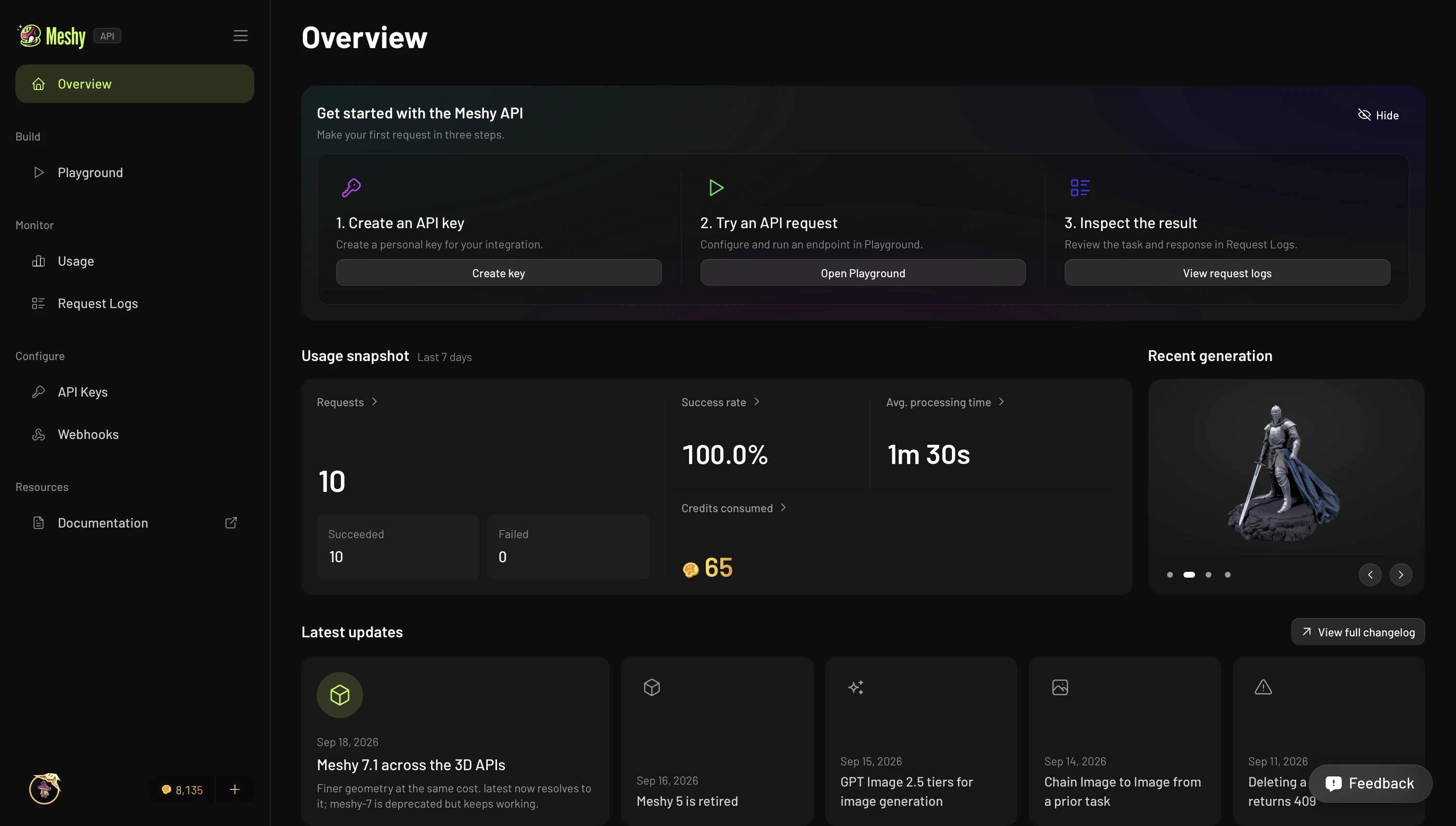
New to the API? Start with the Quickstart.
Playground
The Playground is an interactive console for trying endpoints without writing any code. Pick an endpoint, fill in parameters with inline guidance, and submit — tasks run through the same asynchronous pipeline as the API, so you'll watch the task move from PENDING to SUCCEEDED and can inspect the full response and the resulting model.
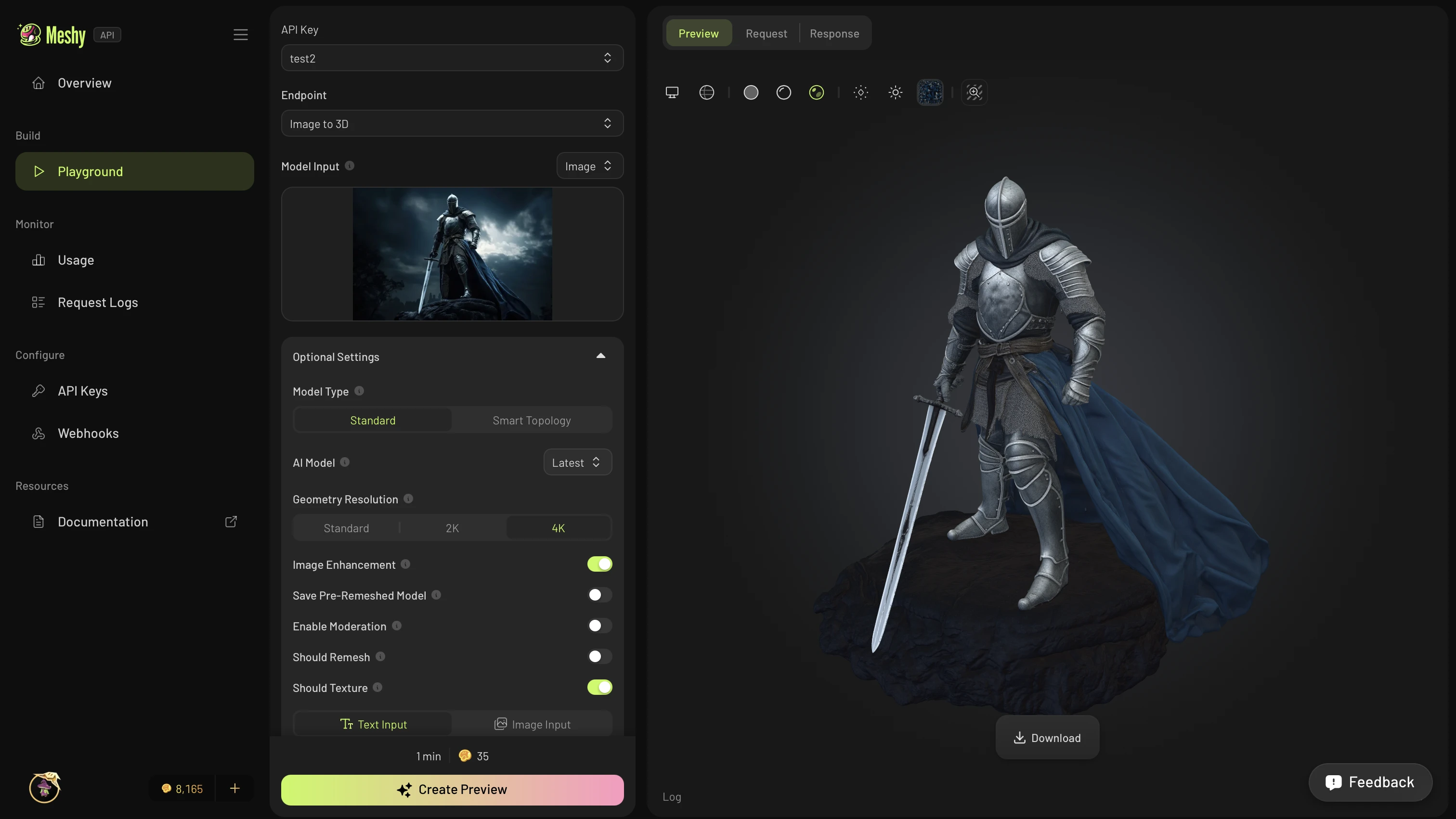
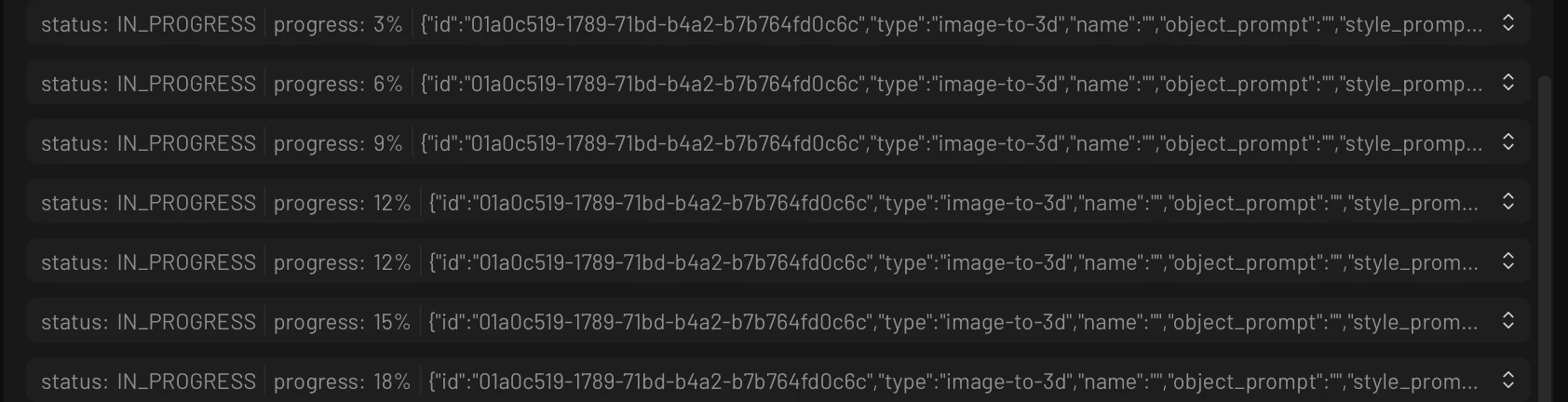
While a task runs, the Preview tab streams live status updates — no need to poll.
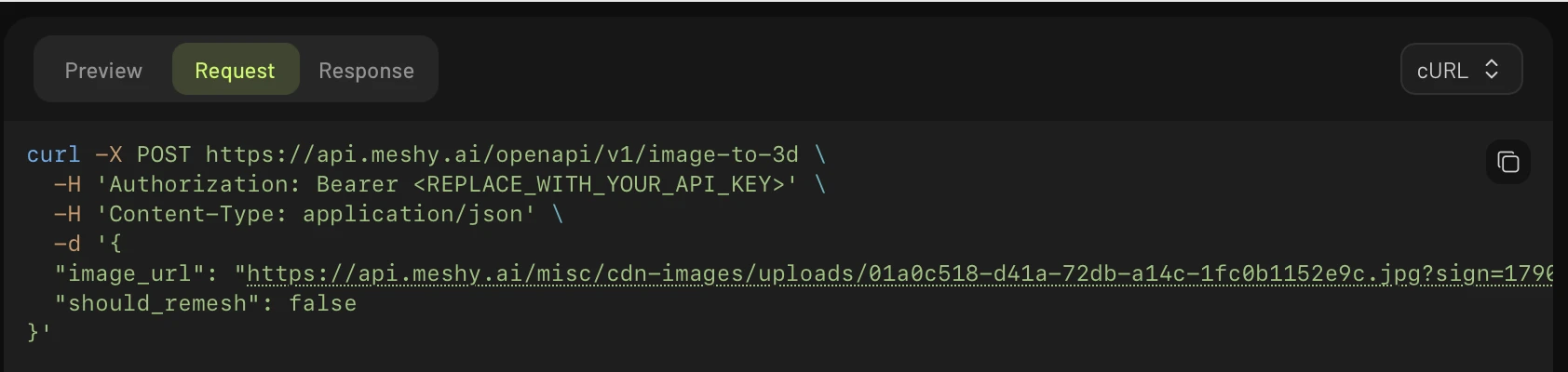
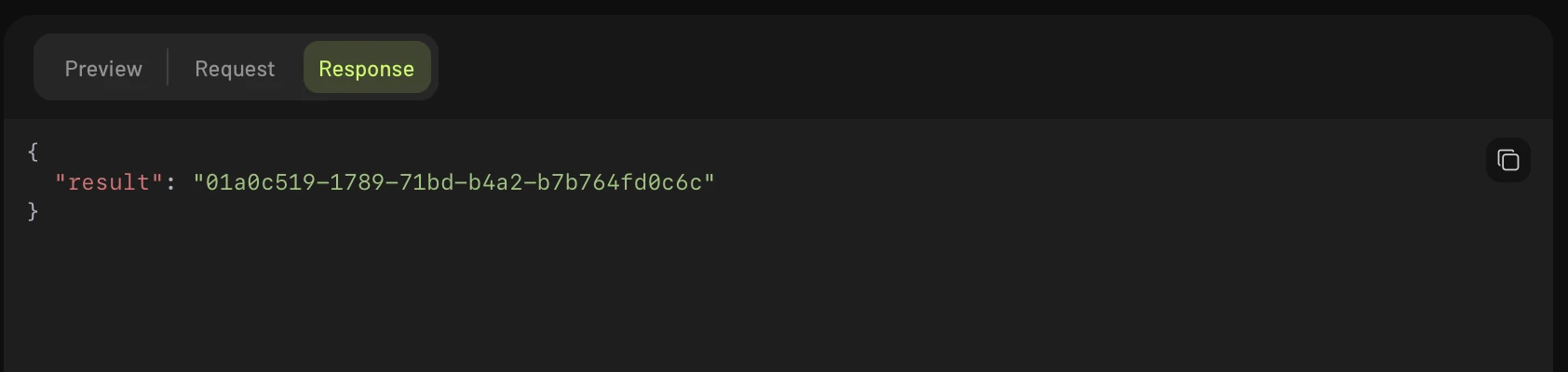
Switch to the Request tab for a ready-to-run snippet in cURL, Python, or JavaScript, or the Response tab to inspect the full JSON — this is where the Playground earns its keep over the webapp workspace: every request you build is one copy-paste away from running in your own code.
Usage dashboard
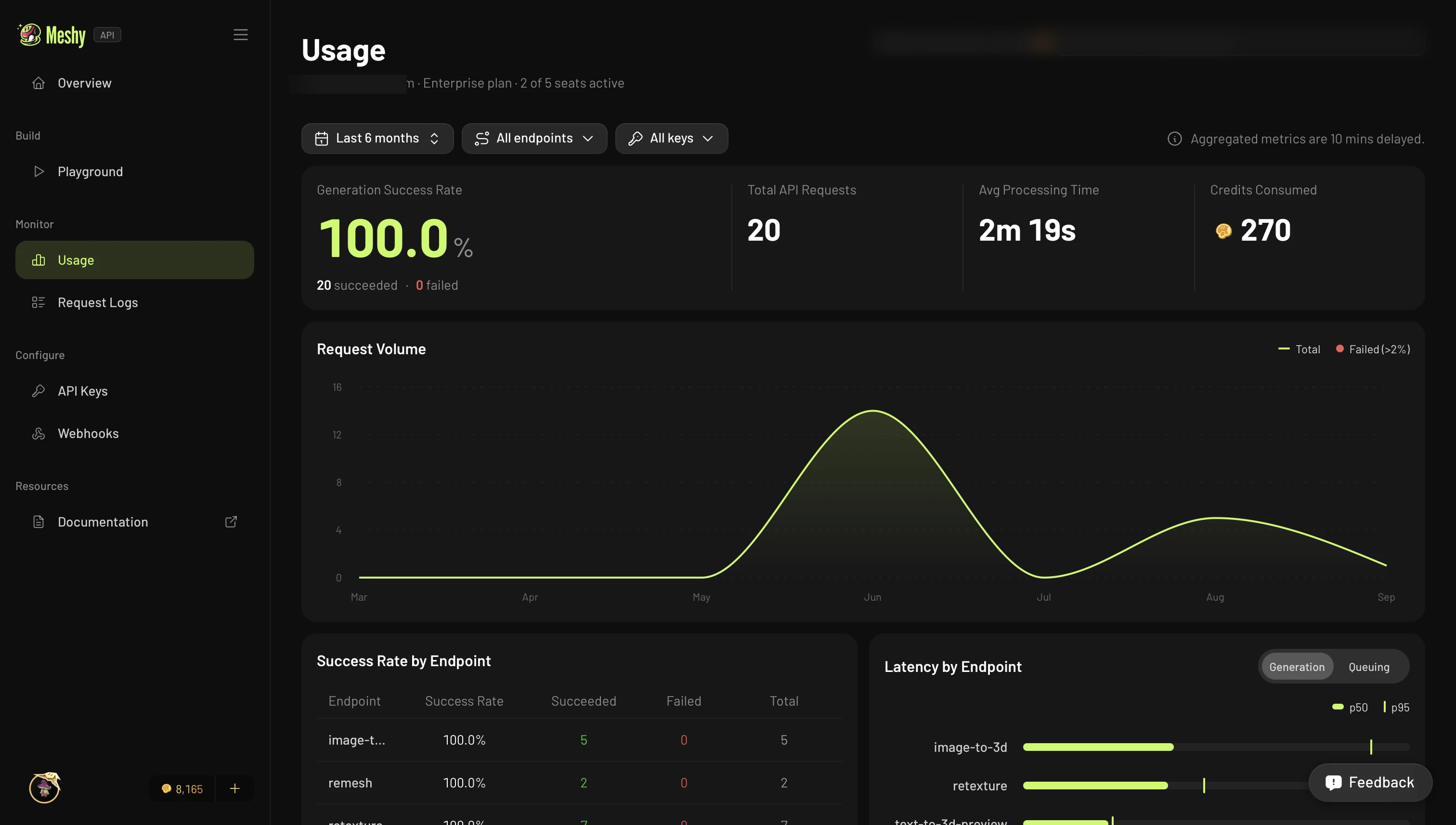
The Usage dashboard visualizes all of your account's API activity — every request, whether made directly through the API or from the Playground. It shows generation success rate, total requests, average processing time, and credits consumed, plus request volume over time and a breakdown of success rate and latency by endpoint.
Request logs
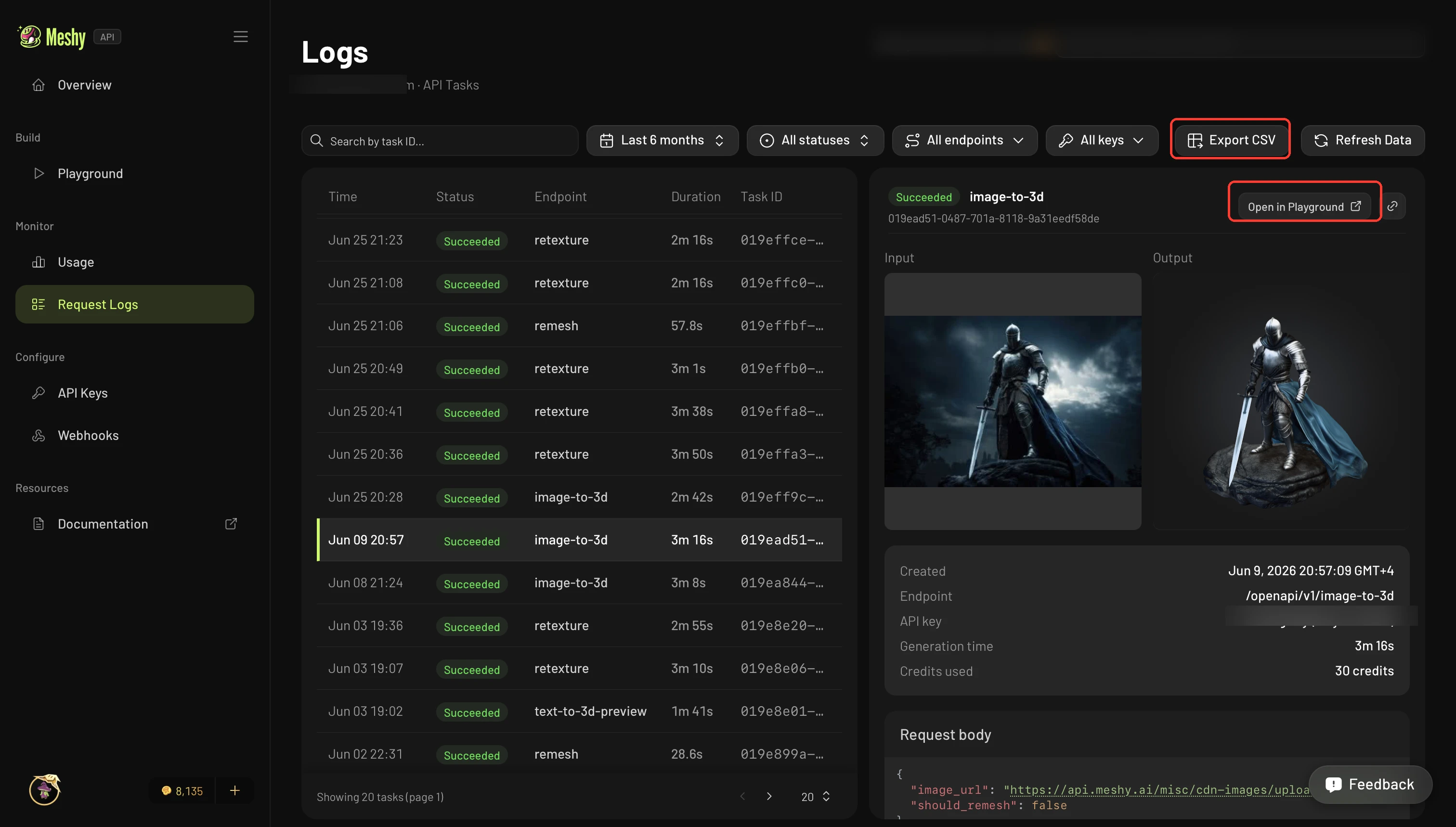
Request Logs lists every API task on your account — direct API calls and Playground requests alike — with status, timing, and the API key that made the request. Select a task to see its full input and output, request body, and credits used — useful for debugging a specific call without re-querying the API — or jump straight to it in the Playground. Use Export CSV to pull the whole list for reporting or reconciliation.
API management
- API Keys — create, name, and revoke keys, set a monthly credit limit on each one, and see each key's usage.
- Webhooks — get real-time updates when your API tasks change status, instead of polling. See the Webhooks guide for setup steps, delivery requirements, and sample payloads.
Feedback
Every page in the Developer Platform has a Feedback button in the bottom-right corner — use it to report a bug, request a feature, or tell us what's confusing. We read every submission.
Authentication & credits
Requests are authorized with an API key passed in the Authorization: Bearer header, exactly like a direct API call. The Playground runs against your own account, so every request uses your plan credits and counts toward your rate limits, just like any other API call. See the Authentication guide for details on key formats and security.