Developer Platform
Run, monitor, and configure your Meshy API integration in the Developer Platform. It has a Playground to try endpoints without writing code, dashboards of every API request on your account, and API key and webhook management.
On the Free plan, you can try only Image to 3D in the Playground, through a built-in key for testing. Free accounts can't create or manage API keys, and have no Usage dashboard or Request Logs. Pro, Premium, Ultra, Studio, and Enterprise plans get every Playground endpoint, the Usage dashboard and Request Logs, and their own API keys.
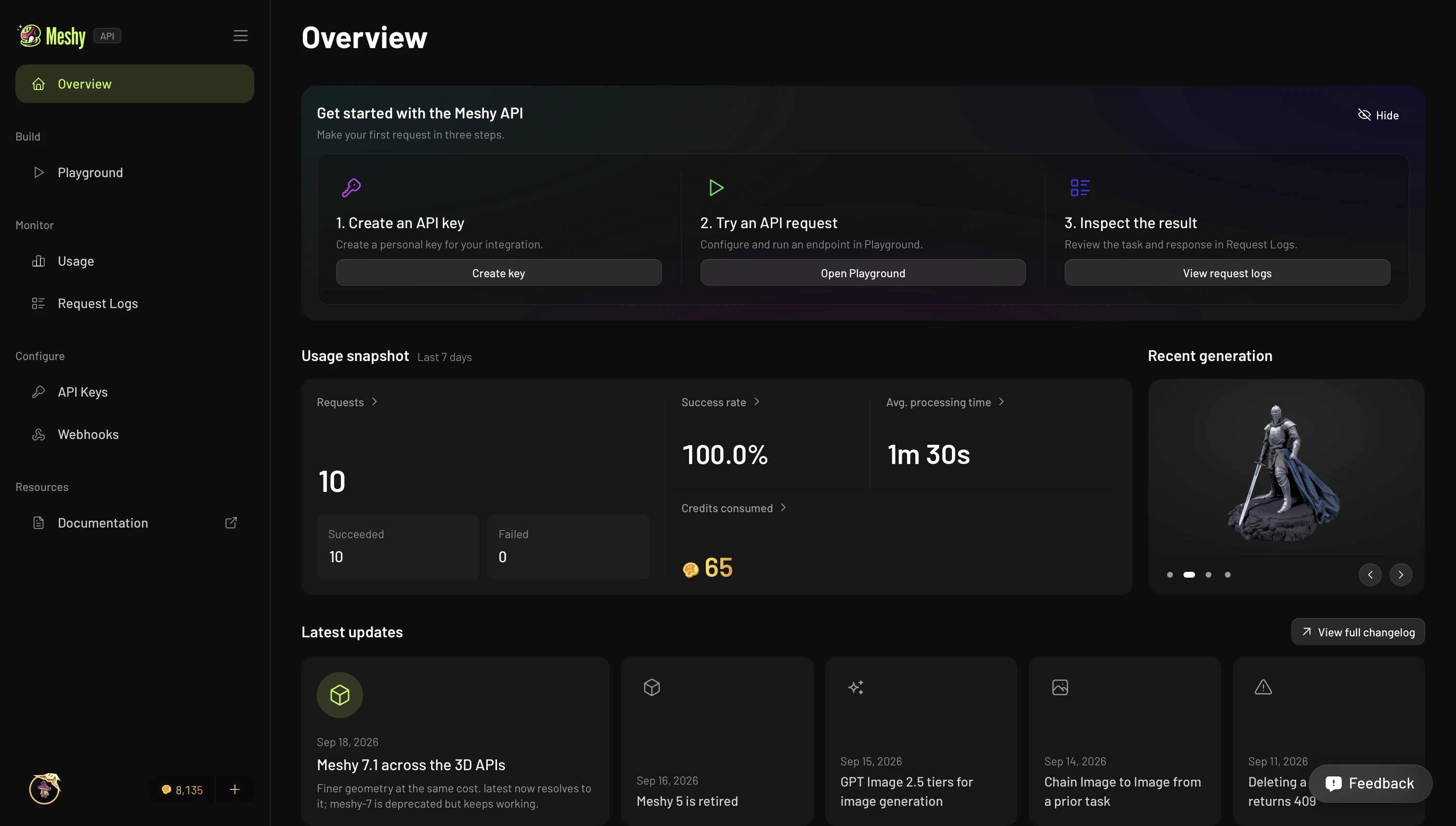
Overview
Open the Developer Platform from the web app. Its sidebar has three groups:
- Build: the Playground, for trying endpoints interactively.
- Monitor: the Usage dashboard and Request Logs.
- Configure: API Keys and Webhooks.
The Overview page walks new accounts through three steps: create a key, try a request in the Playground, and check the result in Request Logs. It also shows a 7-day snapshot of your account's usage and the newest entries from the Changelog.
New to the API? Start with the Quickstart.
Playground
The Playground is an interactive console for trying endpoints without writing code. Pick an endpoint, fill in its parameters with the inline guidance, and submit the request. The task runs through the same asynchronous pipeline as an API task. You can watch it move from PENDING to SUCCEEDED, then inspect the full response and the resulting model.
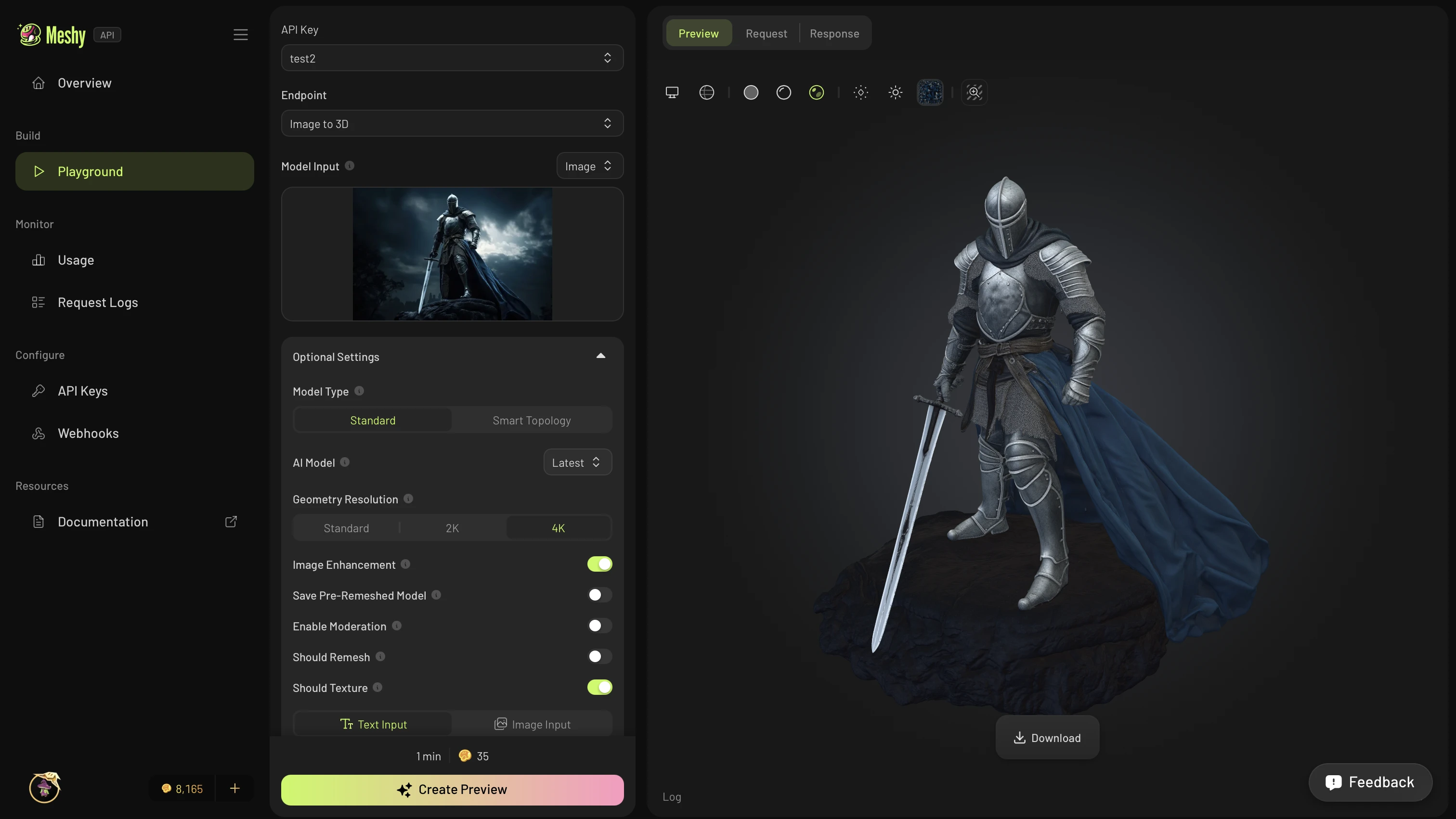
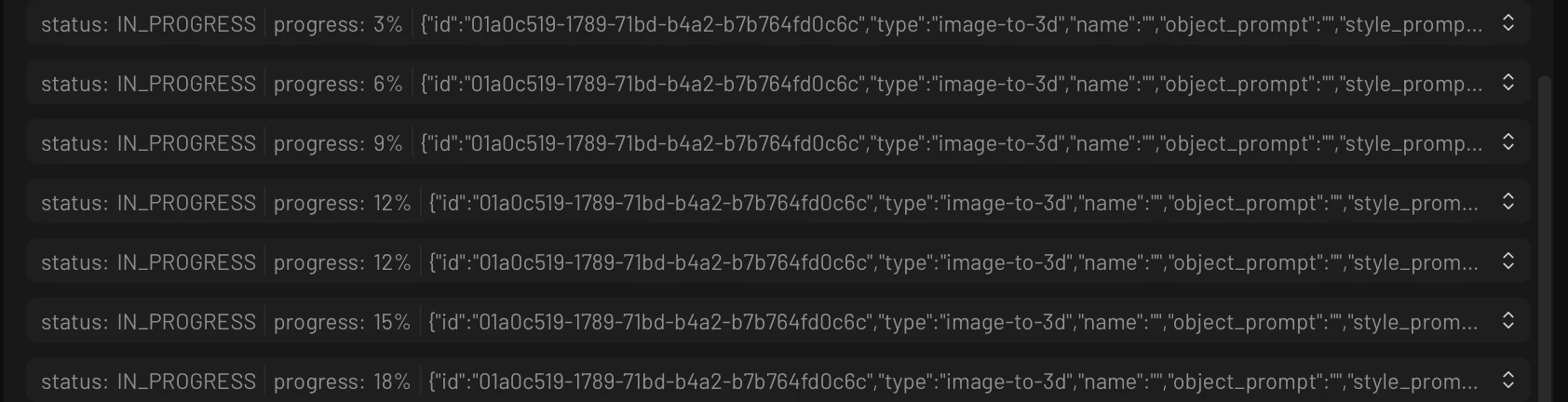
While a task runs, the Preview tab streams live status updates, so you don't need to poll.
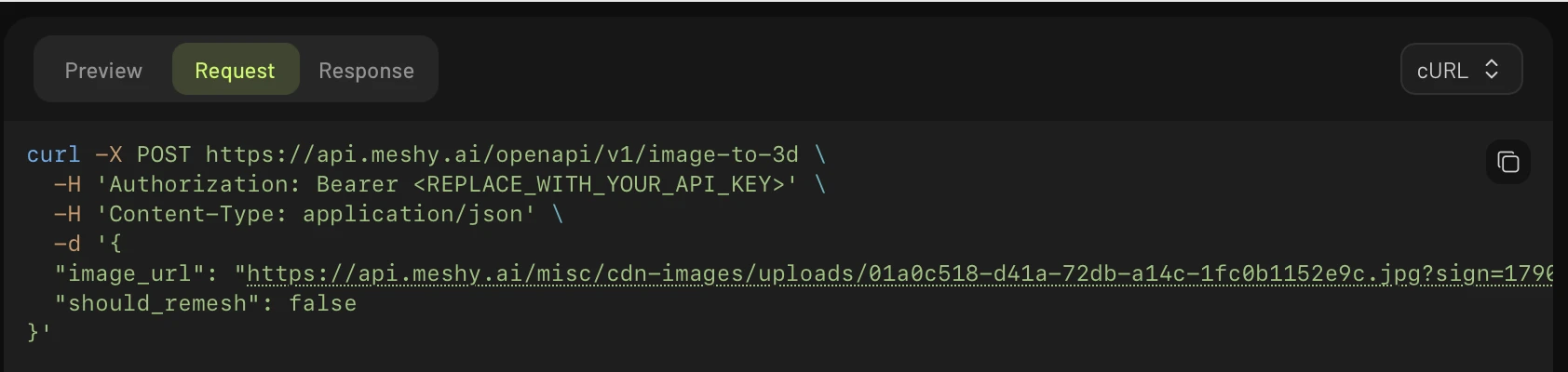
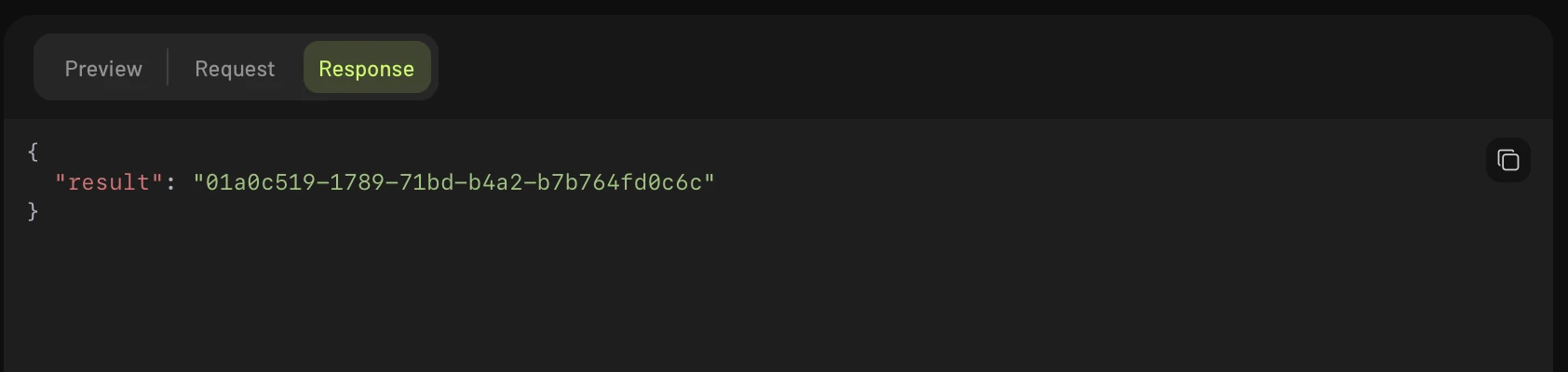
The Request tab shows a ready-to-run snippet in cURL, Python, or JavaScript, and the Response tab shows the full JSON. Unlike the web app workspace, the Playground gives you every request you build as code that you can copy into your own app.
Usage dashboard
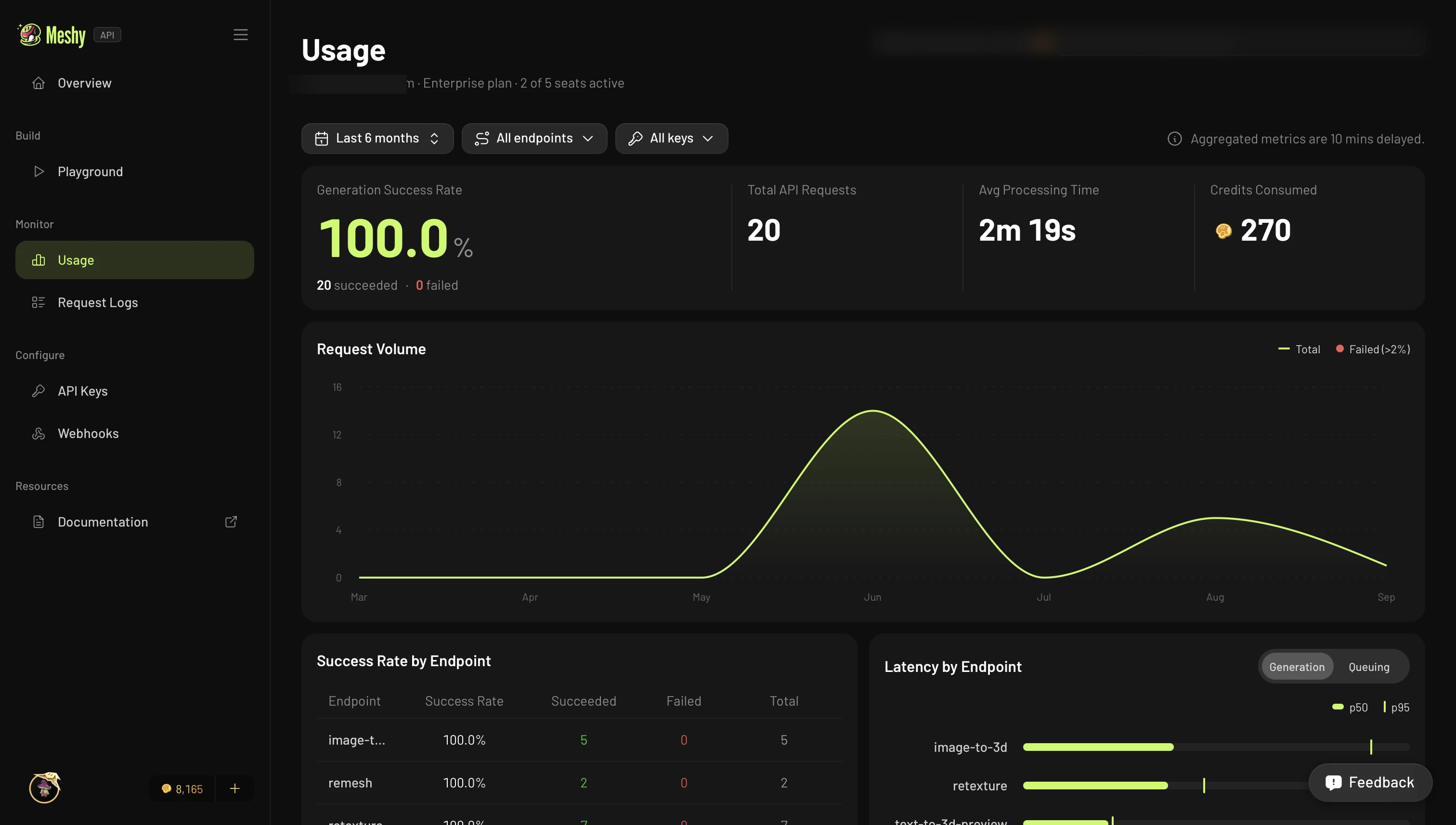
The Usage dashboard charts all of your account's API activity, from direct API calls and from the Playground. It shows the generation success rate, total requests, average processing time, and credits used. It also shows request volume over time, and success rate and latency by endpoint.
Request logs
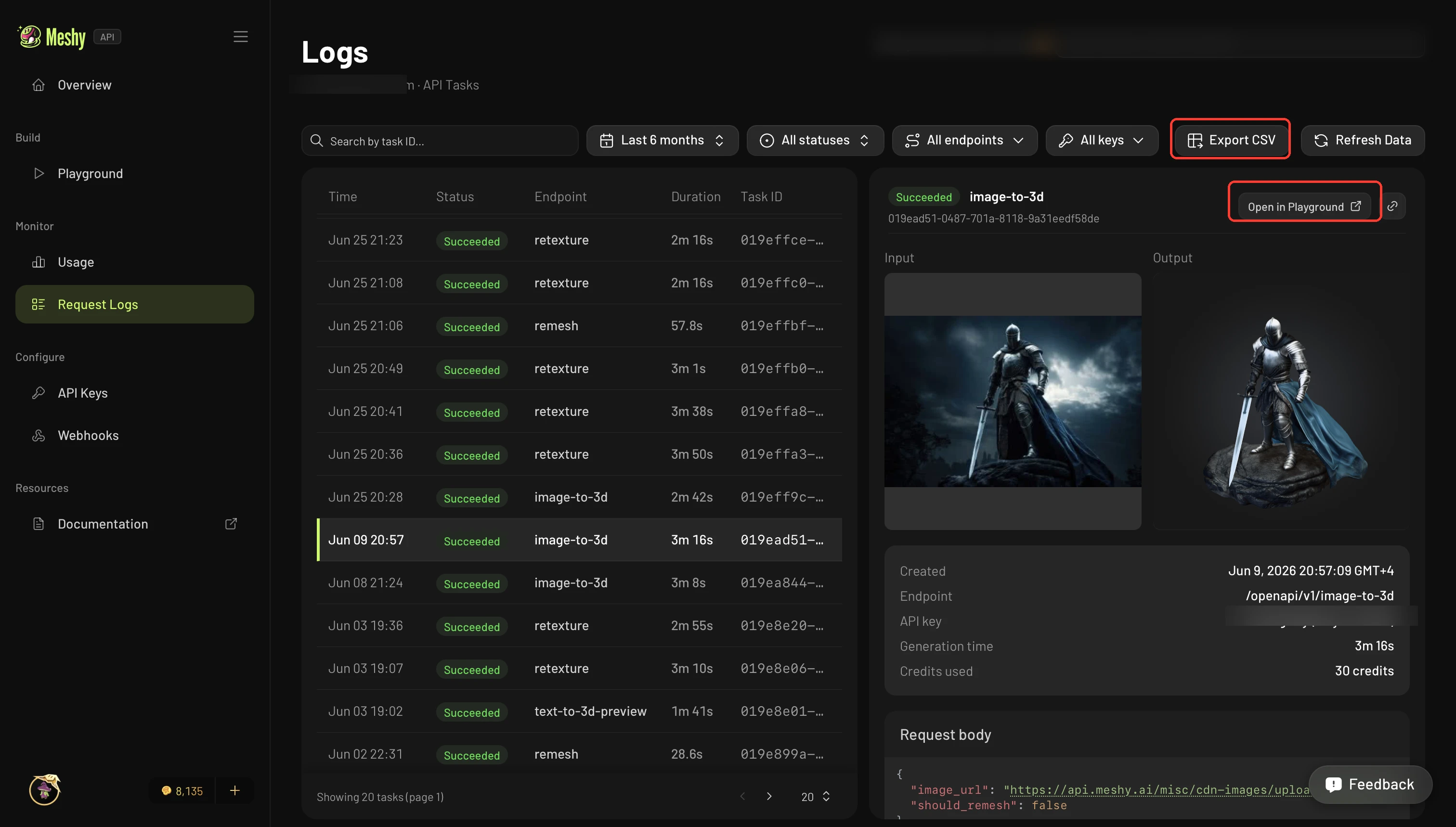
Request Logs lists every API task on your account, from direct API calls and from the Playground. Each entry shows the status, timing, and the API key that made the request.
Select a task to see its full input and output, request body, and credits used. This helps you debug a call without querying the API again. To open the task in the Playground, click Open in Playground. To download the whole list for reports or reconciliation, click Export CSV.
API management
- API Keys: create, name, and revoke keys, set a monthly credit limit on each one, restrict each one to an IP allowlist, and see each key's usage.
- Webhooks: get real-time updates when your API tasks change status, instead of polling. For setup steps, delivery requirements, and sample payloads, see Webhooks.
Feedback
Every page in the Developer Platform has a Feedback button. Use it to report a bug, request a feature, or tell us what's confusing. The Meshy team reads every submission.
Authentication and credits
Playground requests send an API key in the Authorization: Bearer header, like a direct API call. The Playground runs on your own account, so every request uses your plan credits and counts toward your rate limits, like any other API call. For more information about API keys and security, see Authentication.