Models
Compare Meshy's geometry and texture models on the same input, and choose a pair for your project.
Meshy makes a 3D model with two AI models. A geometry model builds the mesh, and a texture model paints it. You choose the geometry model with ai_model and the texture model with texture_model, so you can pair them to suit your project.
Every example on this page started from the same input image and the default settings, so the model is the only difference between them.
Choose by project
The following table suggests a geometry model and a texture model for common projects.
| Project | Geometry model | Texture model | Why |
|---|---|---|---|
| A detailed hero asset, such as a product render or a cinematic prop | meshy-7.1 | meshy-7 | Meshy 7.1 makes a dense, detailed mesh, and Meshy 7 adds PBR maps at up to 8K. |
| A game character to rig and animate | meshy-t2.5 | meshy-n1 | Meshy T2.5 makes a clean triangle mesh at the face count you set, and Meshy N1 paints clean color with few seams. |
| Many props for a game scene, or user-generated content | meshy-t2 | meshy-n1 | The faster Smart Topology model, with 4,000 faces by default and separate parts. |
| A real object from 2 to 4 photos | meshy-7.1 on Multi-Image to 3D | meshy-7 | Both models read every photo, so the sides and the back match the object. |
| A model to 3D print | meshy-7.1 | None, or meshy-7 to print in color | The printer prints the mesh. Meshy 7 separates colors well for Multi-Color Print. |
| Many drafts at a low cost | meshy-6-lite | meshy-6-lite | The mesh costs 5 credits and the texture 10. |
Geometry models
Meshy has two kinds of geometry models:
- Standard models make a dense, detailed mesh that follows the input closely.
- Smart Topology models make a clean, low-poly triangle mesh at the face count you set with
target_polycount.
Standard models
The following comparison shows the mesh that each standard model made from the same image, without a texture. Drag any model to turn all of them. To zoom, hold ⌘ or Ctrl and scroll.
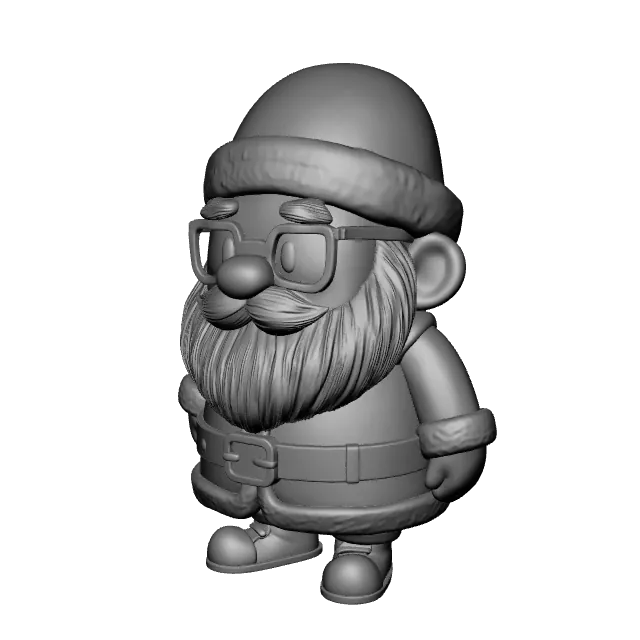 890,226 faces
meshy-7.1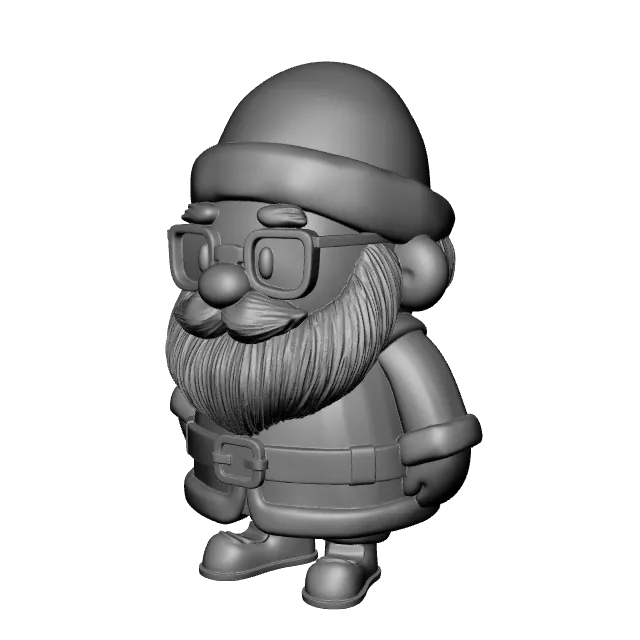 678,776 faces
meshy-6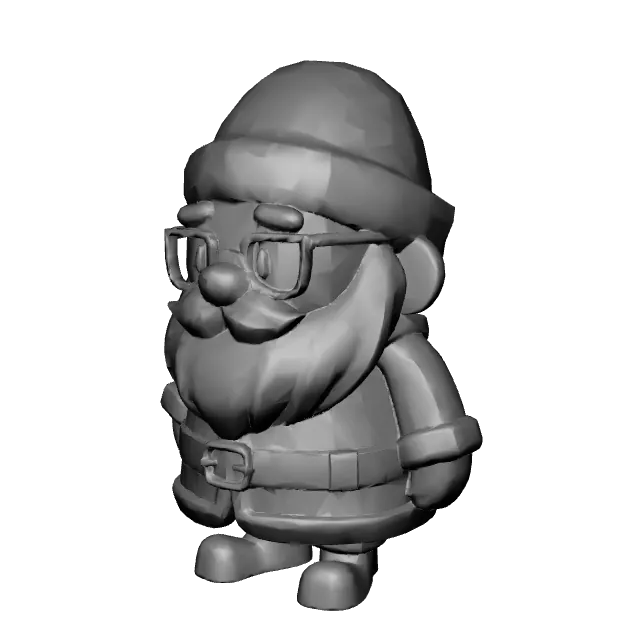 30,513 faces
meshy-6-liteRemeshed by default
The following table compares the standard models.
| Meshy 7.1 | Meshy 6 | Meshy 6 Lite | |
|---|---|---|---|
| Model ID | meshy-7.1, or latest | meshy-6 | meshy-6-lite |
| Strengths | Fine detail built as real geometry, with the shape aligned closely to the input | Clean hard surfaces and smooth organic shapes | Quality close to Meshy 6, in less time and at a quarter of the cost |
| Faces in the example | 890,226 | 678,776 | 30,513 |
| Mesh only, typical time | 75 s | 90 s | 40 s |
| Higher geometry resolution | geometry_resolution: 2k or 4k | Not supported | Not supported |
| Multi-Image to 3D | Supported | Supported | Supported |
| Remeshed by default | No | No | Yes, to 30,000 faces |
| Credits for the mesh | 20 | 20 | 5 |
The typical times are medians for Image to 3D. For other endpoints and options, see Task lifecycle.
Meshy 7.1 puts faces where the detail is: many where the surface has fine detail, few where it's flat. Its face count depends on the input, so the count in the example is one result, not a fixed size.
geometry_resolution: "4k" makes the finest detail, for hero assets and close-up renders. A 4k mesh can reach about 10 million faces and 490 MB, which is more than most 3D printing and modeling tools handle well. 4k works on Image to 3D and Text to 3D, not on Multi-Image to 3D.
Smart Topology models
The following comparison shows the Smart Topology meshes from the same image, with the Meshy 7.1 mesh for comparison. Wireframe view shows the faces.
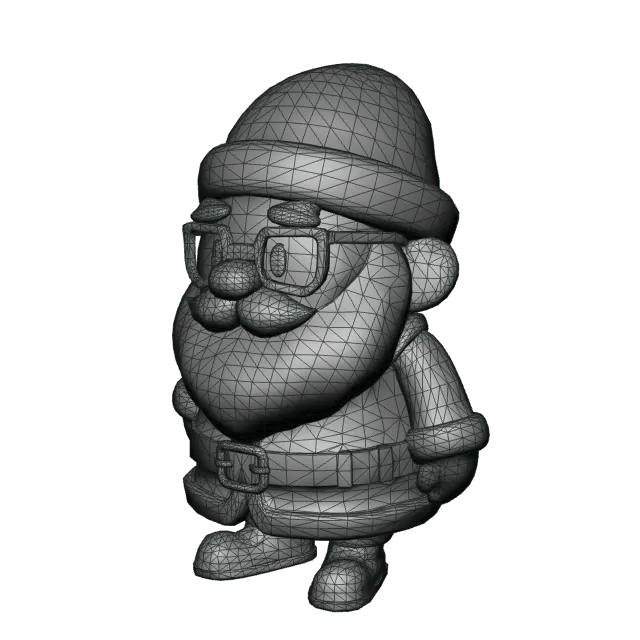 15,721 faces
meshy-t2.5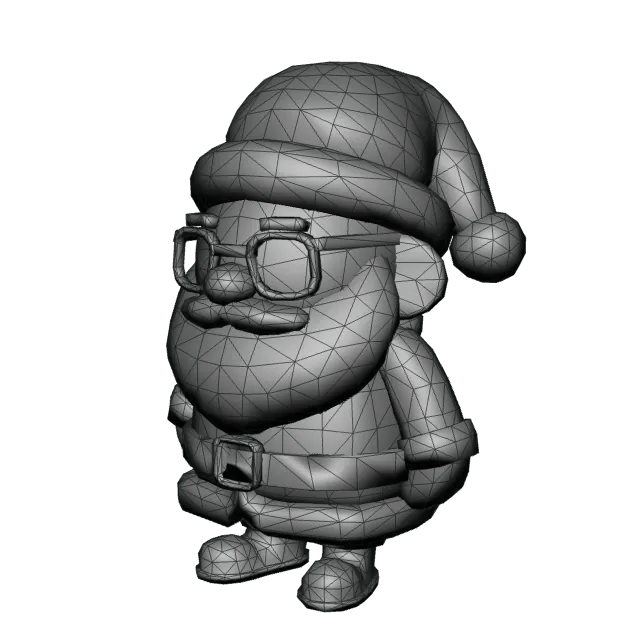 4,353 faces
meshy-t2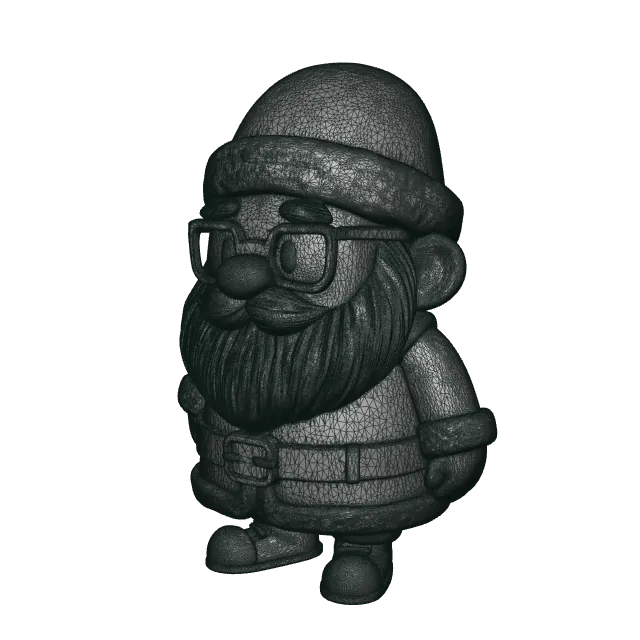 890,226 faces
meshy-7.1For comparisonYou set the face count with target_polycount. The following images show the Meshy T2.5 mesh at four values, from the same image.
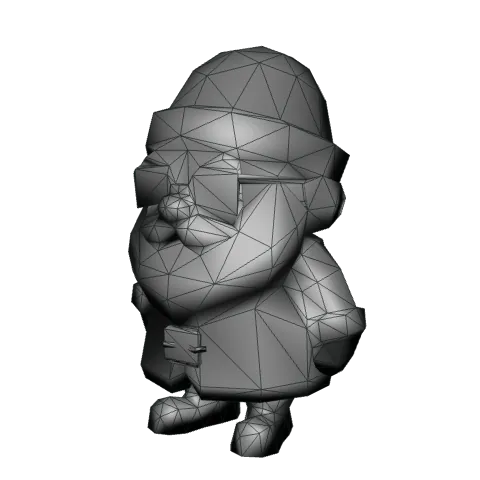
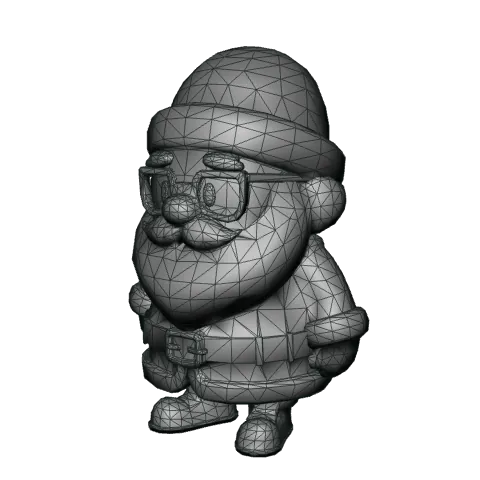
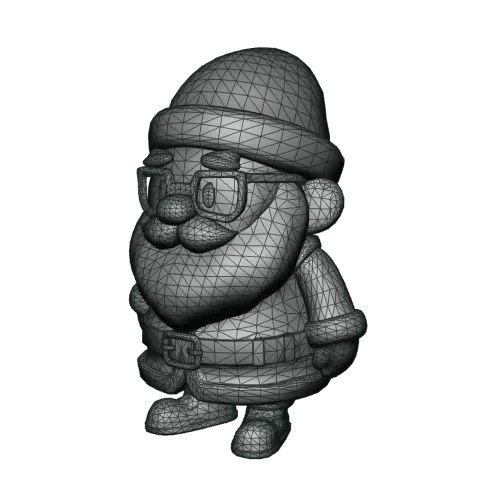
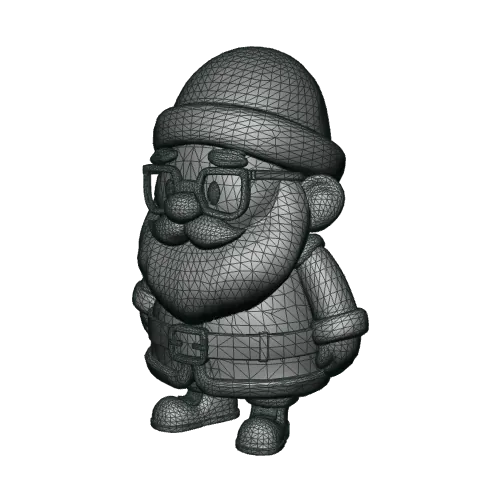
The following table compares the Smart Topology models.
| Meshy T2.5 | Meshy T2 | |
|---|---|---|
| Model ID | meshy-t2.5 | meshy-t2 |
| Strengths | Sharper detail, and a shape closer to the input image than Meshy T2 | Faster generation, with the model's parts kept separate |
target_polycount | 100 to 30000, default 15000 | 100 to 15000, default 4000 |
| Faces in the example | 15,721 | 4,353 |
| Mesh only, typical time | 15 s | 4 s |
| Face type | Triangles only | Triangles only |
| Input | One image, or a text prompt | One image, or a text prompt |
| Credits for the mesh | 5 | 5 |
Smart Topology models make triangles only, so topology: "quad" returns 400. To get quads, use a standard model and remesh it. See Remesh.
Texture models
The following comparison shows the same Meshy T2.5 mesh, painted by each texture model from the same image. Select Base color only to turn off the lights and see the painted color itself, including any shadows and highlights painted into it.
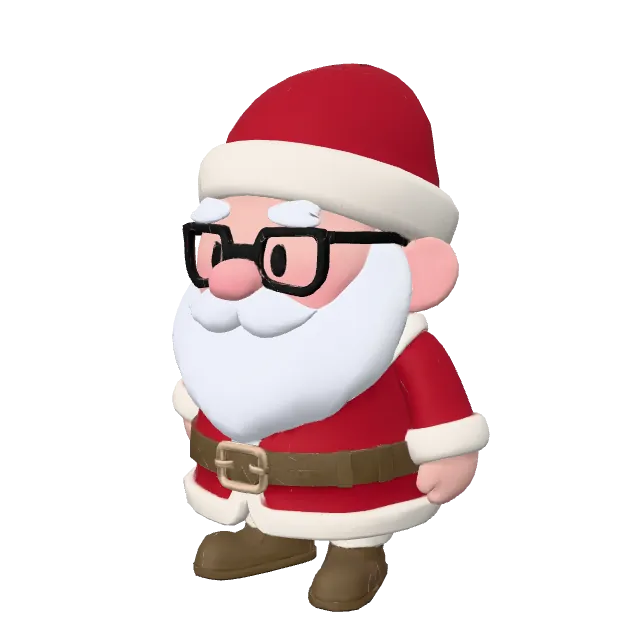
meshy-7
meshy-n1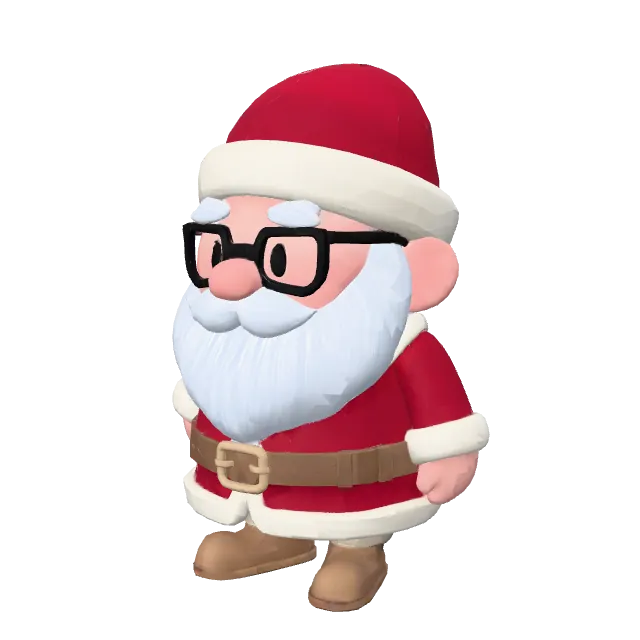
meshy-6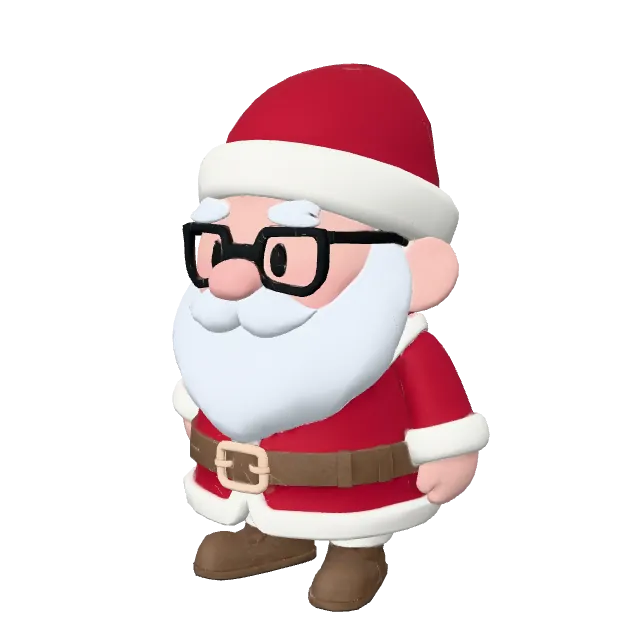
meshy-6-liteMeshy 7, Meshy 6, and Meshy 6 Lite also make PBR maps when you send enable_pbr: true. The following maps are the ones Meshy 7 made for the same model.
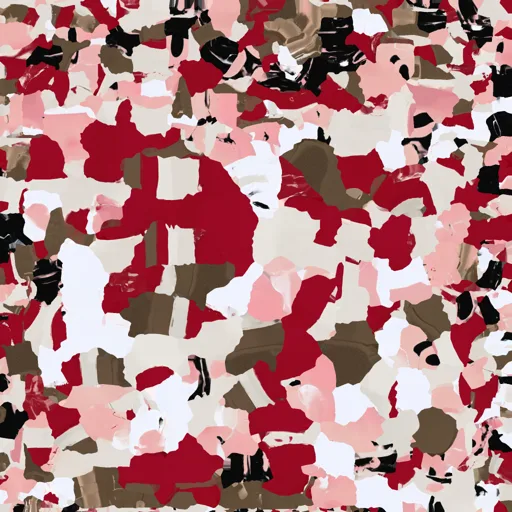
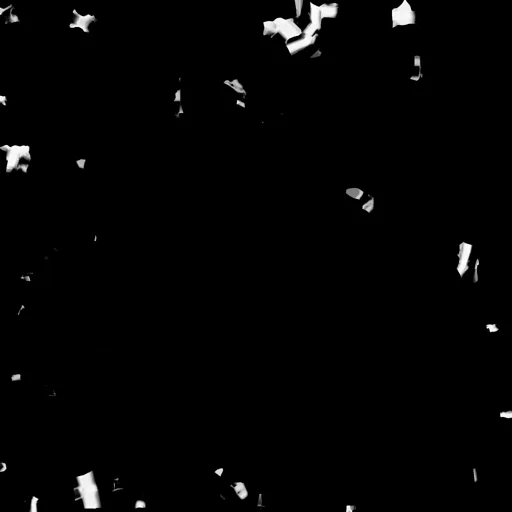
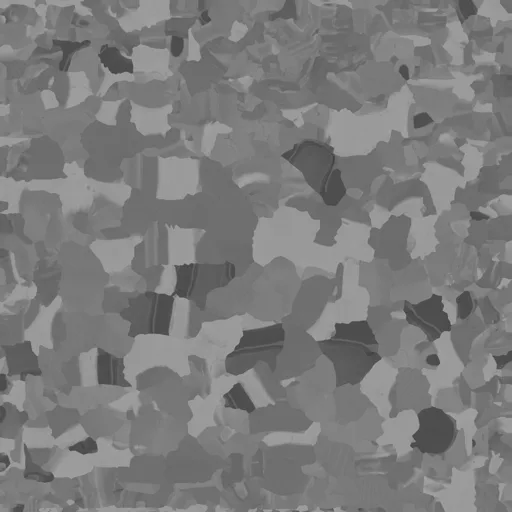

The following table compares the texture models.
| Meshy 7 | Meshy N1 | Meshy 6 | Meshy 6 Lite | |
|---|---|---|---|---|
| Model ID | meshy-7 | meshy-n1 | meshy-6 | meshy-6-lite |
| Best for | Realistic and detailed assets, PBR materials, and close-up renders | Stylized and low-poly game assets | Assets with glowing parts, which need an emission map | Drafts and fast iteration |
| Texture resolution | 2K, 4K, or 8K | 2K | 2K, 4K, or 8K | 2K |
| PBR maps | Supported | Not supported: base color only | Supported, with an emission map at 2K and 4K | Supported |
| Text prompt | Supported | Not supported: reference images only | Supported | Supported |
| Reference images | 1 to 4 | 1 to 4 | 1 | 1 |
remove_lighting | Ignored | Not supported | Supported | Not supported |
Quad remesh (topology: "quad") | Supported | Not supported | Supported | Supported |
| Typical time at 2K | 40 s | 20 s | 110 s | 35 s |
| Credits | 10, or 15 at 8K | 10 | 10, or 15 at 8K | 10 |
A request that asks a texture model for something it doesn't support returns 400, for example a text prompt with Meshy N1 or a 4k texture with Meshy 6 Lite. remove_lighting removes highlights and shadows from the base color.
The credits are the texture's price on its own, the same as a Retexture task. On Image to 3D and Multi-Image to 3D, a textured task costs the mesh plus the texture at that resolution, whichever texture model you pick. See Pricing.
Meshy N1 generates color directly on the model instead of blending 2D views, so its textures have few seams and their colors follow the mesh. Text, patterns, and faces come out softer than with Meshy 7, so use Meshy 7 for photorealistic assets, fine detail, or PBR maps.
Meshy 7 makes 8K textures natively, not by upscaling. Use 8K for close-up cinematics and hero assets. For assets in a real-time engine, 2K or 4K is usually enough.
Multi-view
Send 2 to 4 images of the same object to show the model the sides that one image can't. Send the front view first. The other views can be in any order. The views must show the same object in the same colors. When views disagree, the result is unpredictable.
Multi-view geometry
Multi-Image to 3D builds the mesh from every image. In the following example, Meshy 7.1 built an explorer from the front image alone and from all three images. From the front alone, the back of the backpack is a guess.
Input images
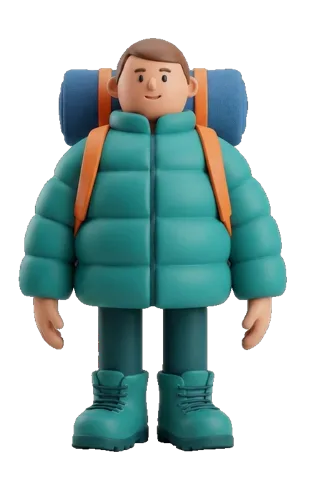
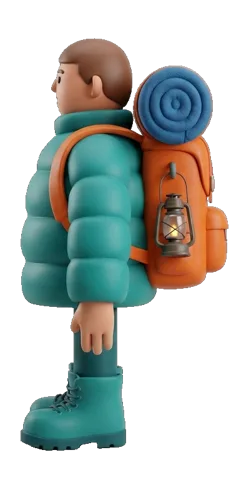
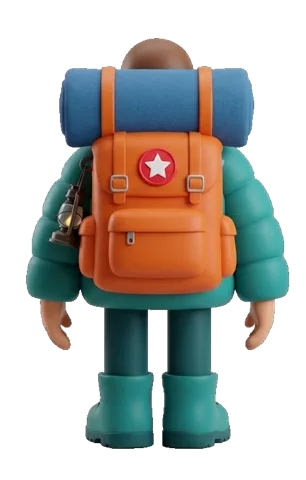
The back of each model
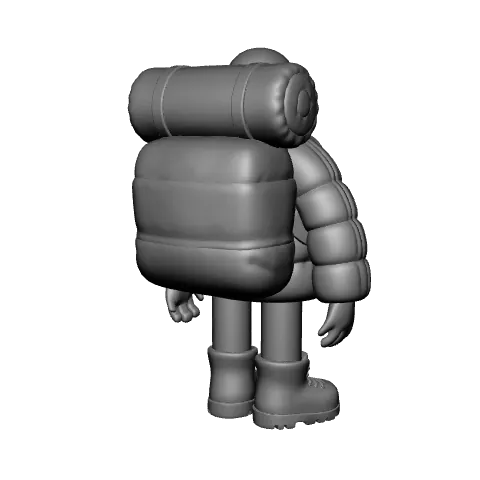
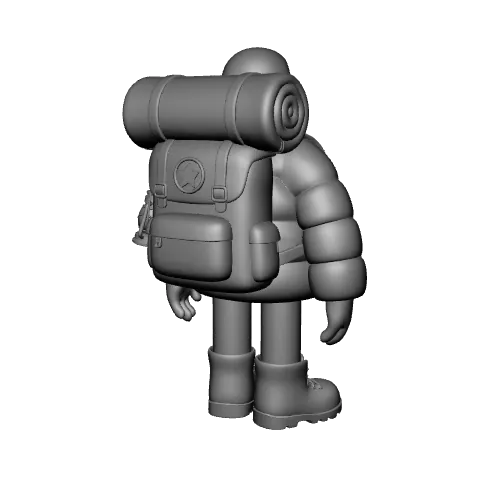
Meshy 7.1, Meshy 6, and Meshy 6 Lite take 1 to 4 images. Smart Topology models take one image.
Multi-view texture
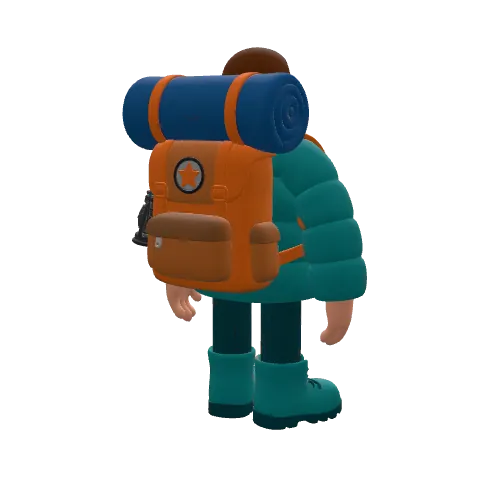
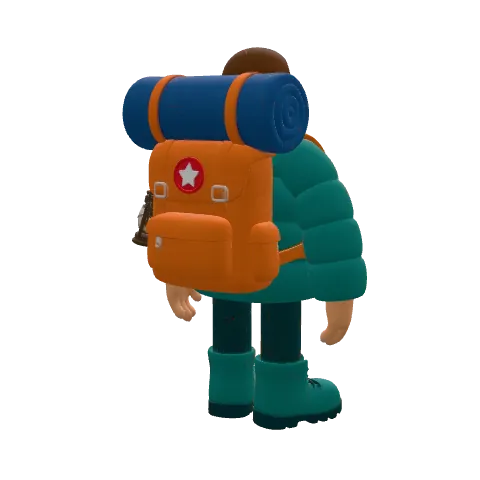
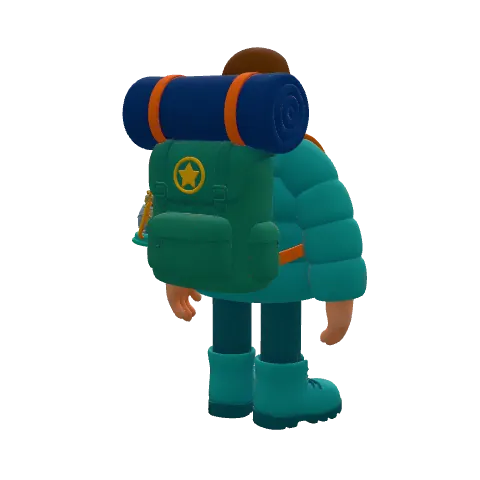
Meshy 7 and Meshy N1 paint from 1 to 4 reference images. In the following example, both painted the same mesh from the front image alone and from all three images. With the front alone, both guessed the backpack's colors and patch. With all three, both match the back view.
The back of each model
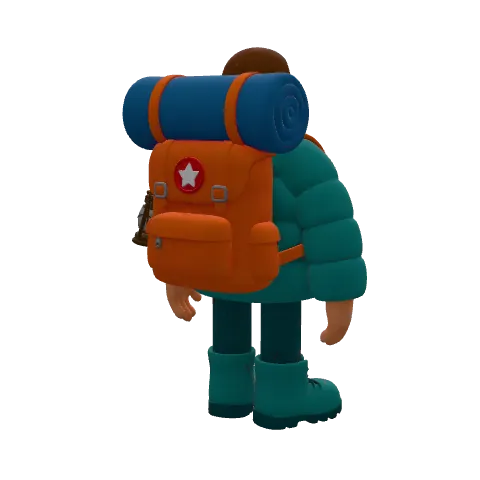
To send several reference images, use one of the following:
texture_image_urlson Multi-Image to 3Dmultiview_image_urlson Retexture
Meshy 6 and Meshy 6 Lite take one reference image, so texture_model on Multi-Image to 3D takes only meshy-7 and meshy-n1.
Every pair
The following grid shows the result of every pair of geometry and texture models on three inputs. Select a pair to see its result. Recommended marks the pair that Meshy recommends for each geometry model, as in Choose by project.
| Meshy 7 | Meshy N1 | Meshy 6 | Meshy 6 Lite |
|---|---|---|---|---|
| Meshy 7.1 | ||||
| Meshy 6 | ||||
| Meshy 6 Lite | ||||
| Meshy T2.5 | ||||
| Meshy T2 |

meshy-t2.5 + meshy-n1Recommended pair for this geometry modelSet the models in a request
The following table shows the parameters that set the models on each endpoint.
| Endpoint | Geometry model | Texture model |
|---|---|---|
| Image to 3D | ai_model, with model_type: "smart-topology" for Meshy T2.5 and Meshy T2 | texture_model: meshy-7, meshy-n1, or meshy-6-lite |
| Multi-Image to 3D | ai_model | texture_model: meshy-7 or meshy-n1 |
| Text to 3D | ai_model on the preview task | ai_model on the refine task |
| Retexture | None: you send a model you already have | ai_model |
For example, the following Image to 3D request makes a game character with Meshy T2.5 and paints it with Meshy N1:
{
  "image_url": "https://example.com/character.png",
  "model_type": "smart-topology",
  "ai_model": "meshy-t2.5",
  "target_polycount": 15000,
  "texture_model": "meshy-n1"
}
If you leave out texture_model, Meshy uses the default texture model for the geometry model. The following table lists the defaults. They stay the same when Meshy releases a texture model, so a request without texture_model keeps giving you the same kind of result.
| Geometry model | Default texture model |
|---|---|
| Meshy 7.1 | Meshy 7 |
| Meshy 6 | Meshy 6 |
| Meshy 6 Lite | Meshy 6 Lite |
| Meshy T2.5 | Meshy 7 |
| Meshy T2 | Meshy 7 |
Sending the default is the same as leaving texture_model out. texture_model takes a model ID only. On Image to 3D, meshy-6 is available only as the default for Meshy 6. On Multi-Image to 3D, a textured request with meshy-6 or meshy-6-lite returns 400.
On the Text to 3D refine task, ai_model picks Meshy 7, Meshy N1, Meshy 6, or Meshy 6 Lite. Meshy N1 textures from texture_image_url, or from the reference image that a Meshy 7.1 preview stores.